OWL F-35A - 64mm EDF
( Semi Scale Model )
~ 3 Variants : (a). "PLA", (b). "LW-PLA Digital Balsa" and (c). "Both LW-PLA Digital Balsa and Foam" Series ~
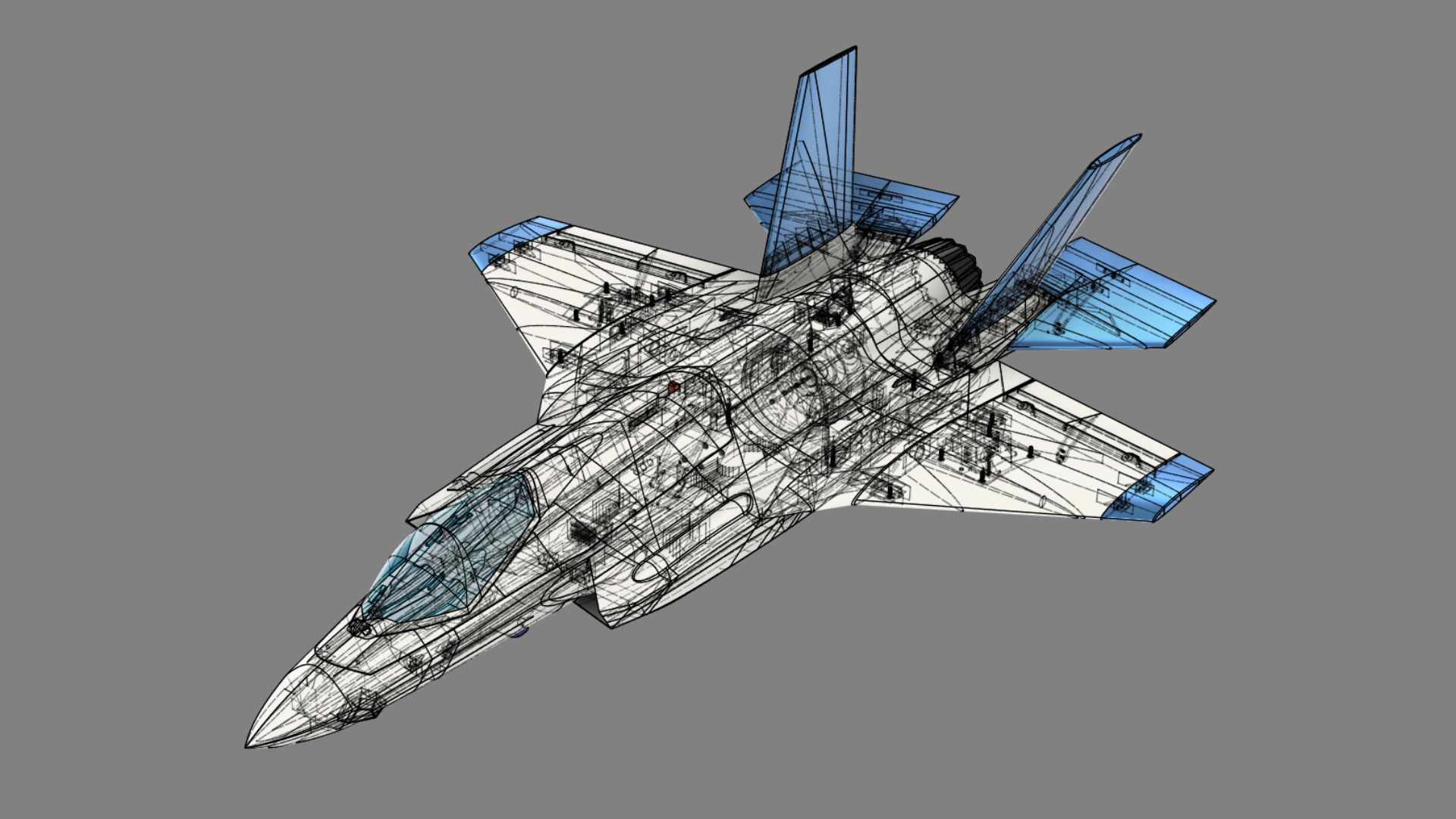


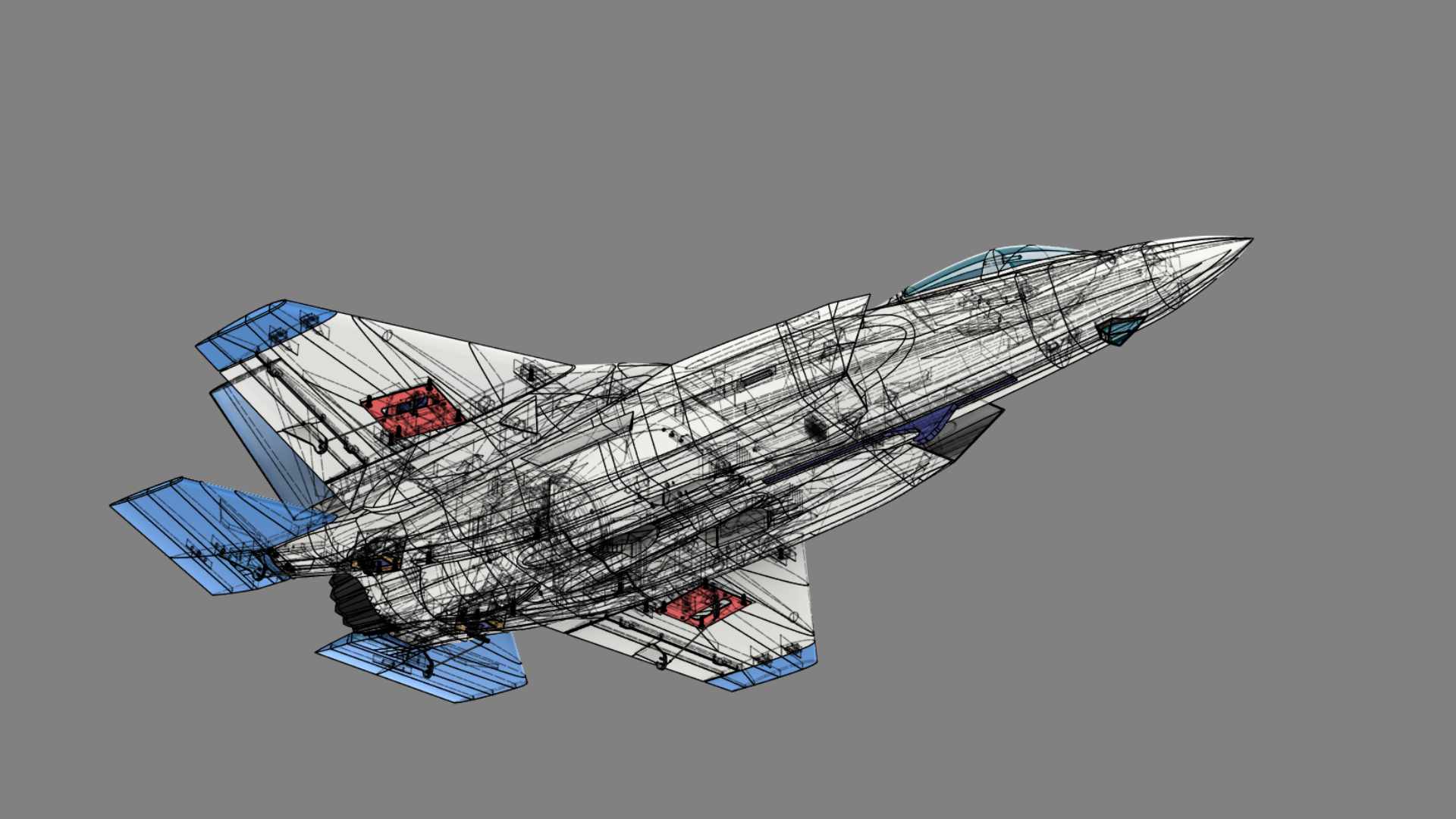
OWL F-35A - 64mm EDF
We are really happy to release our second model in 2025. This model has 3 variants on how you may want to print and with what filaments. It means that we also provide 3 sets of STL files including the Profile files. It is up to you if you would like to mix your printed models.
Our models should be much easier to print with your FDM printers for now (starting in 2025) since the Profile files are created using OrcaSlicer where it supports vast FDM 3D printers in the market. Not only the Profiles, we also provide the Project files. If your 3D printer are listed below, you just need to select your 3D printer, your preferred filament and the match process according to the STL file reference code. That is it ! If your 3D printers are not listed in the Profiles, no worry, it should be easy also to create one using OrcaSlicer. Please check and feel free to download the profile files in our OrcaSlicer website page and create yours whenever you like to.
You may want to use 4s 1500mAh so that it would be easy to land and printed with LW-PLA Digital Balsa approach (no-infill). If you are not familiar hand launching an EDF jet, we would suggest you use our Catapult Launcher (it is human free error from throwing the model). During maiden, also suggest using that launcher to get you familiar first with the model. When you have trimmed aileron and elevator control surfaces already, you will have no worry and no need anymore setting the control surfaces at the same time.
Videos and Pictures
Flying Play List
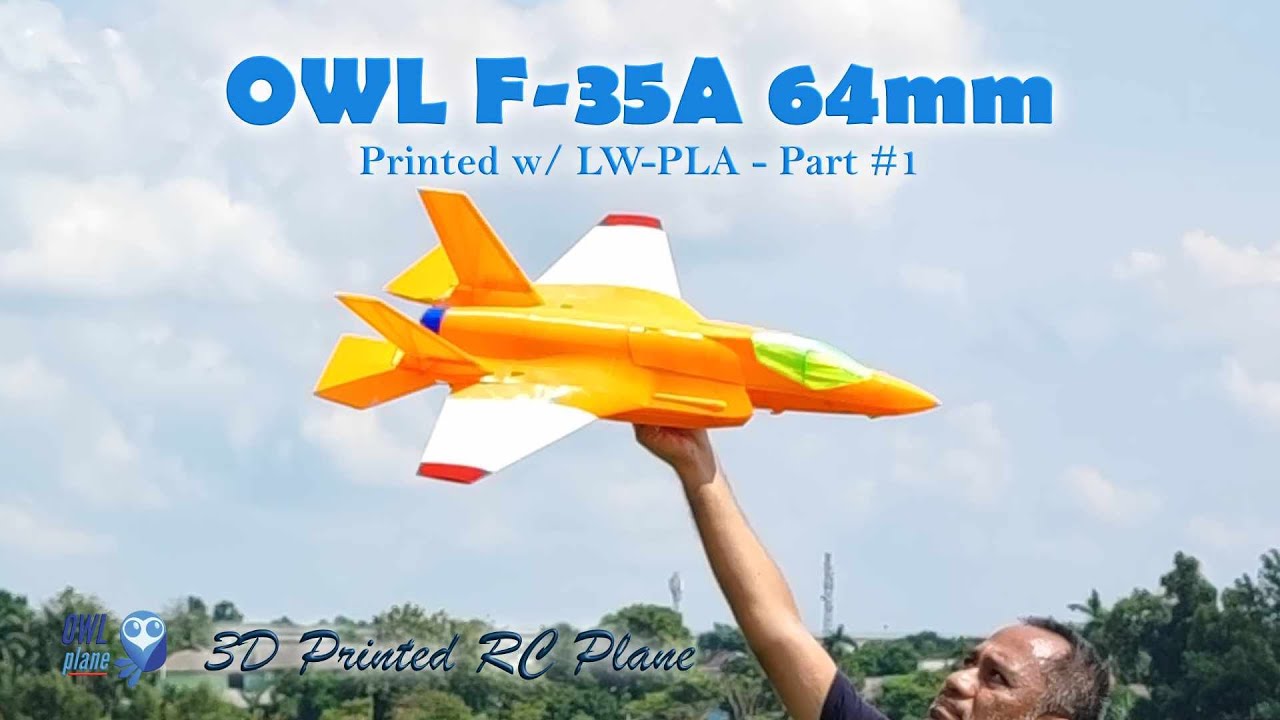
1:40
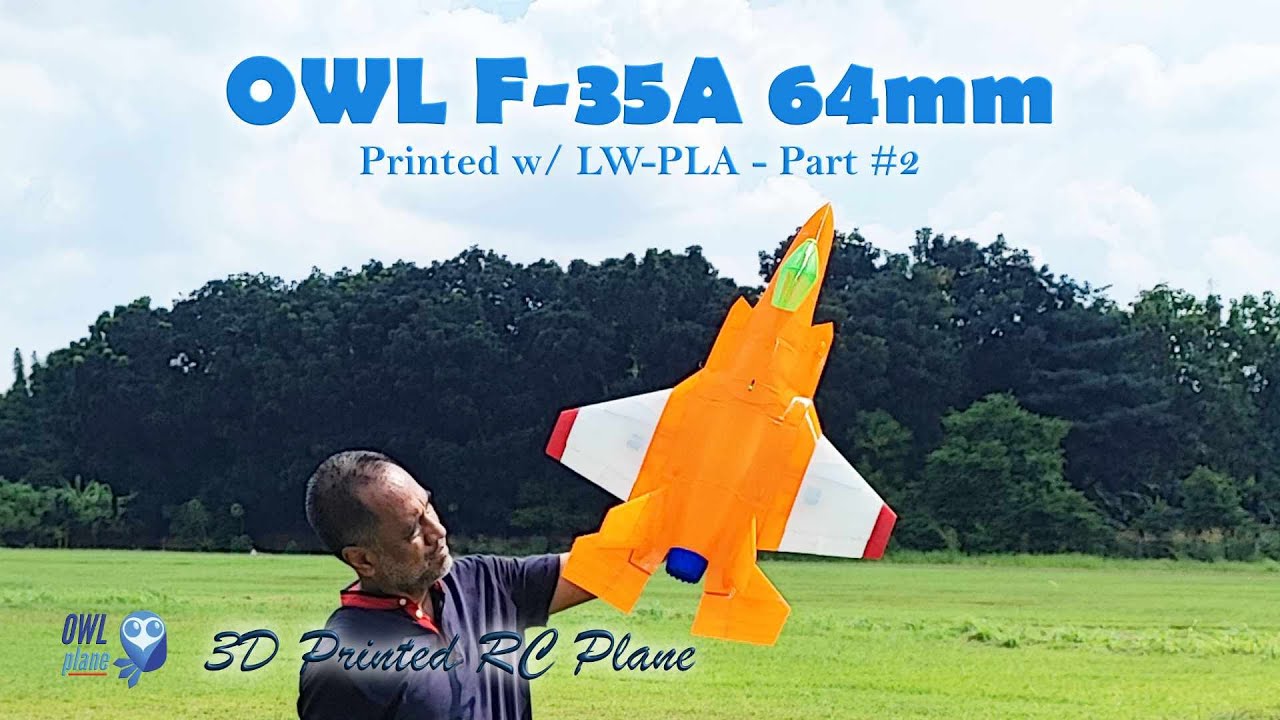
2:01
F-35A 64mm All Printed in PLA in The Pictures


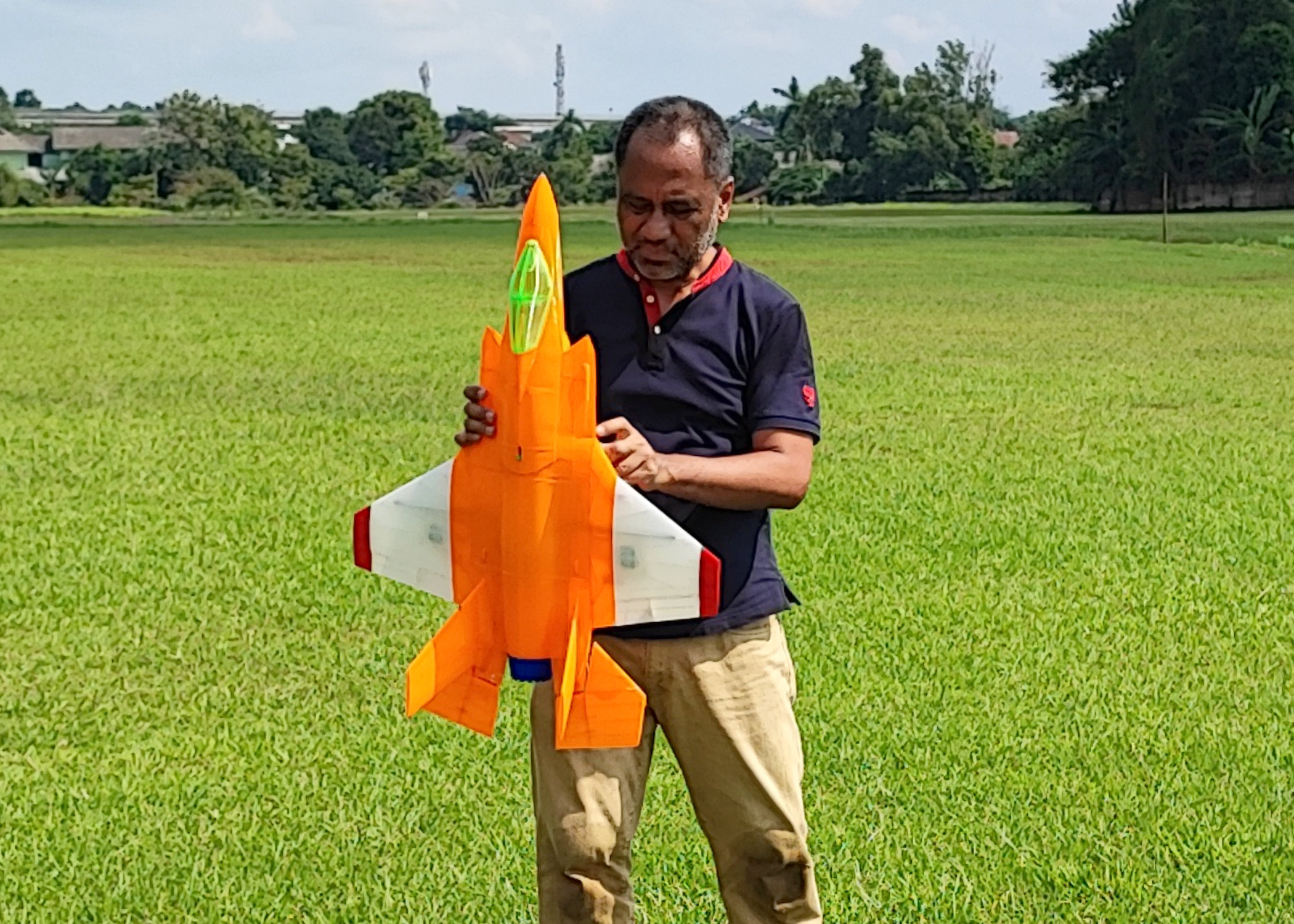
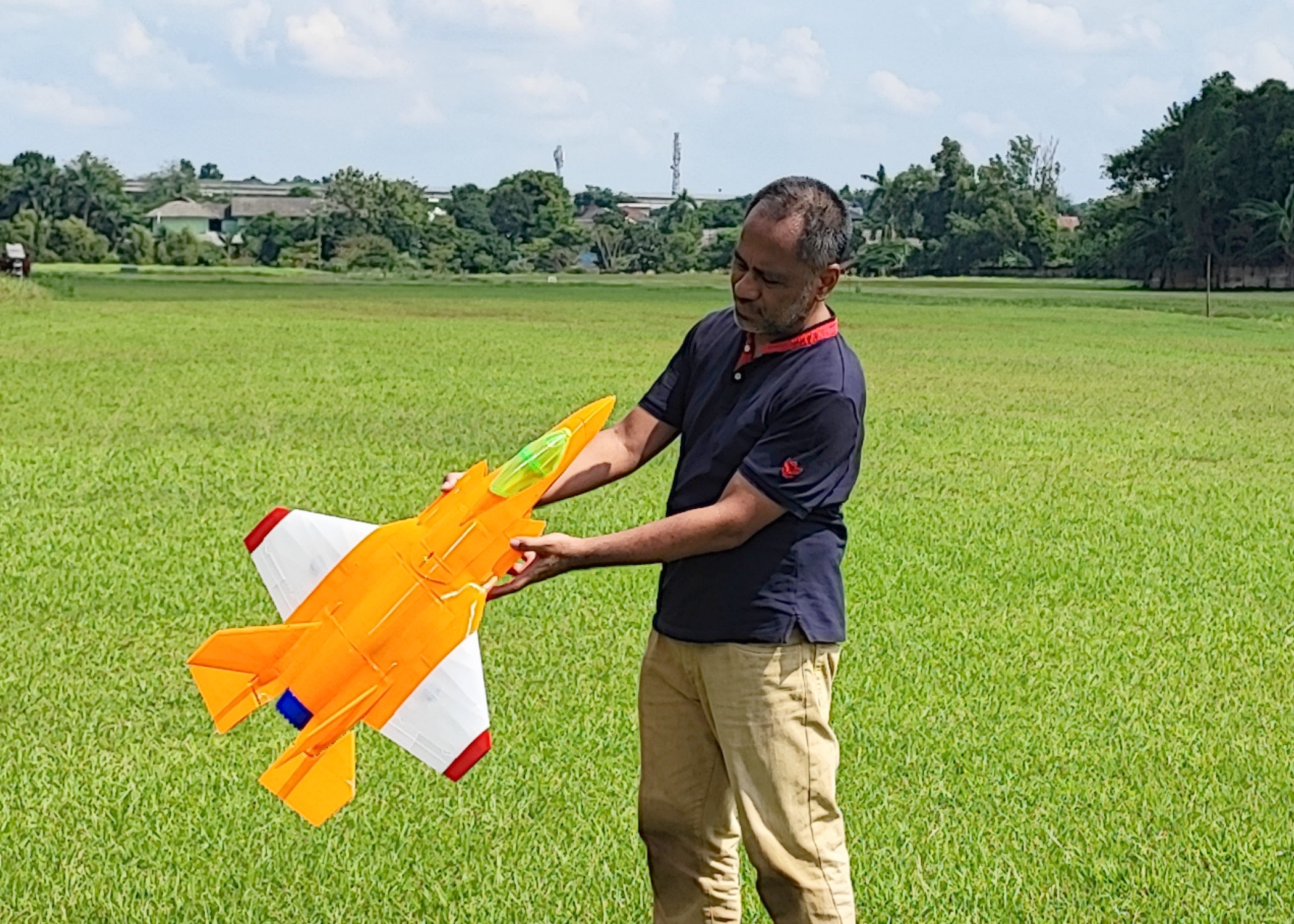
F-35A 64mm – Left Hand is 70mm and Right Hand is 64mm


3 Sets STL Files To Print !
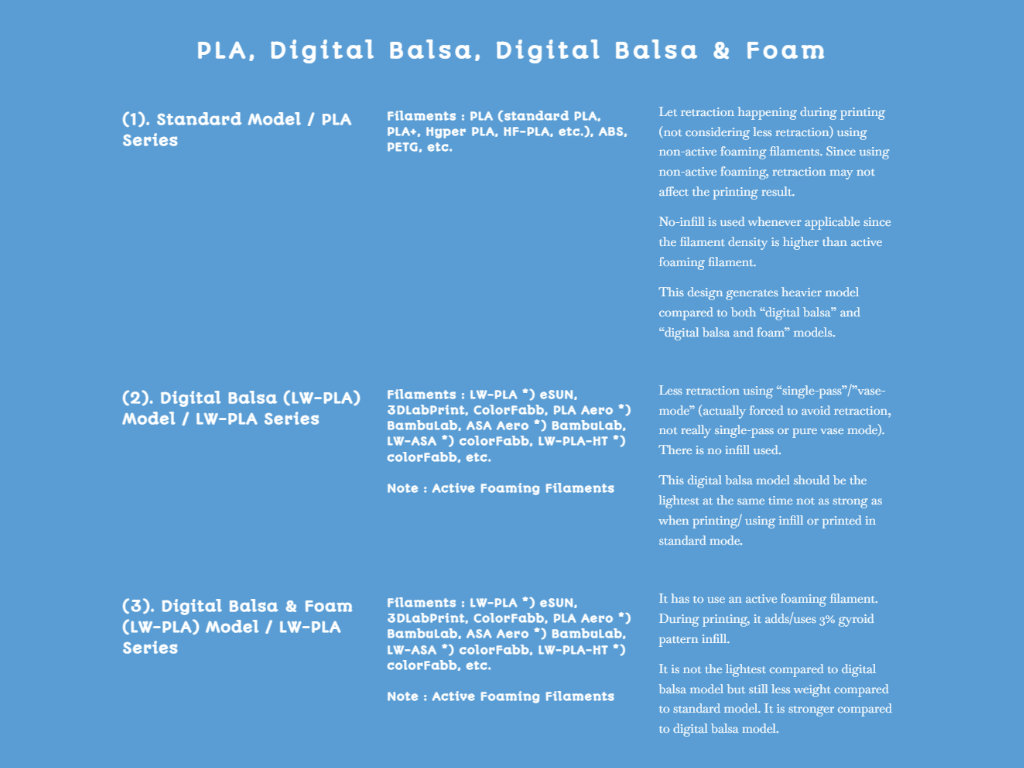
3 Variants of F-35A 64mm Models :
In this models, OWLplane provides you with all 3 printing models above. It means that we have gone through some test flying to make sure that the models are still fun to fly and strong enough as an rc plane model during extreme G force maneuvers.
When printed with PLA, PLA series, it would be the heaviest among Digital Balsa and Digital Balsa and Foam series. WCL would be the highest but the time and the cost to print would be the lowest and the cheapest respectively. It would be the hardest to fly with. Although the hardest to fly, we still consider the model as a flyable rc plane and also fun to fly (as you can see from our posted video).
It is not recommended to fly the PLA series by hand launching (please use the catapult instead). The best performance would be the Digital Balsa series since the AUW would be the lightest but still strong enough as an rc plane model to fly. At the same time, it would be the weakest model. Depending on you, possibly the LW-PLA printed using Digital Balsa and Foam is the best choice for you (strong but not the heaviest). To avoid human error, whenever possible, we still suggest to launch the model using a catapult.
The term “Digital Foam” is refer to the “gyroid” type infill when printing the parts. As you can see from the pictures below, they illustrate a 3D printed part when using gyroid infill and ribs. You can pick infill percentage to your preferences where the higher you set it will be stronger. To get optimal result, we also introduce ribs so that we will achieve parts using optimal gyroid infill percentage (feel free to remove and to keep the internal structures, see the OrcaSlicer profile website page on how to remove them).
*) Below is from F16 part for illustration.


In 2025 and onward, when we release a new model, it should be sliced using OrcaSlicer. If you would like to know more and download the provided profiles, please visit the following page : https://owlplane.com/orca-slicer-for-bambulab-and-others/ or click the button below.
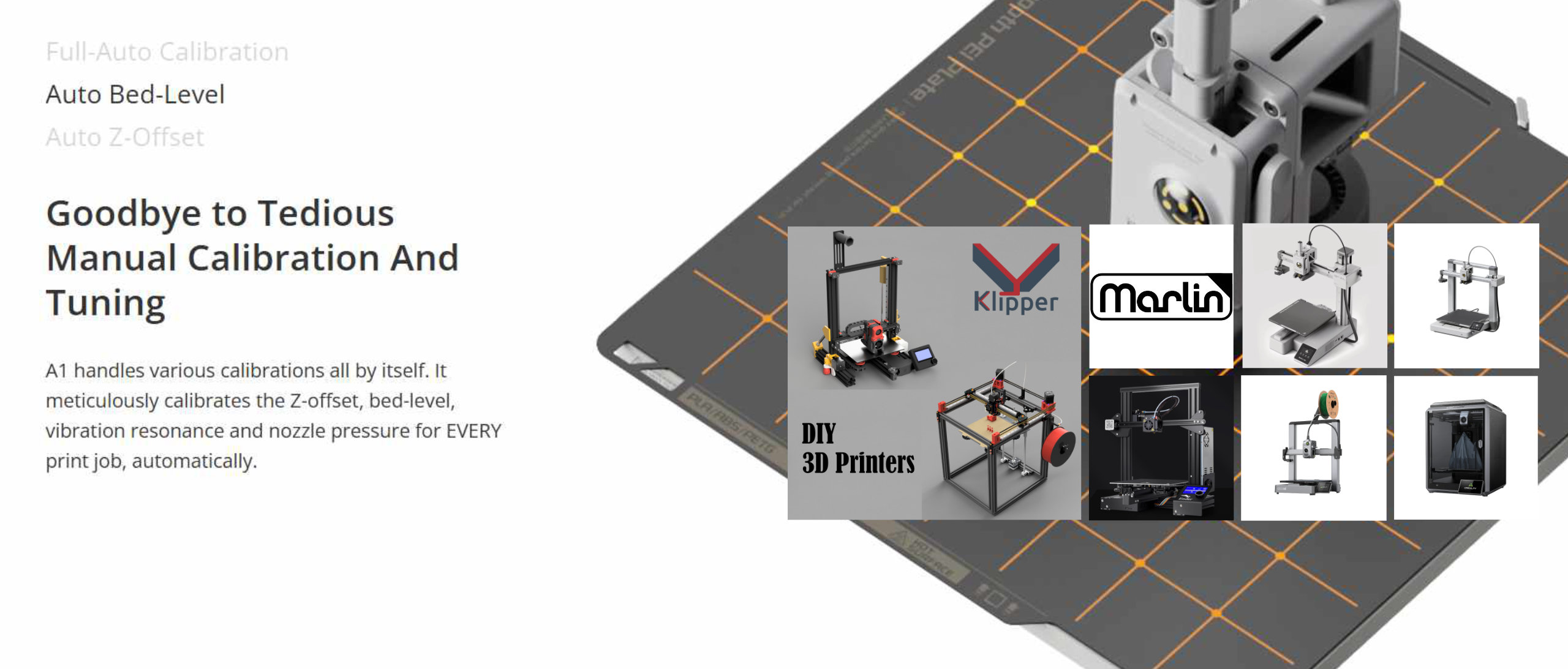
Like Playing Lego (PLA, Digital Balsa, Digital Balsa & Foam):
We always consider designing all of our model easy to assembly. To achieve this, the printed parts are designed such a way when assembly it feels like playing “lego” blocks.
*) Right side pictures are sample parts from F16 model.


Expected Some Stringing but Easy to Clean (LW-PLA for Some Parts) :
Since active foaming filaments such as LW-PLA is not affected by retraction, some stringings are expected. The good news is that they are easy to clean compared to printing with standard PLA/PLA+.
*) below are sample parts from F16 model.
- Suggested using knife to clean initially.
- Once completed using knife, continue using sandpaper for sanding some strings that still attached to skin.
- Sandpaper could also used to make smoother skin.
- For the plug-in blocks, also use sandpaper to eliminate excessive materials.


Sandpaper Cleaning the Excessive Materials Surrounding Plug-In Blocks :
Sanding parts would make assembling much easier and clean. Excessive materials can be found on the top surfaces. For example, the circle in the picture need to sand so that there is no need to push the part later to fit into the next part.
*) a sample part from F16 model.

Sand The Surfaces To Get Smooth Ones :
Comparing surfaces before and after sending it. LW-PLA material let you smoothing surfaces where it would not be applicable with standard PLA or PLA+.


Slicing and Printing
After unzipping the download file, the project file in this example is located under for LW-PLA :
1. STLs F-35 64mm\STLs v1.0\1. FUSELAGE 64mm\LW-PLA\B2T2_GR1 & PERI1_B2T2\PERI1_B2T2\PROJECT FILES
Open the project file with orca slicer. It will find fuselage stl files as depicted on the right side screenshoot.
The following PICs are for illustration only (borrowing from OWL Mirage 2000D 64mm)
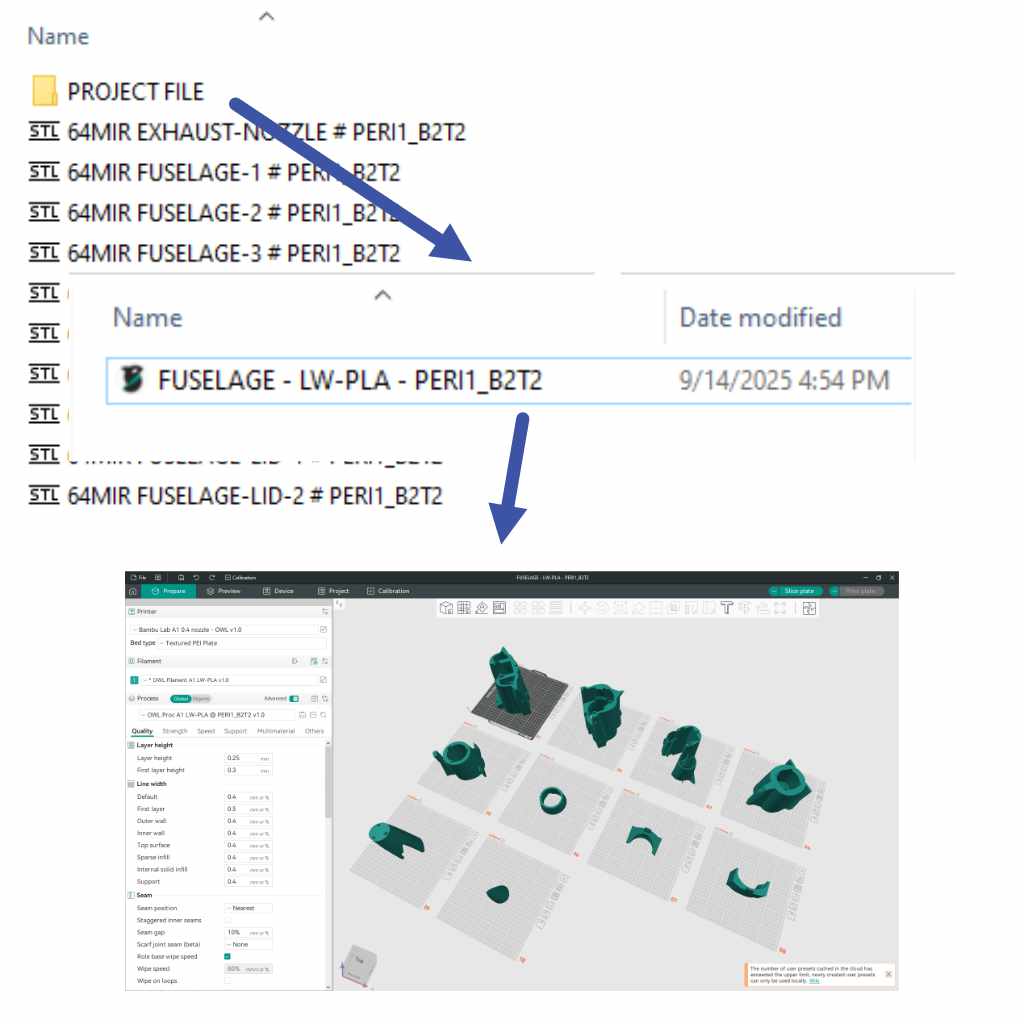
The following PICs are for illustration only (borrowing from OWL Mirage 2000D 64mm)
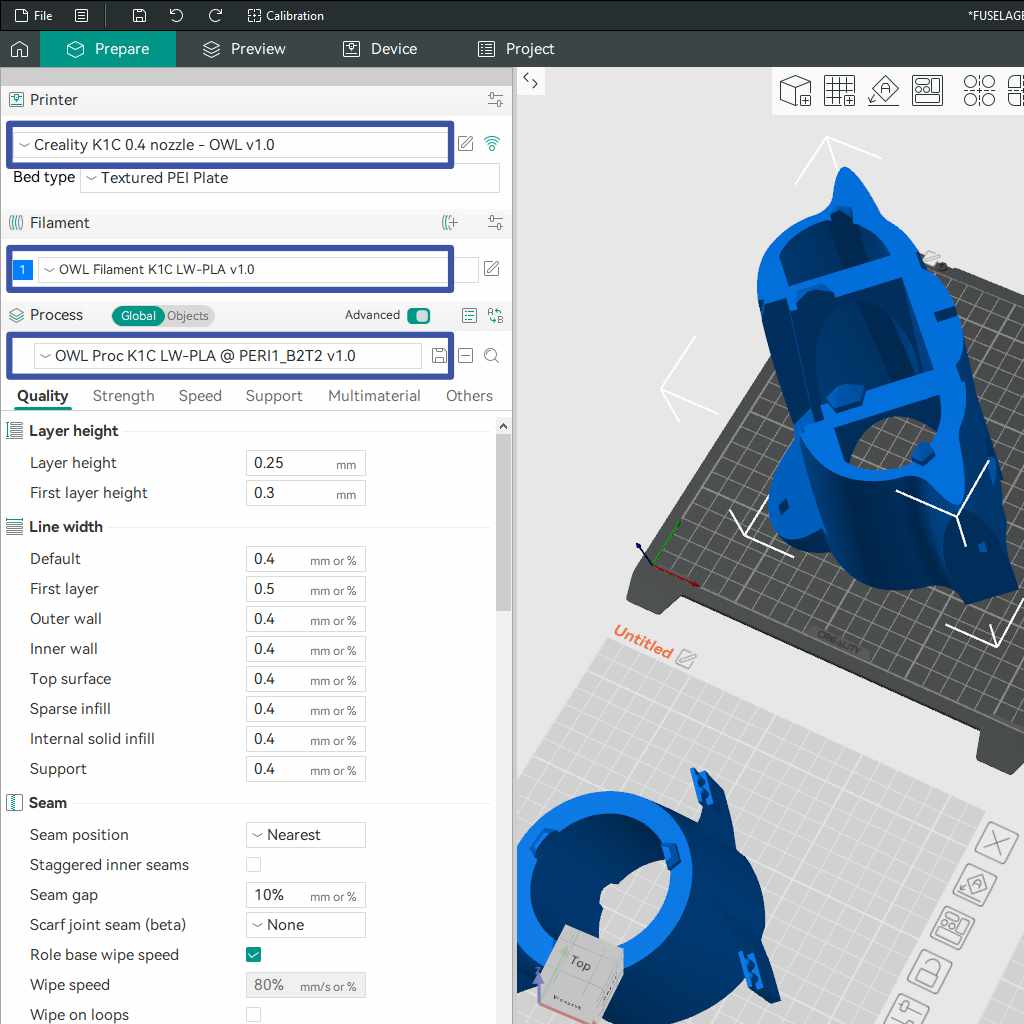
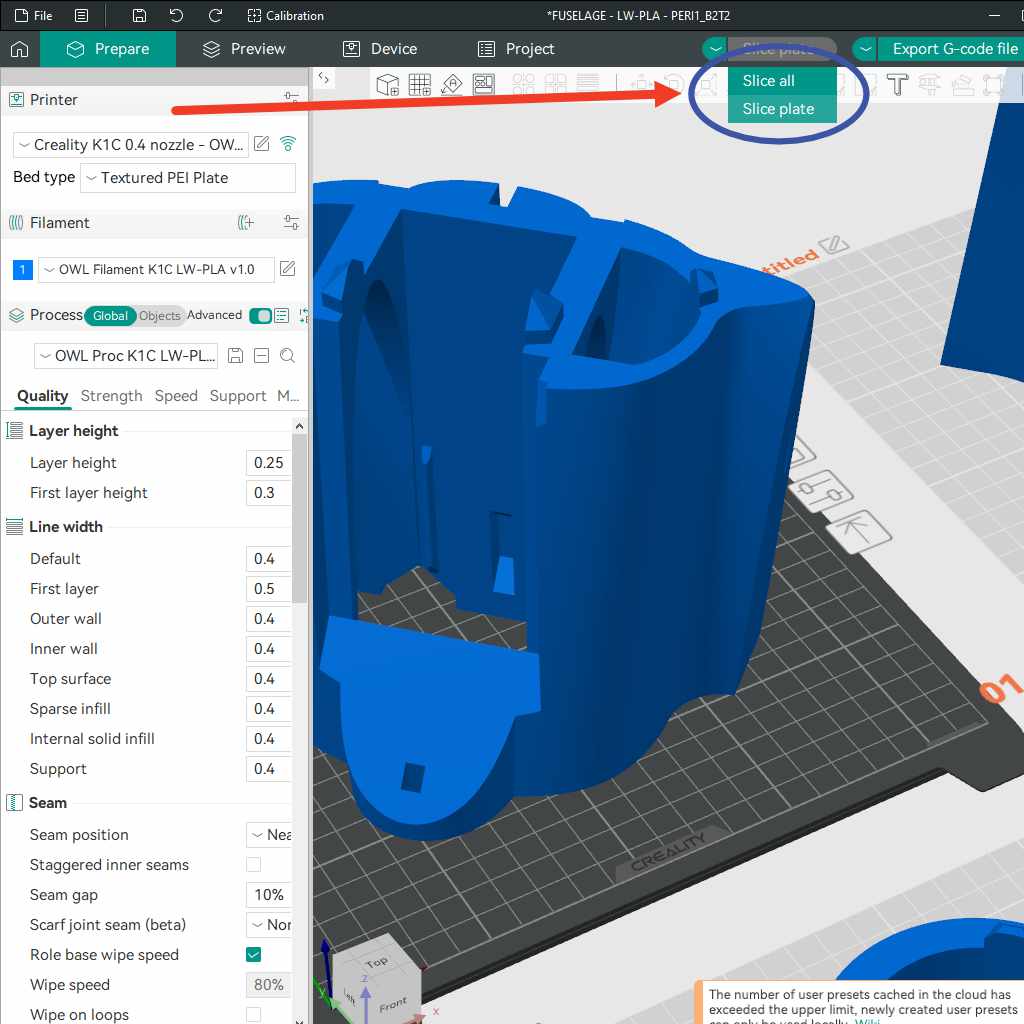
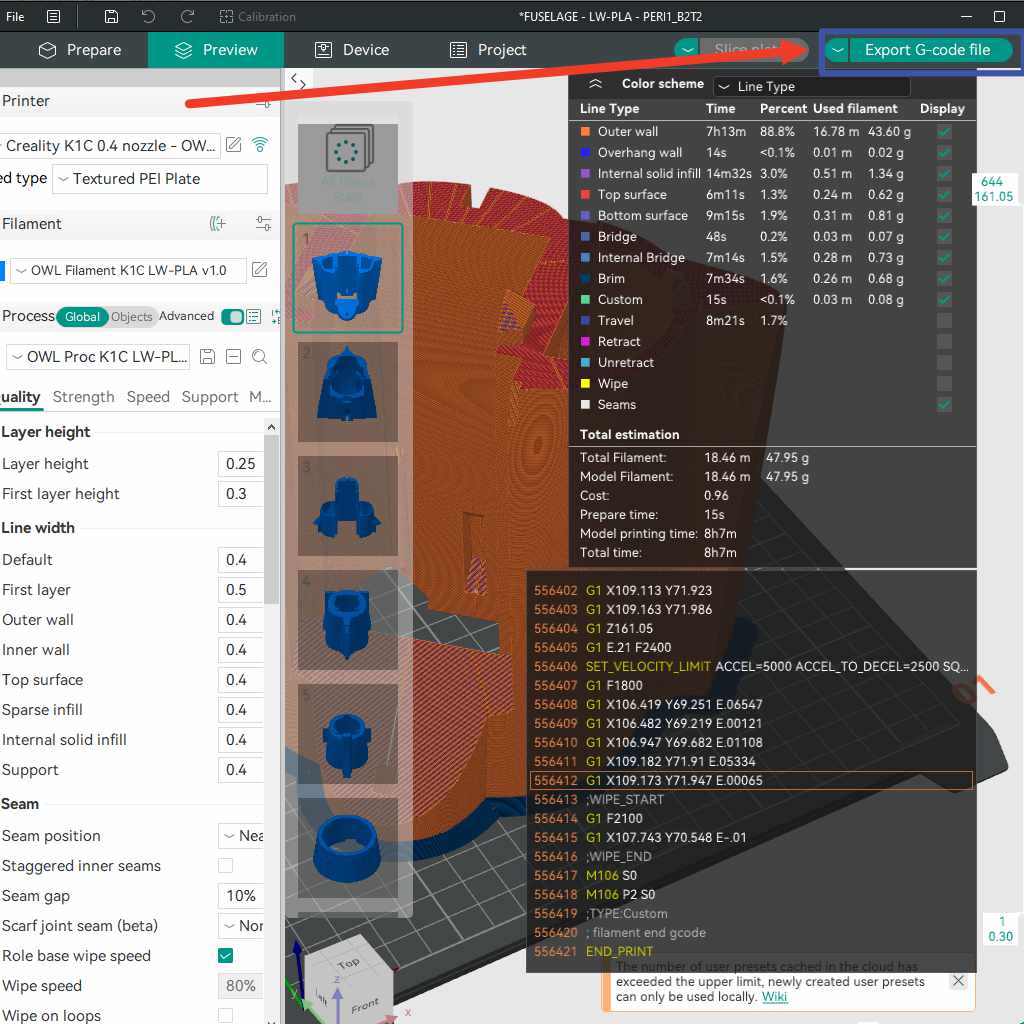
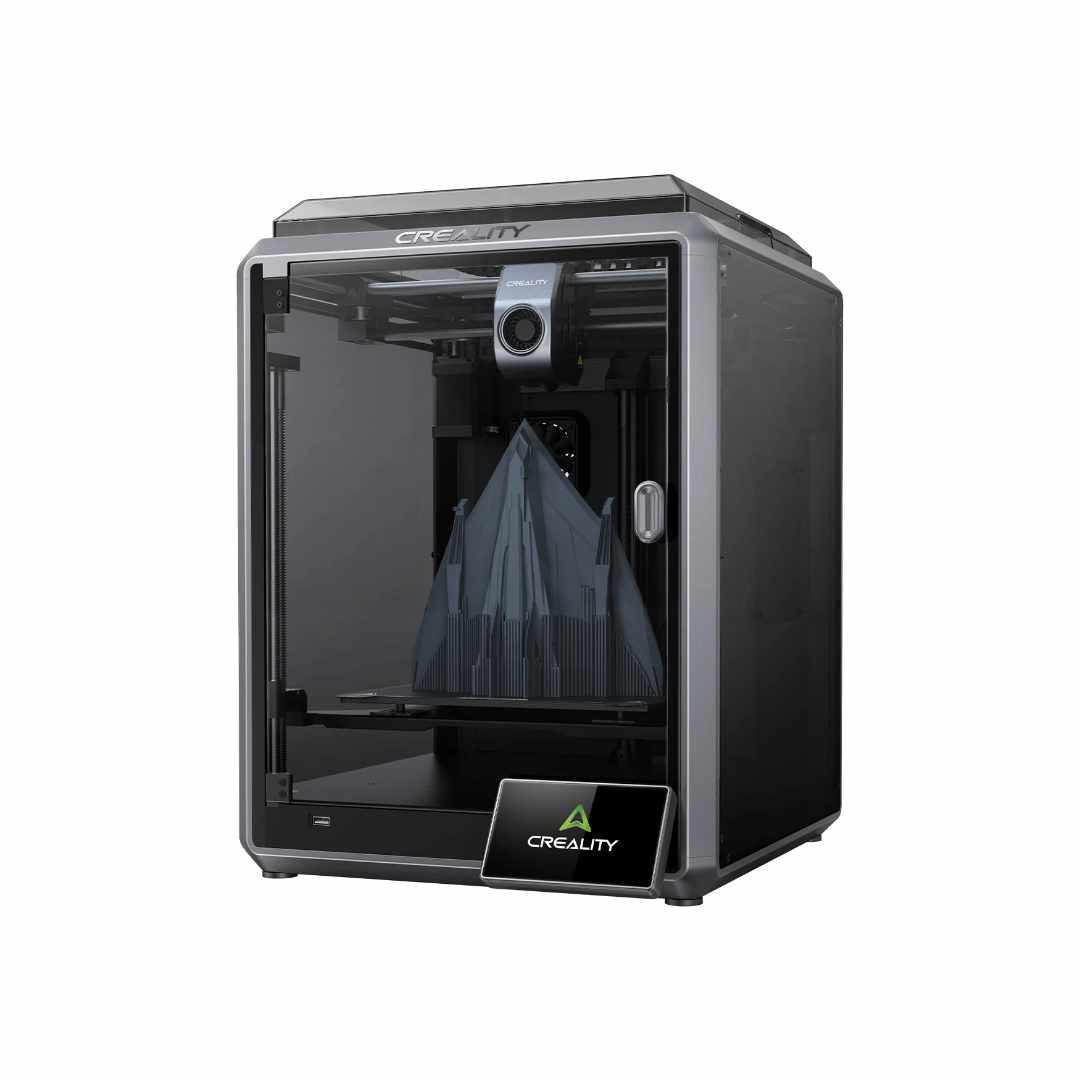
The default printer is BambuLab A1. Assuming that the printer is Creality K1C, it need to replace the printer from BambuLab A1 to Creality K1C (we use Creality K1C as an example, if yours is BambuLab A1, than it is very simple, you just need to submit to print the object).
Also, since the project file is for LW-PLA, it needs to select LW-PLA filament for the filament setting.
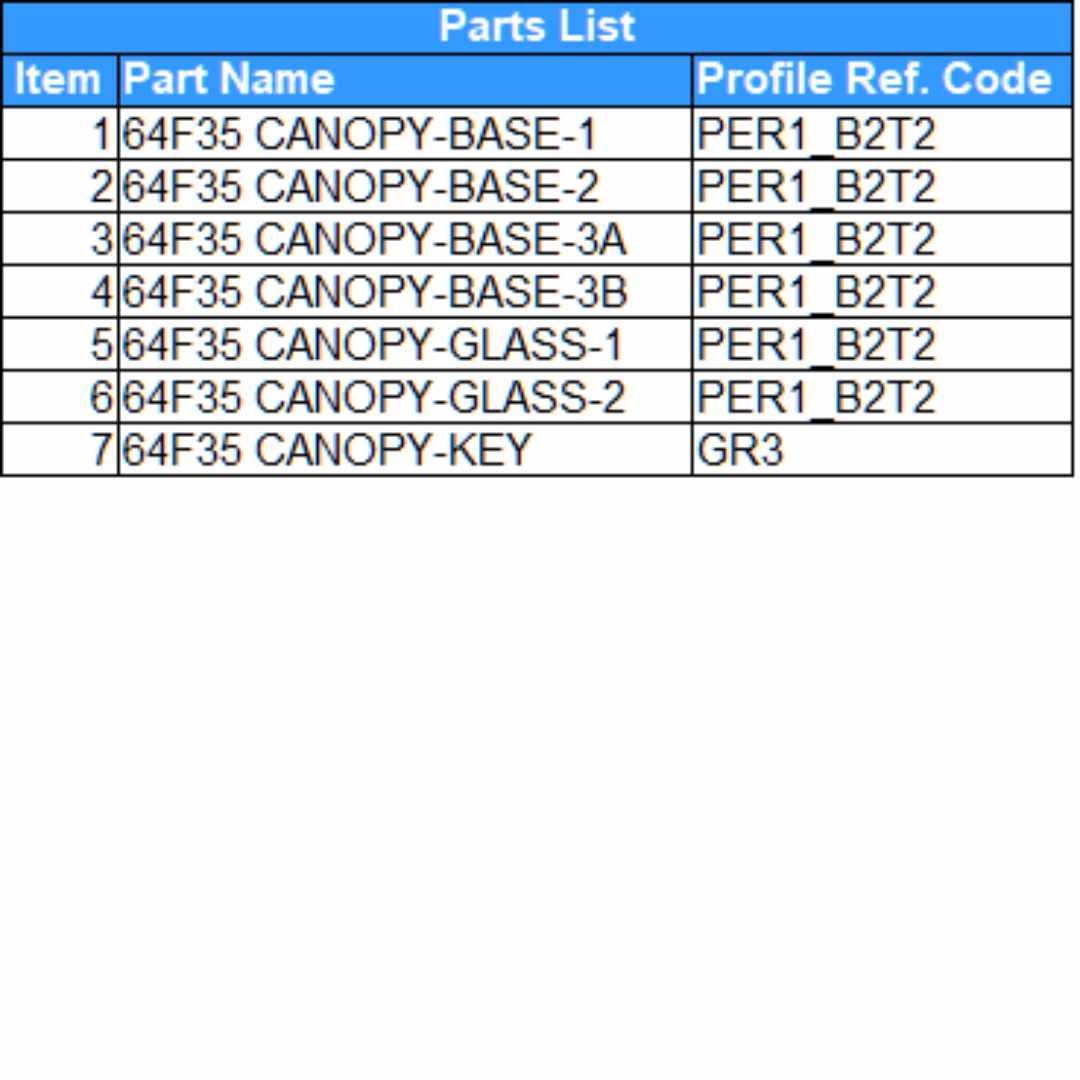
Where the profile code is PERI1_B2T2, it means that needs to find the PERI1_B2T2 process profile code. Once completed, verify that all machine, filament and process are correctly selected (instead of for BambuLab A1, now is for Creality K1C with same LW-PLA filament and process ref. code PER1_B2T2).
If your 3D printer is not Creality K1C, you need to find yours or create one if can not find it from the list. Just copy the relevant settings from already provided settings.
Specification and Some Details
- Wing Loading : 65.6-81.3gr/dm^2.
- AUW/Flying Weight : 1050gr-1300gr (with 2200mAh 4s).
- Wing Area : 16 dm^2.
- Wing Cube Loading (WCL) : 16.4-20.3.
- Flight Performance Category : Racer.
- Radio Channels : Throttle, Aileron and Elevator.
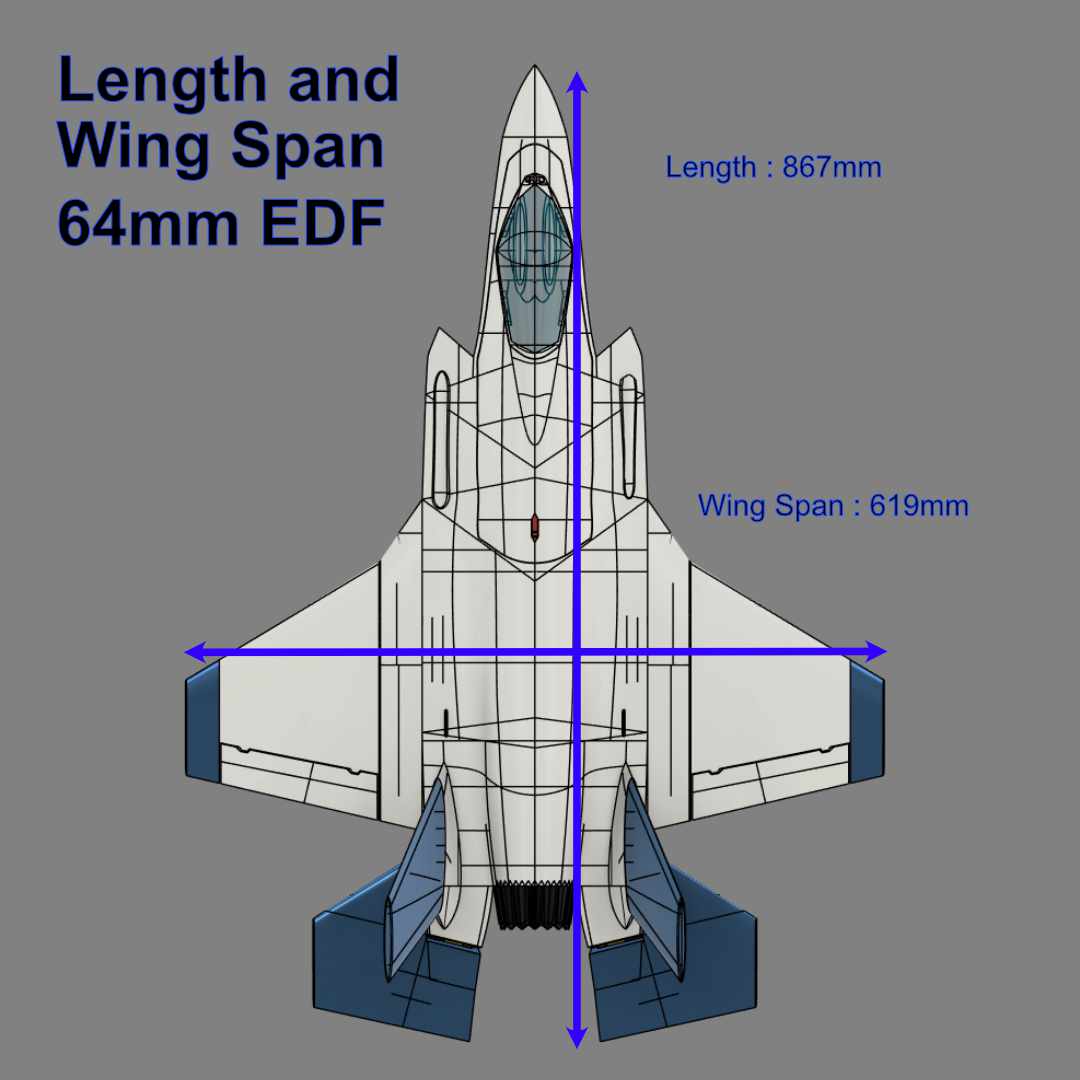
- Length : 867 mm.
- Wing Span : 619 mm.
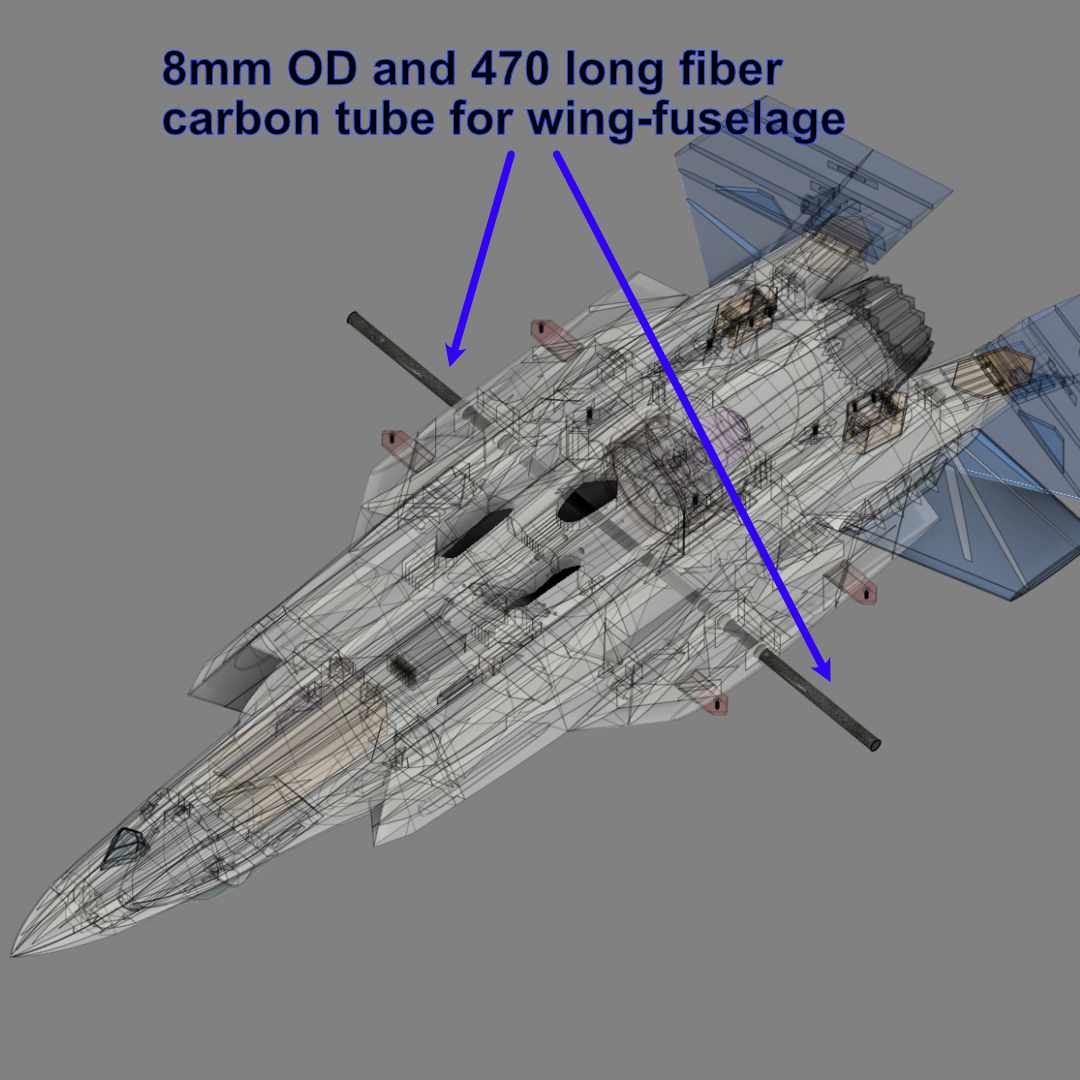
Spar Requirements :
- 1 x 8mm OD and with 470mm long fiber carbon tube as fuselage-wing spar.
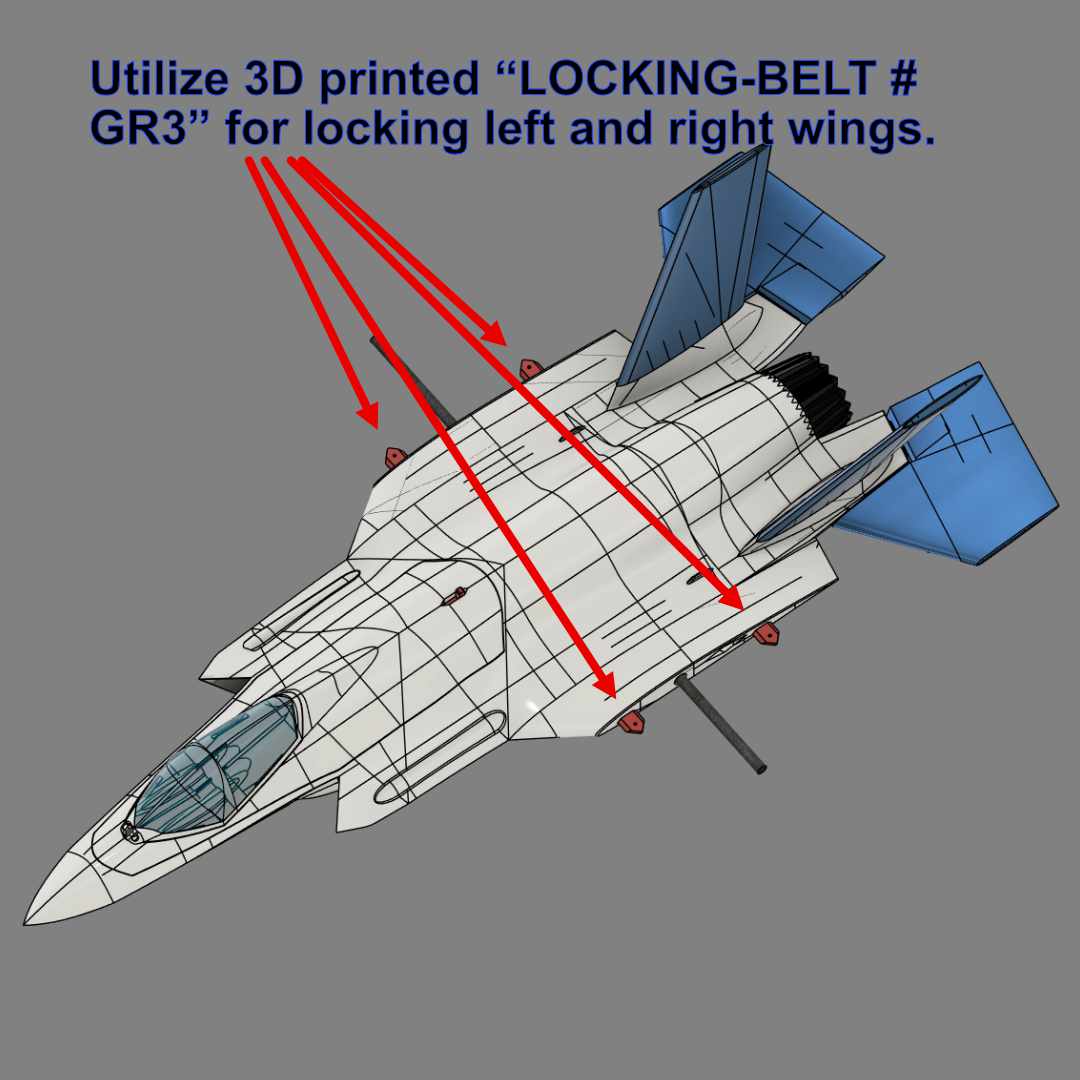
Locking Belt for Attaching Wings to Fuselage :
- 4 x “LOCKING-BELT # GR3”
Aileron/Wing Control Surfaces Rods:
- Use about 1-1.5mm rod to assembly ailerons.
- Use about 1.5-2mm rod as guide or support for assembling ailerons.
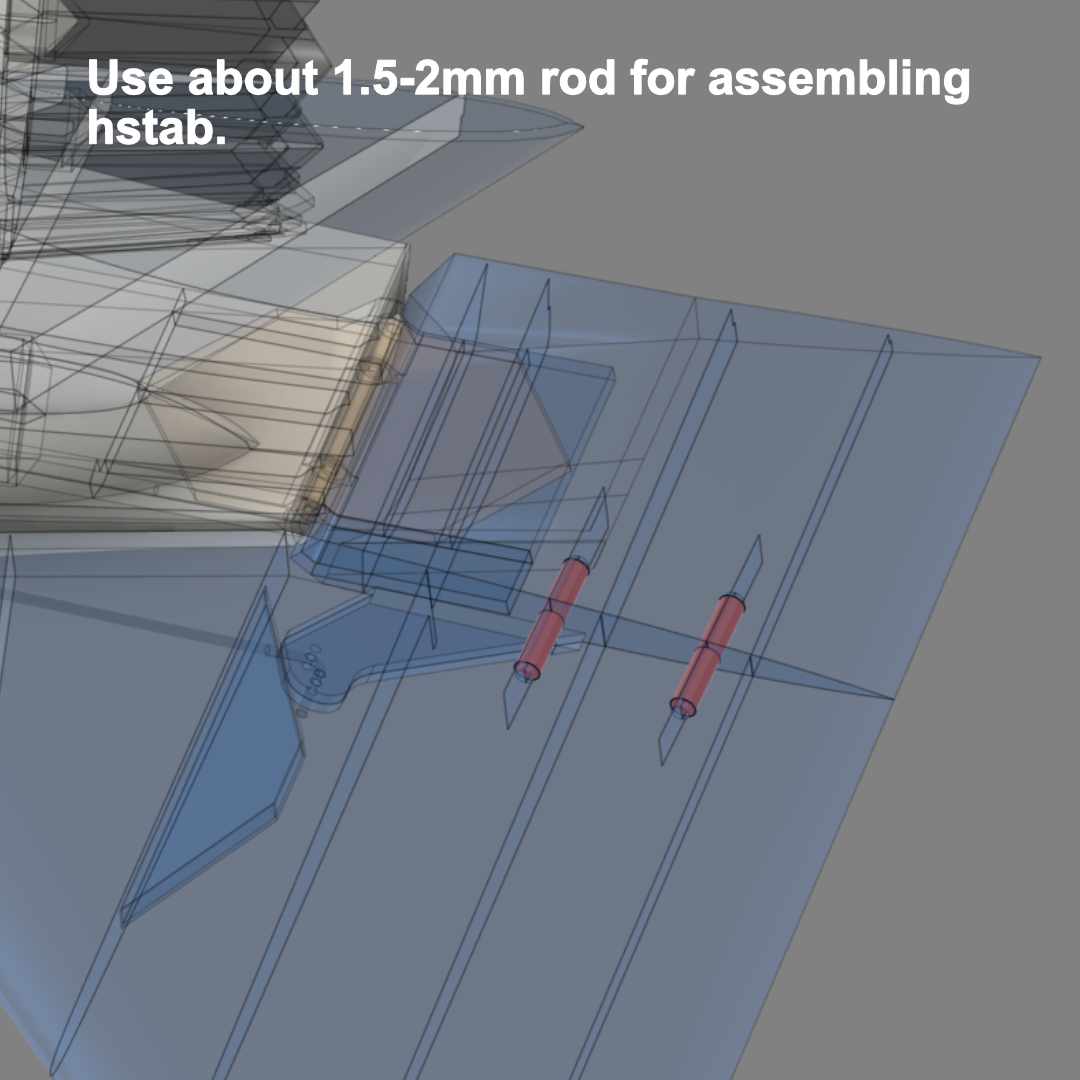
- Use about 1.5-2mm rod as guide for assembling hstab.

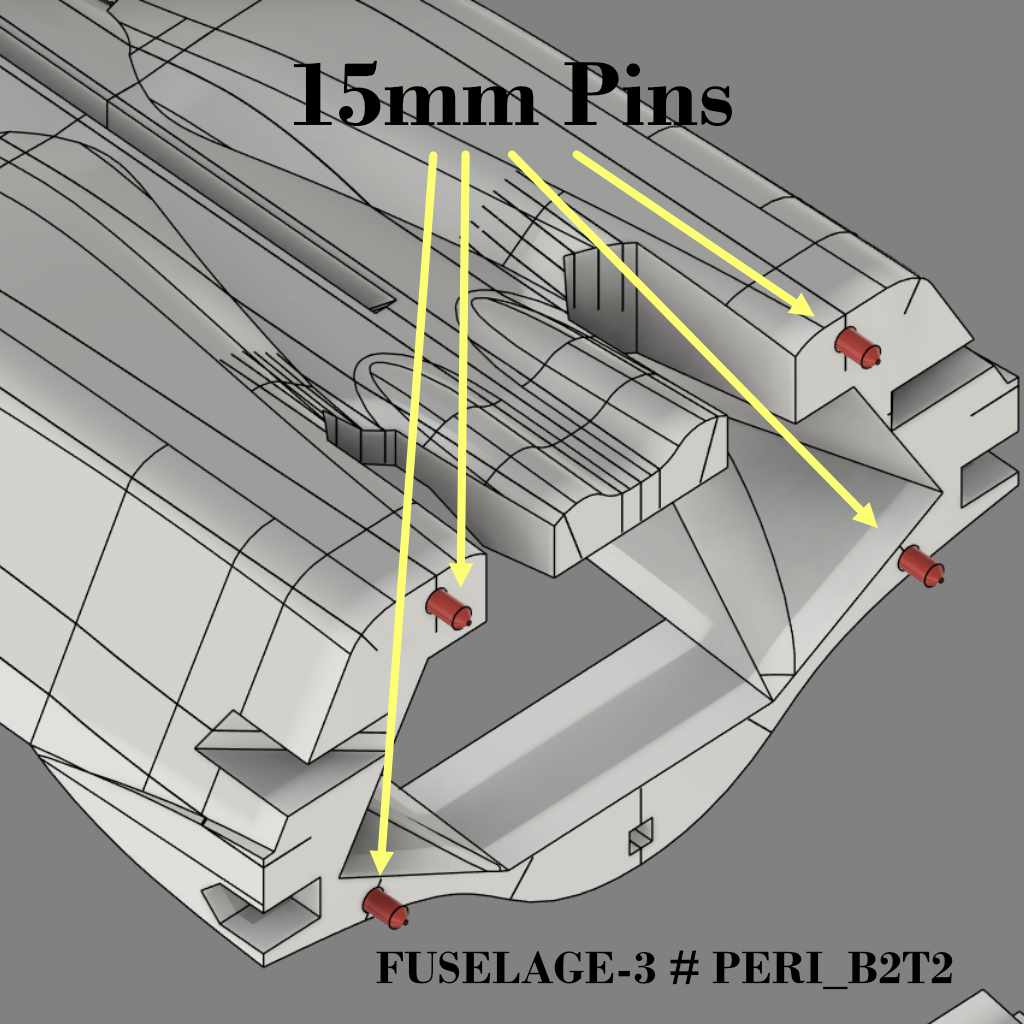
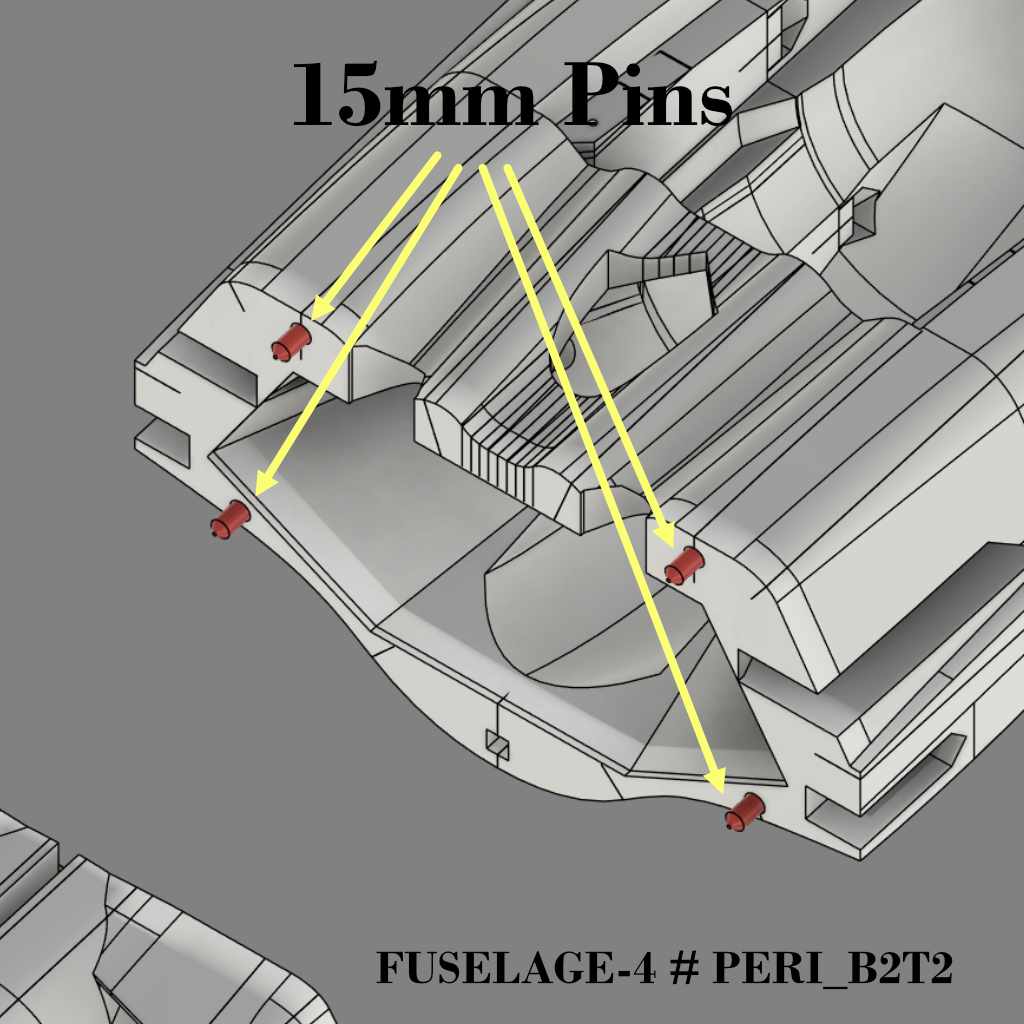
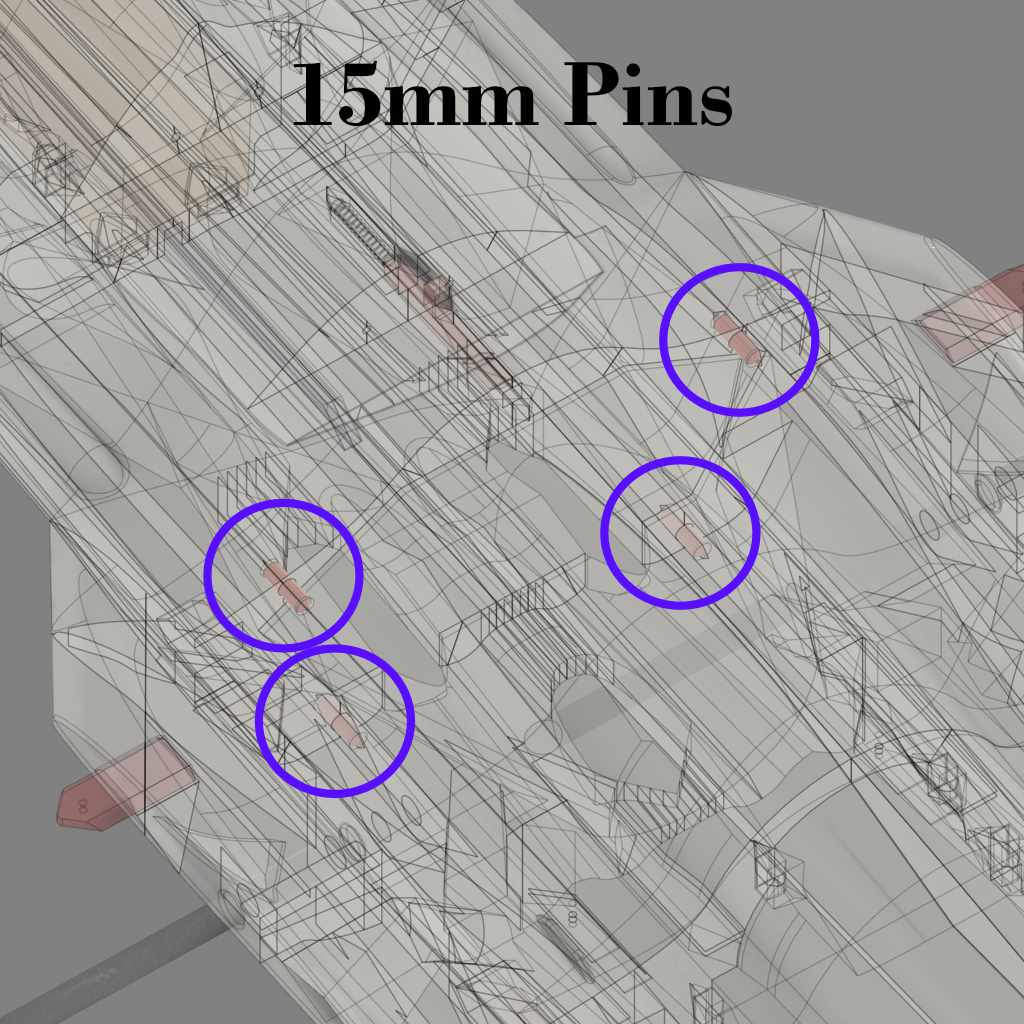
Please Use 15mm Pins to Assembly FUSELAGE-3 and 4.
To glue FUSELAGE-3 and FUSELAGE-4, need to use 4 x 15mm pins as shown below. The pin STL files can be found under : “1. STLs F-35 64mm\SUPPORT v1.0\PINS – please use 15mm PIN”.
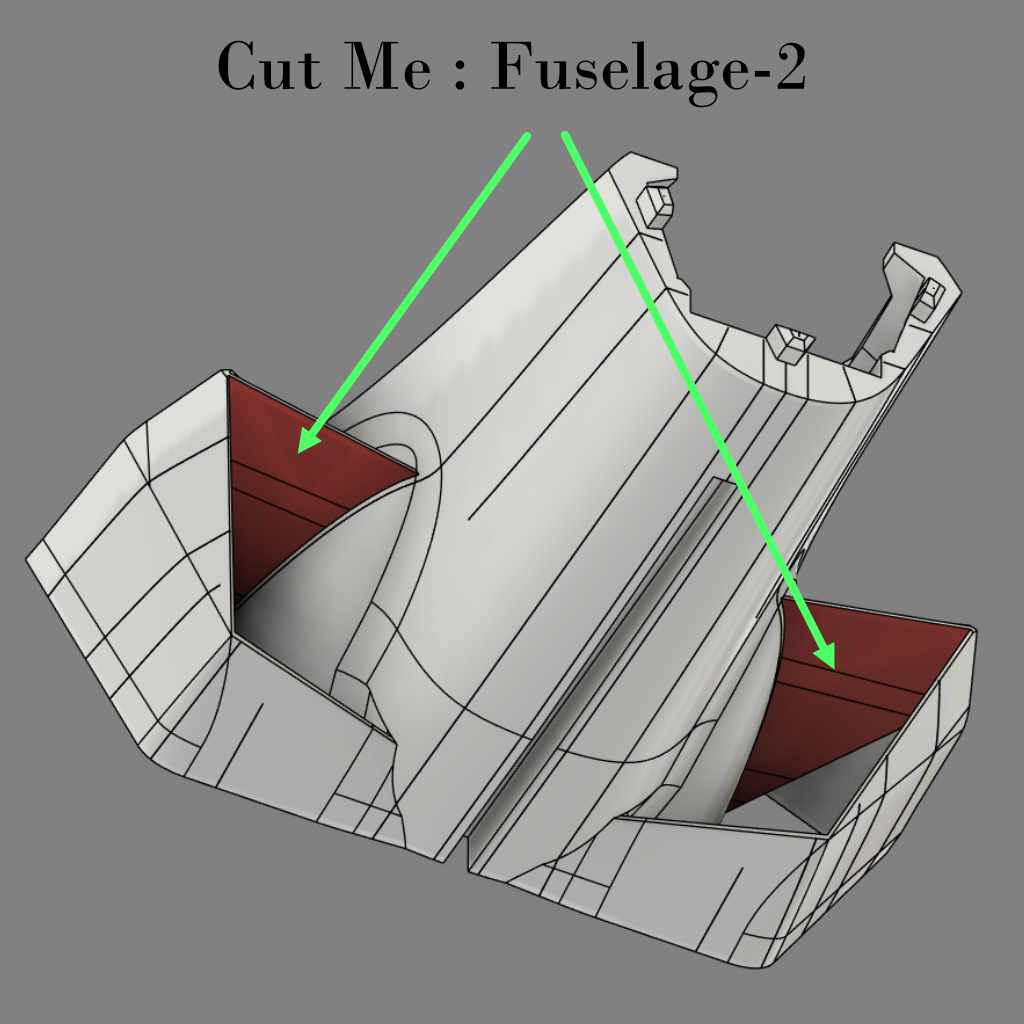
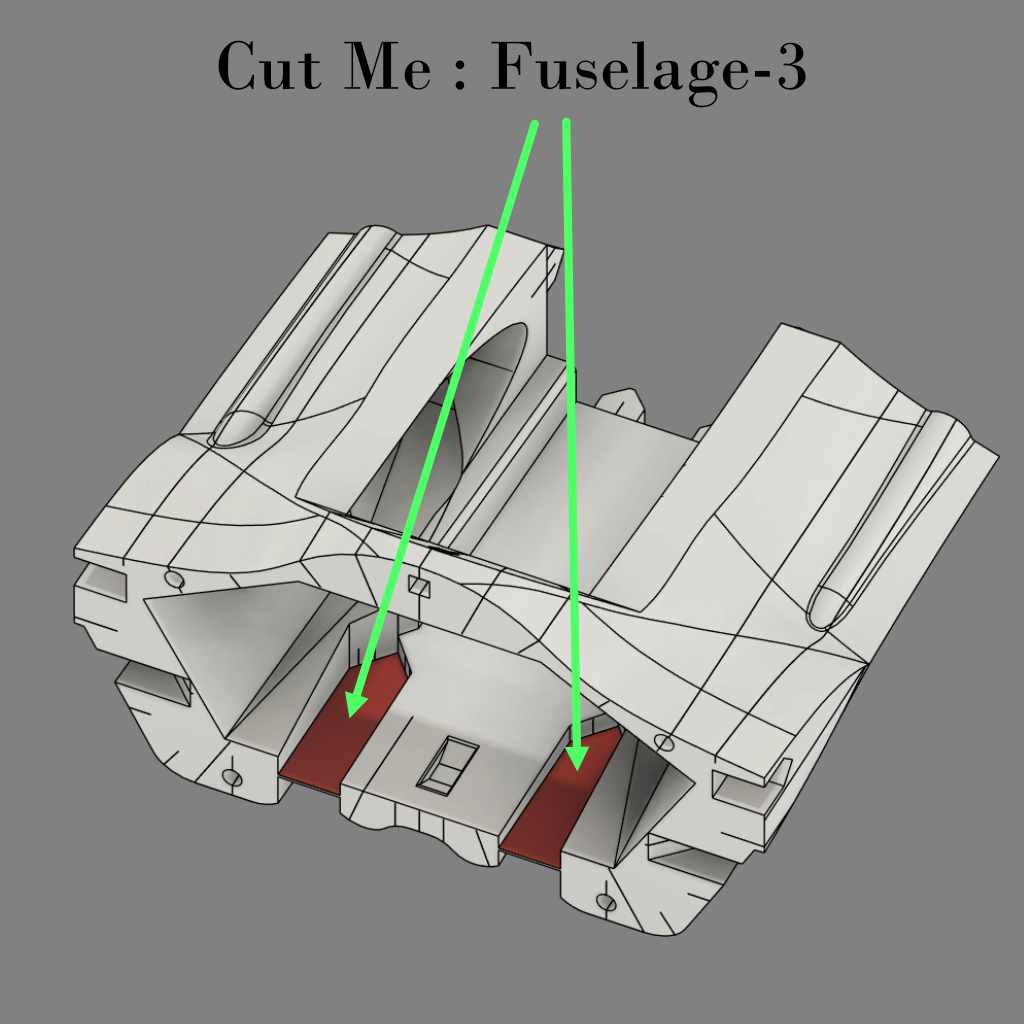
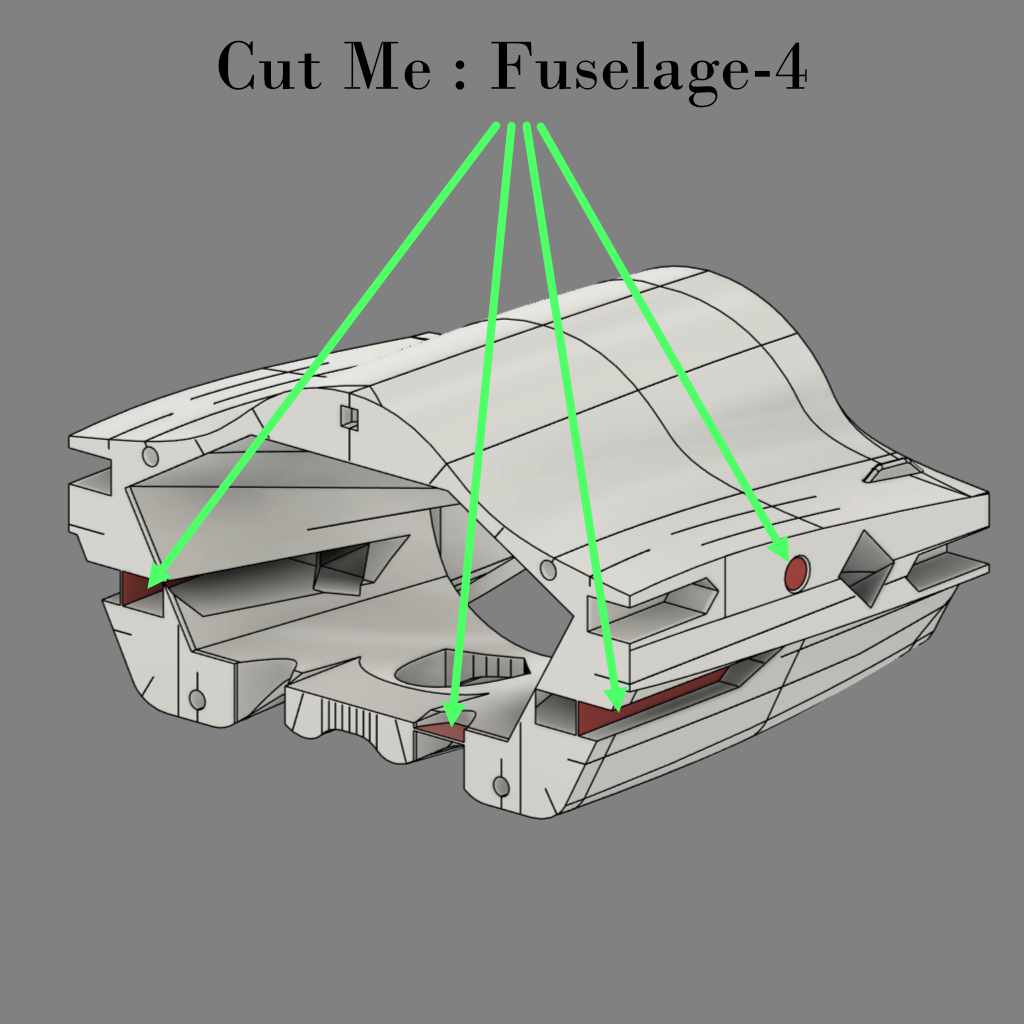
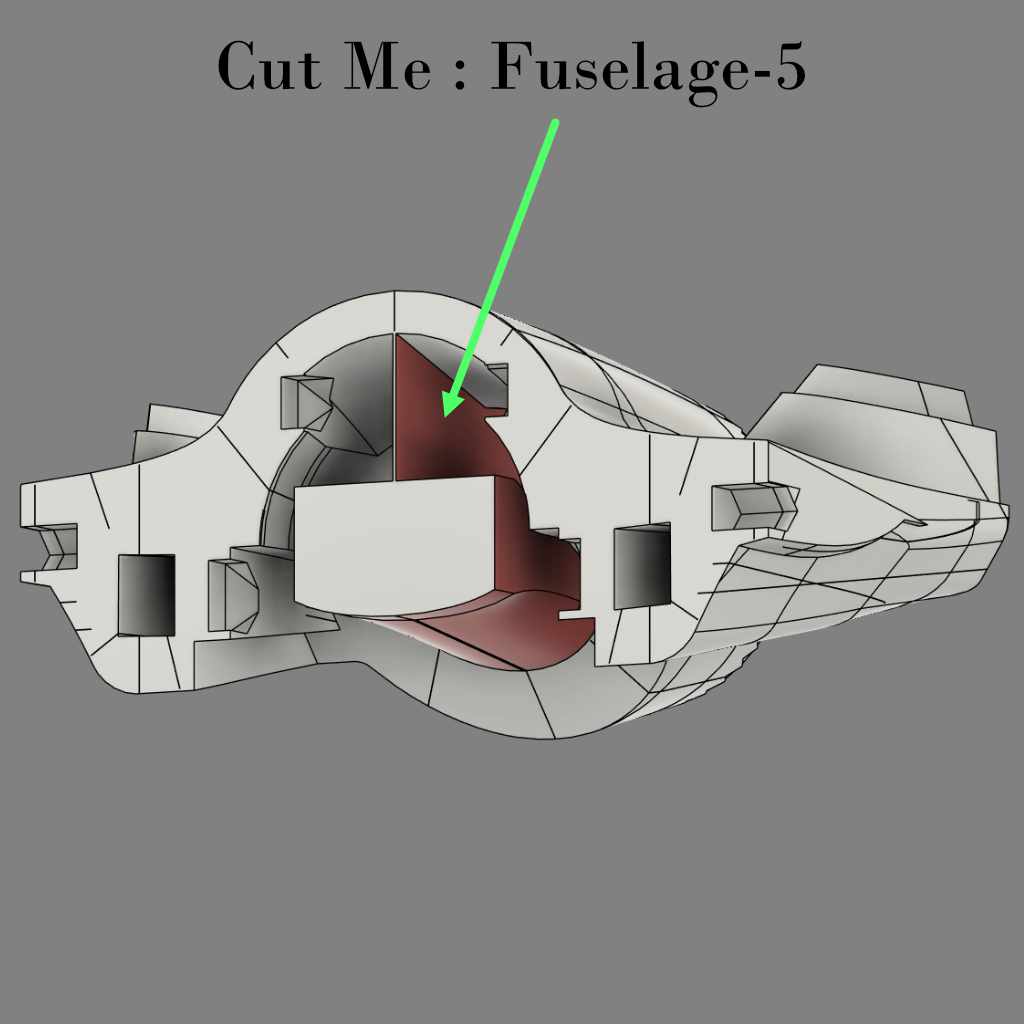
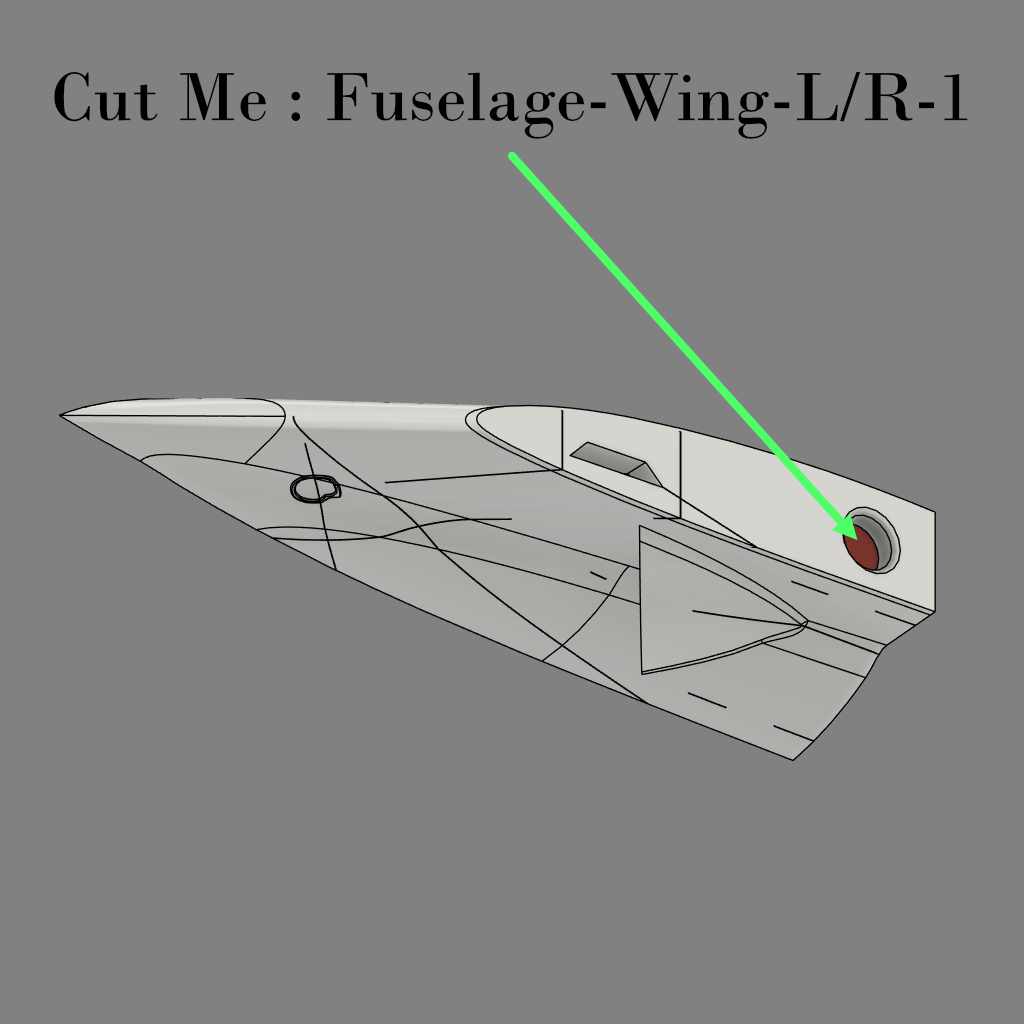
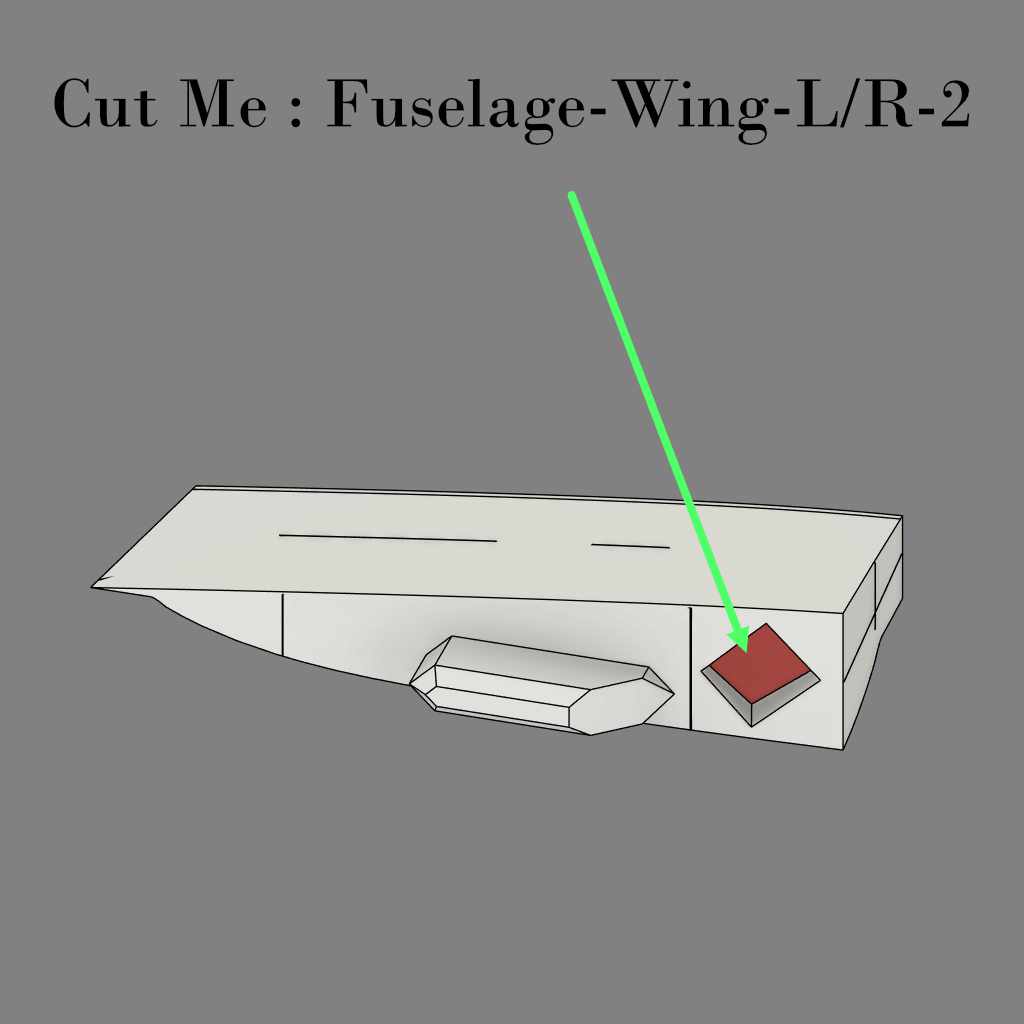
Cut Some Areas for LW-PLA Parts Only
Only for FUSELAGE areas printed with LW-PLA (the parts designed that way to avoid travelling).
ESC Management Positions :
Feel free to locate the electronics for getting the correct CoG.
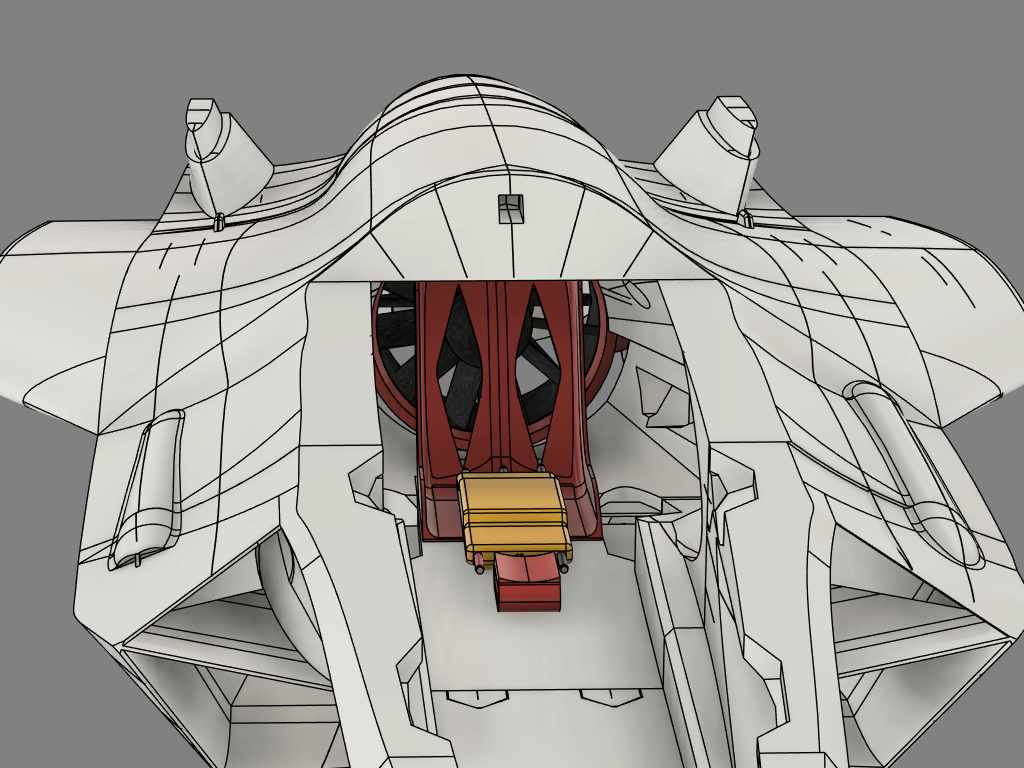
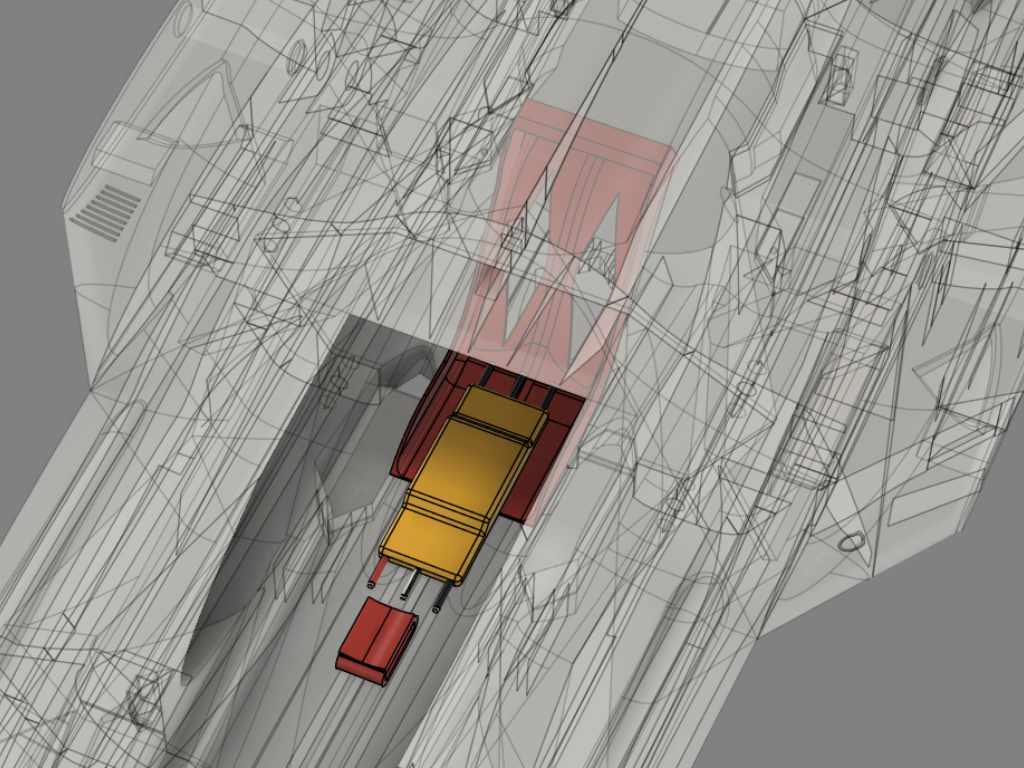
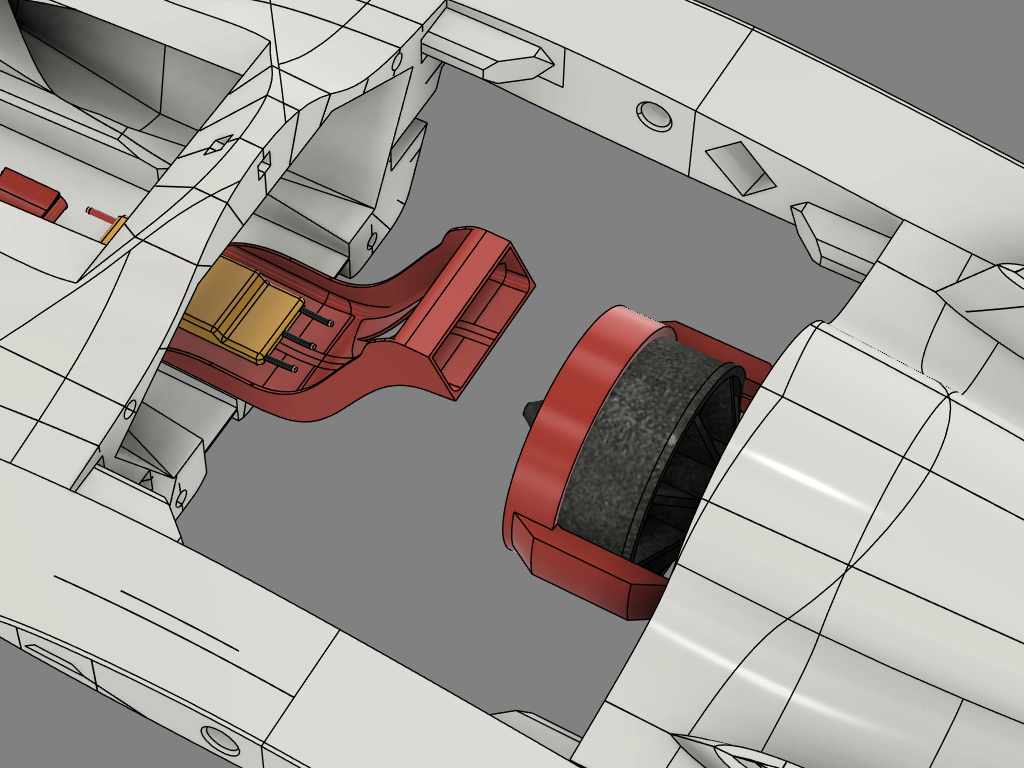
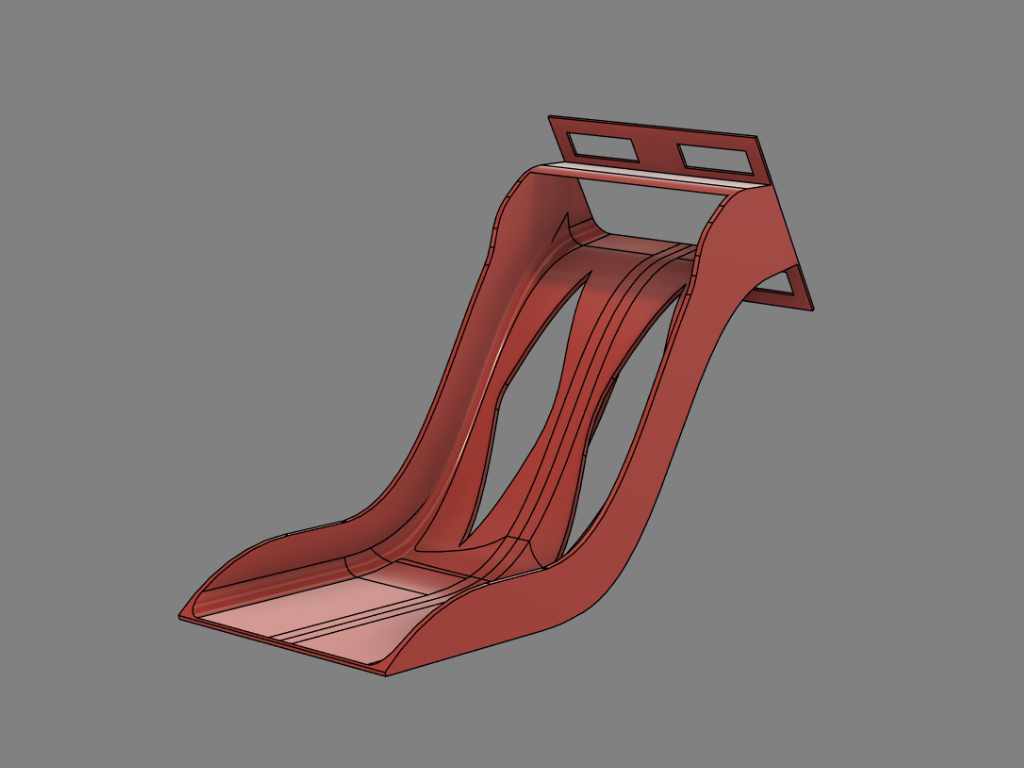
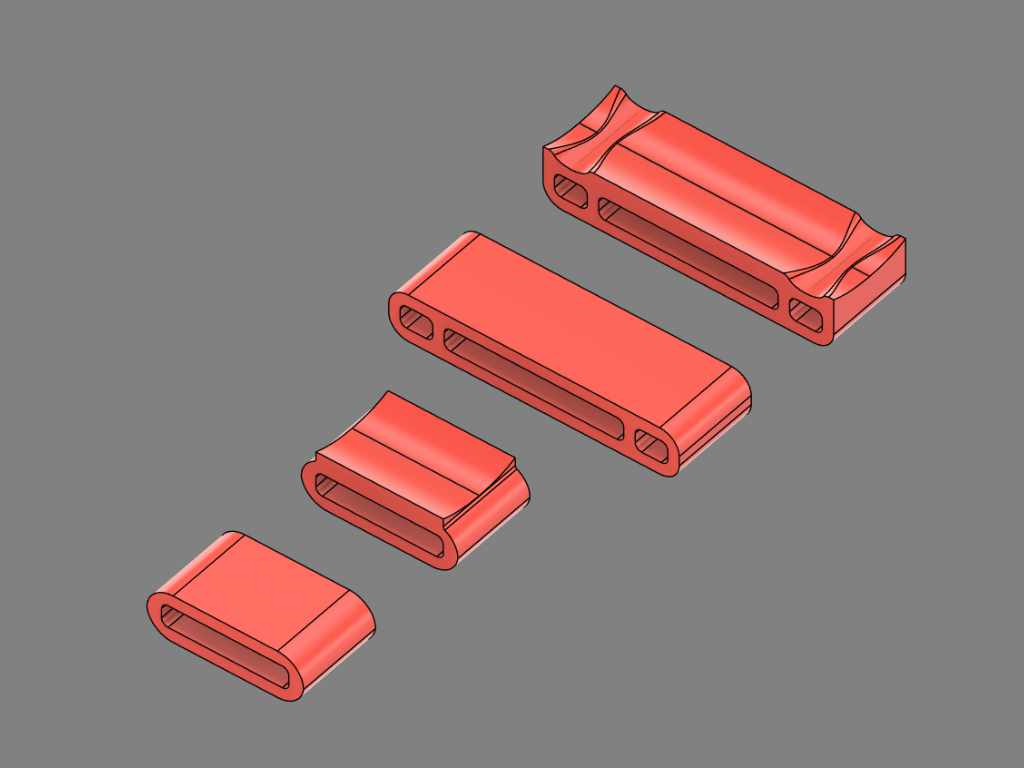
Electronic Position Implementation.
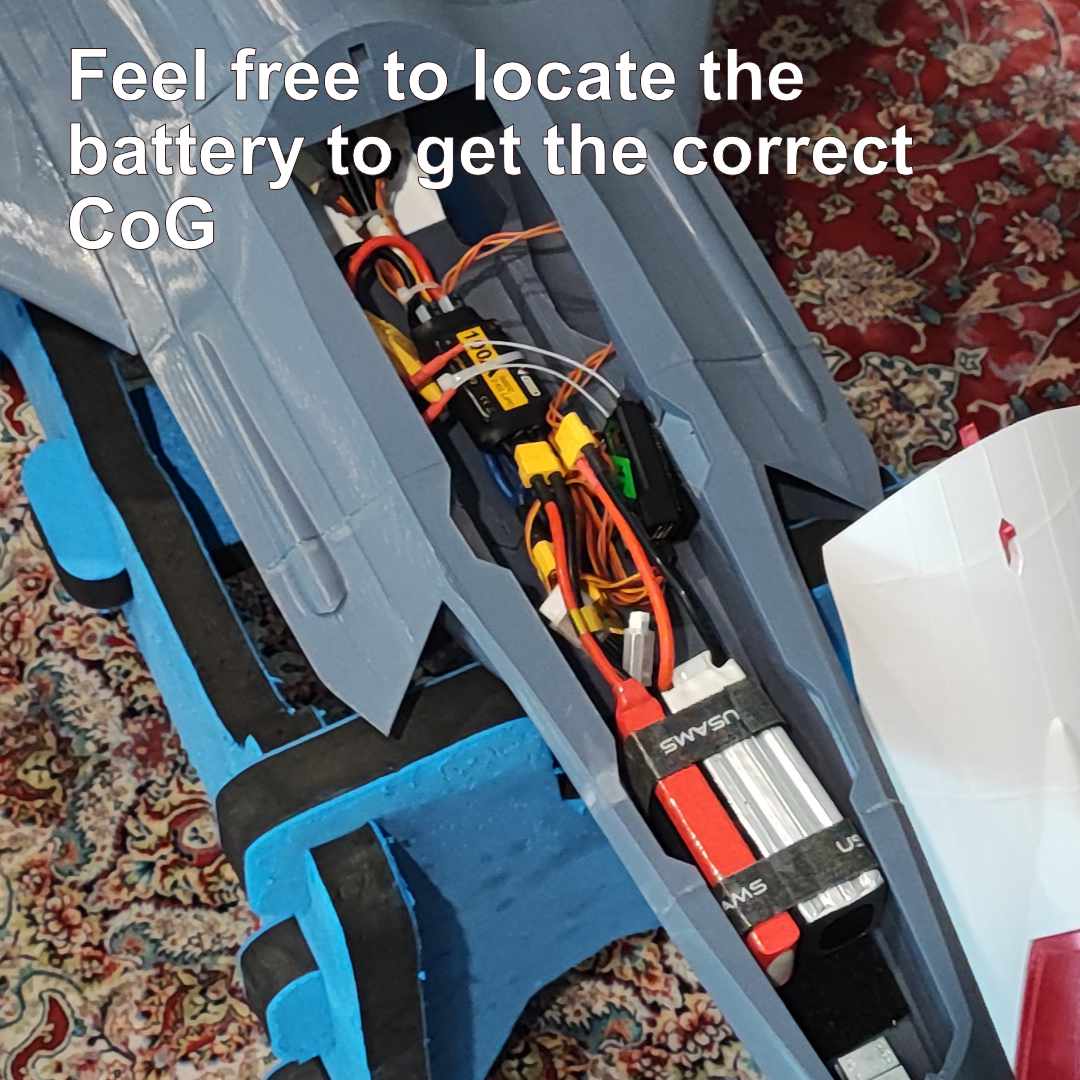
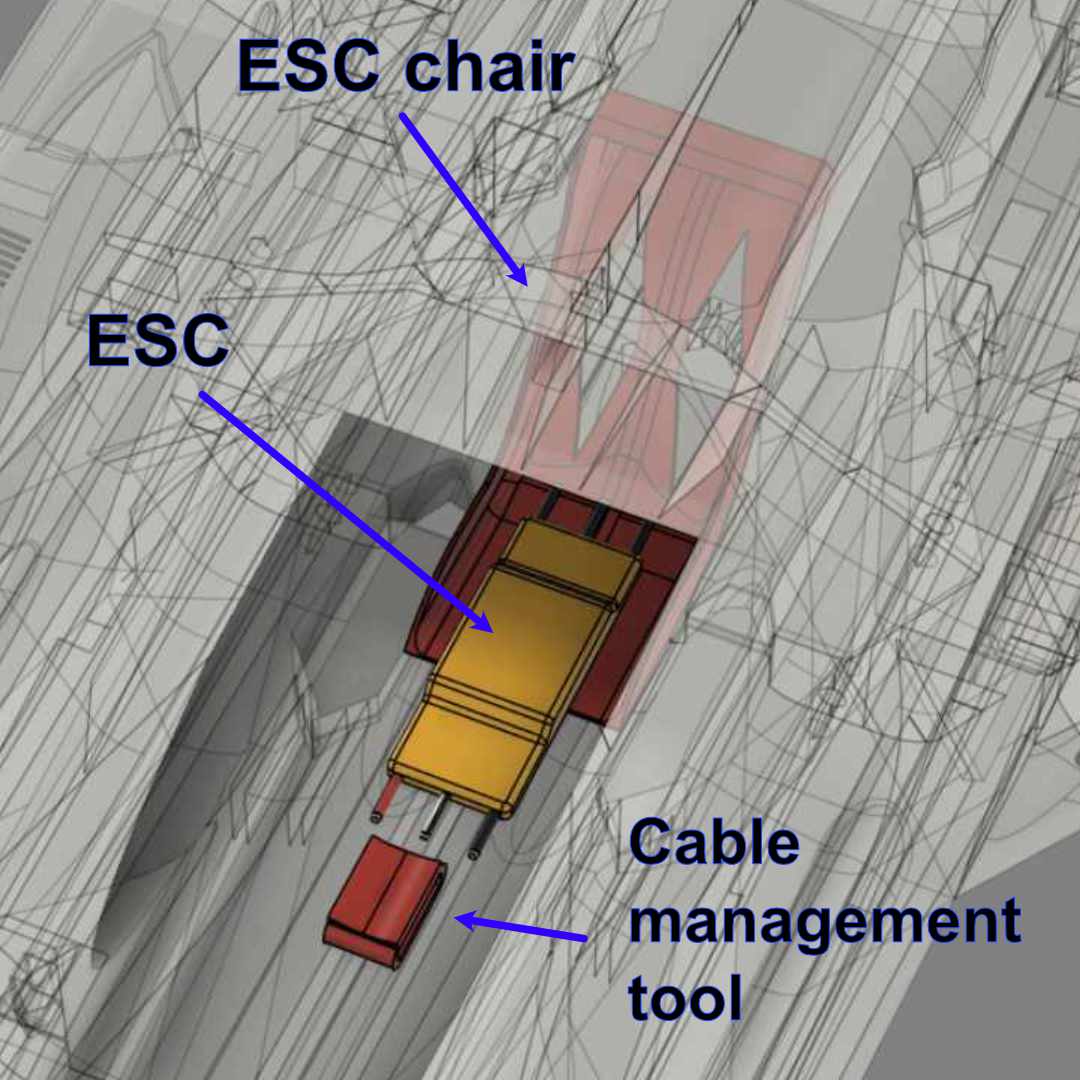
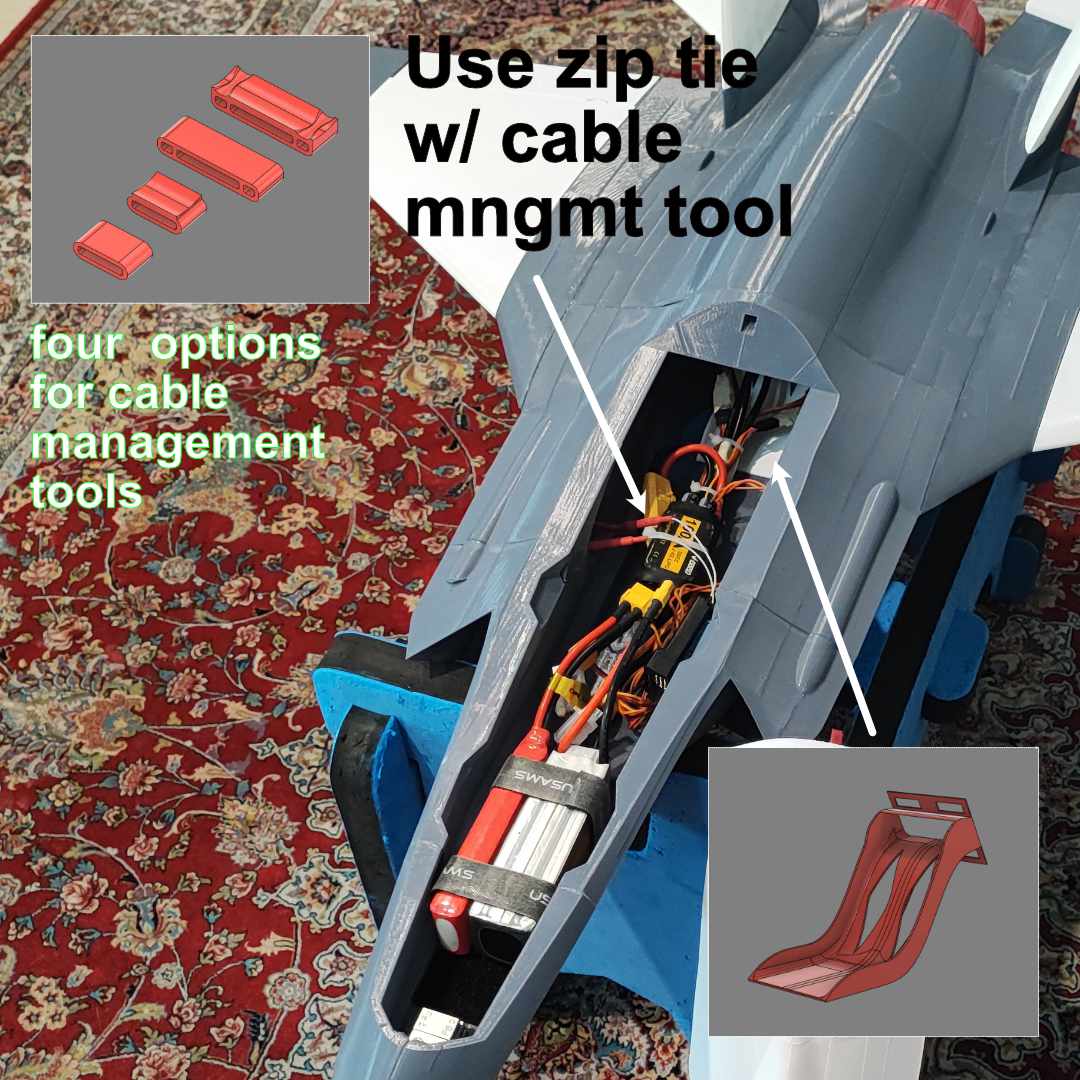
*) Above pictures borrowing from 70mm EDF version
64mm EDF Bracket and Installation :
If you would like to test the EDF brackets before purchasing the files, you can download the EDF bracket STL files from the following :
Below are 64mm EDF bracket pictures screenshot from the CAD :


Please use hot glue to keep the EDF into the bracket. You do not need to use screws installing the EDF motor.
You can find the bracket STL files under “1. STLs F-35 64mm\SUPPORT v1.0\F-35 EDF BRACKETS 64mm EDF\STL & GCODE & 3MF\STL”


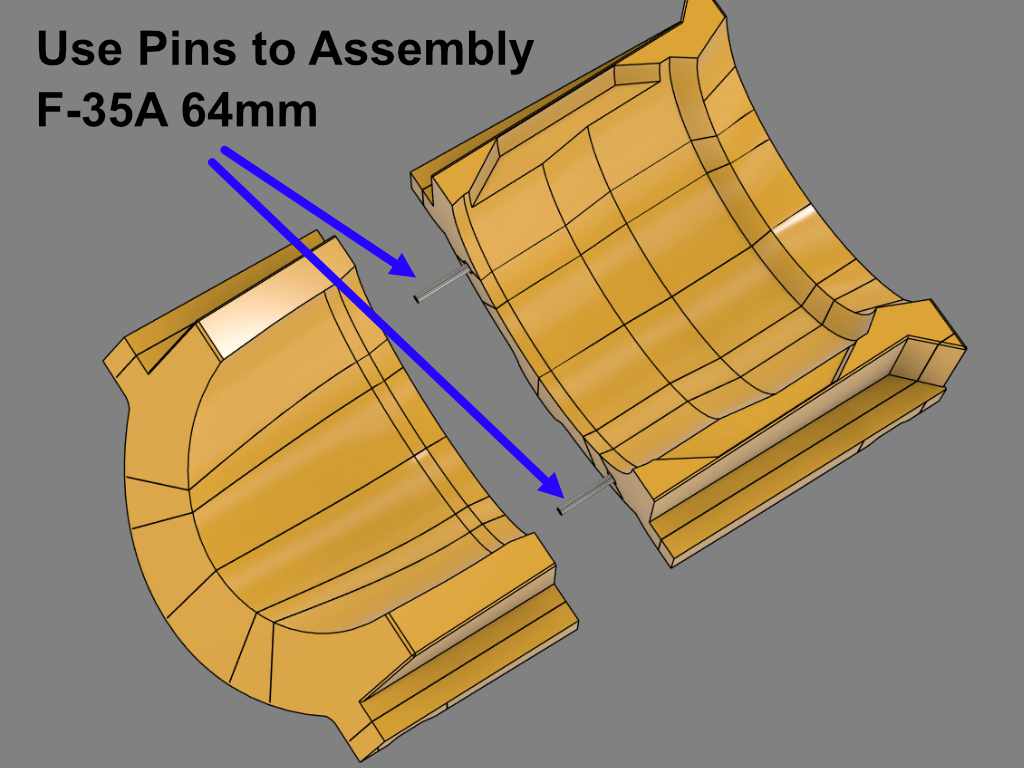
EDF Lid Assembly :
Use pins to assembly/glue.
Following the Instruction below To Assembly The Horizontal Stabilizer :
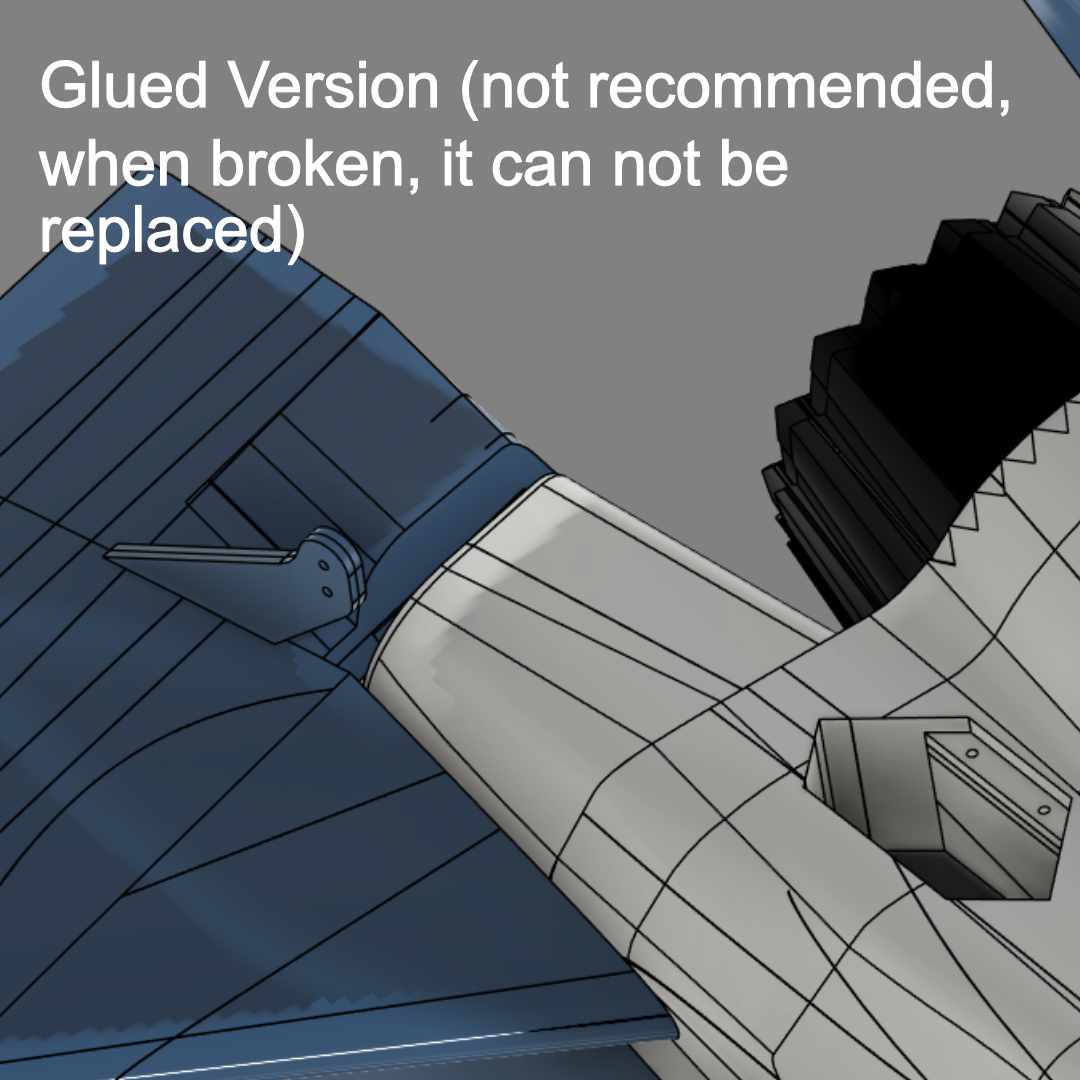
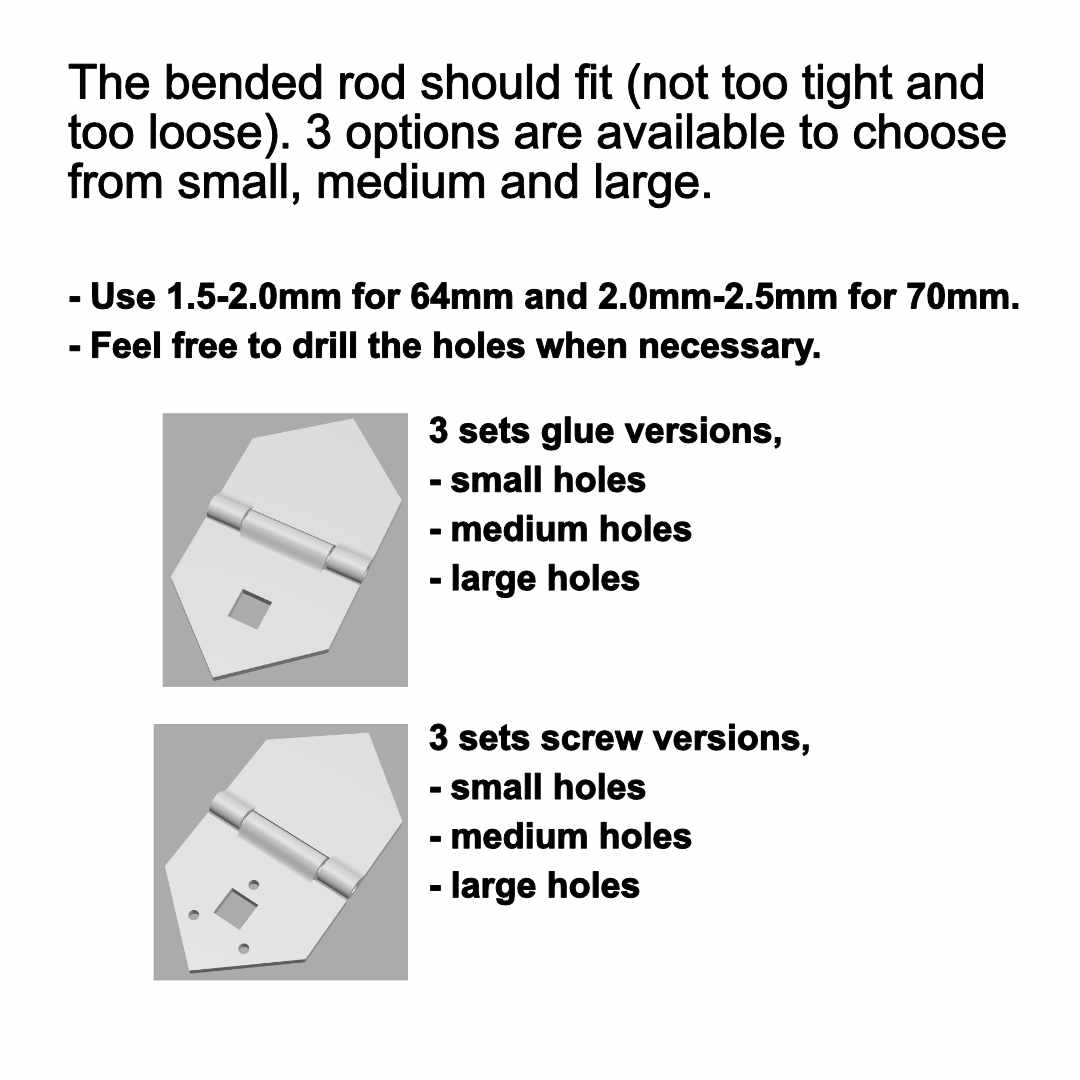
Two versions are provided to assembly the horizontal stabilizers :
– using glue.
– using screw.
It is recommended to use screws. When the event elevator broken due to hard landing for example, we still can easily replace the broken horizontal stabilizer with the new one.
For the hinges, we provide three different hole sizes so that it would be best fit (not too tight and not too loose). They are named as S, M and L for Small, Medium and Large.
Please find below the instruction to assembly the screw version (recommended).
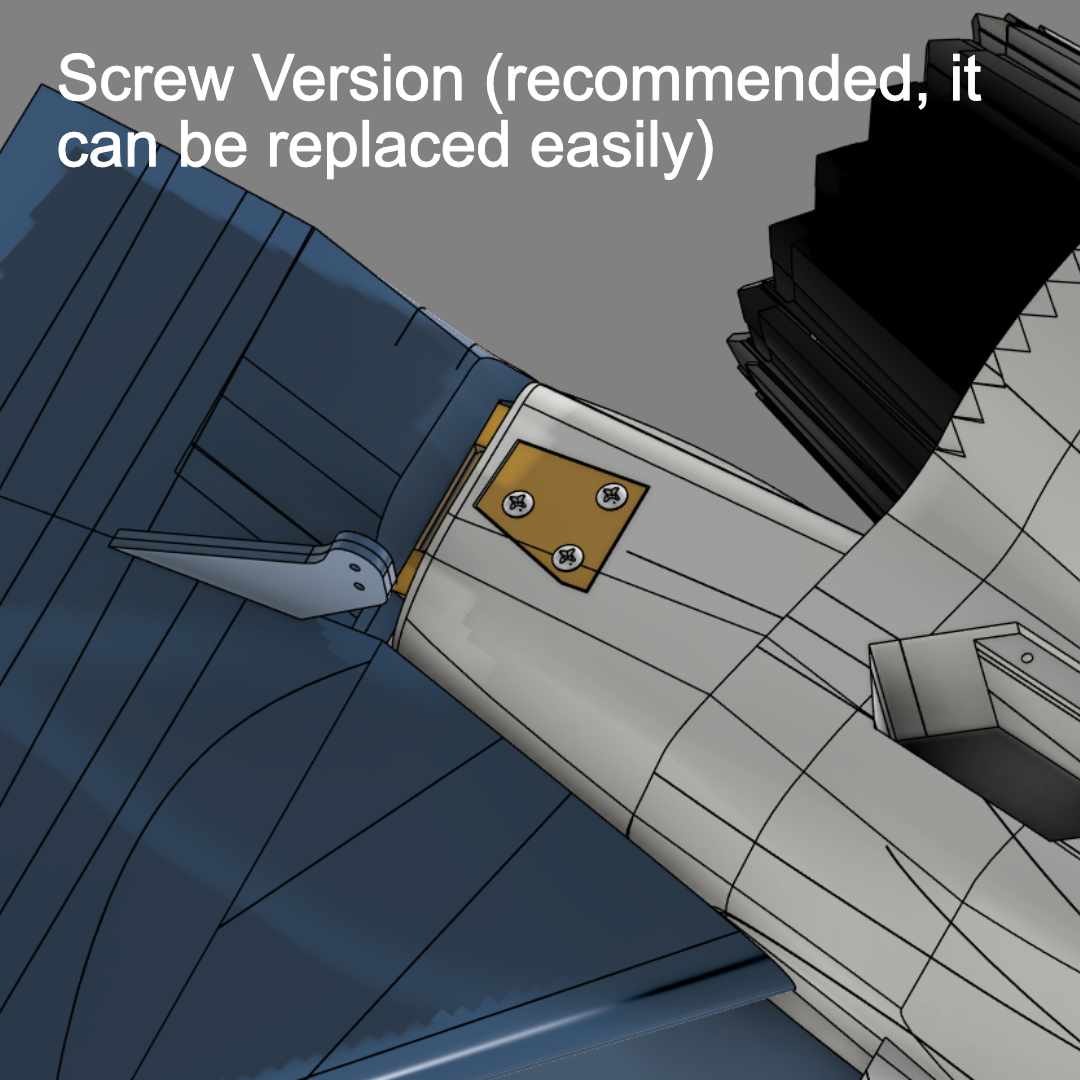
Please find below the instruction to assembly the screw version (recommended).
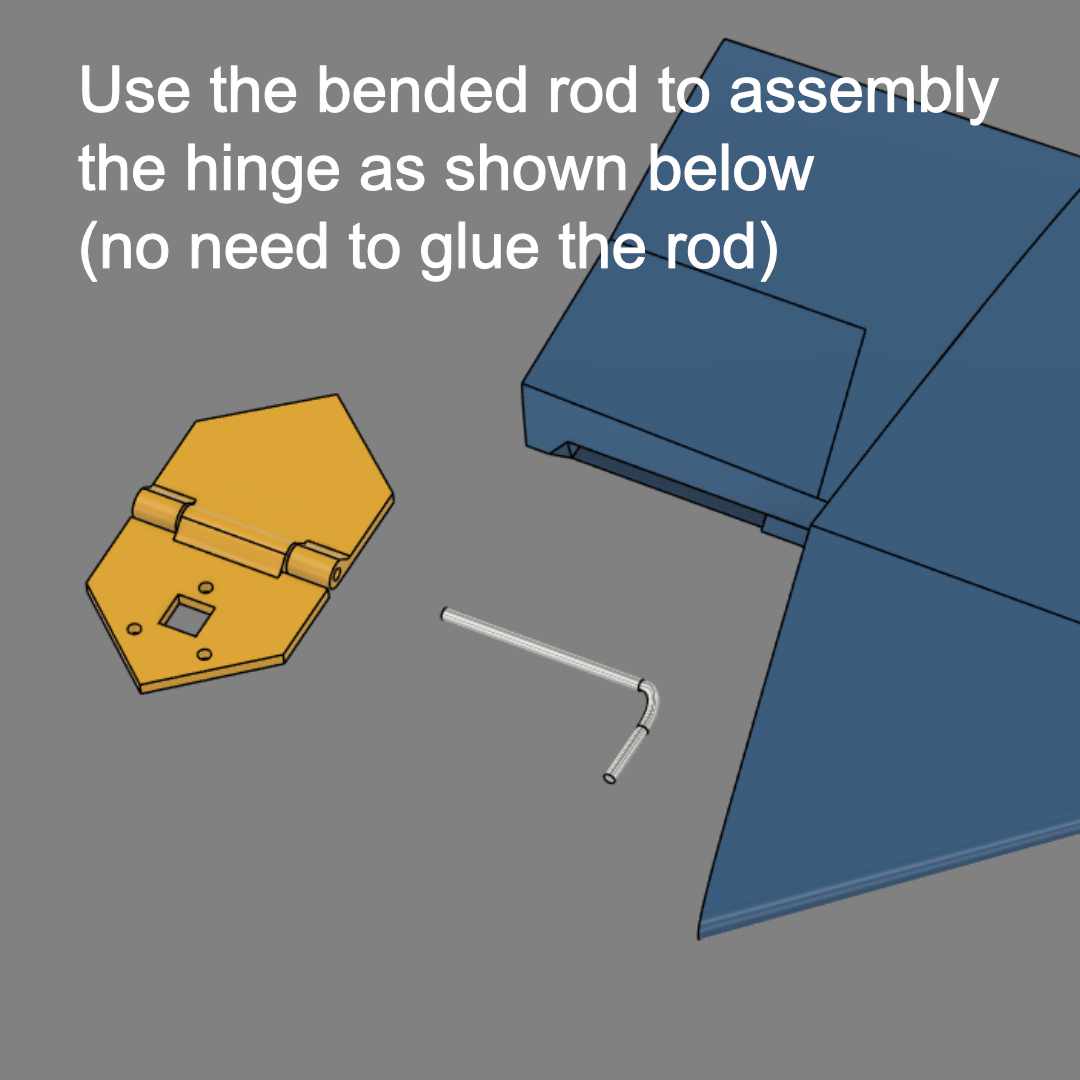
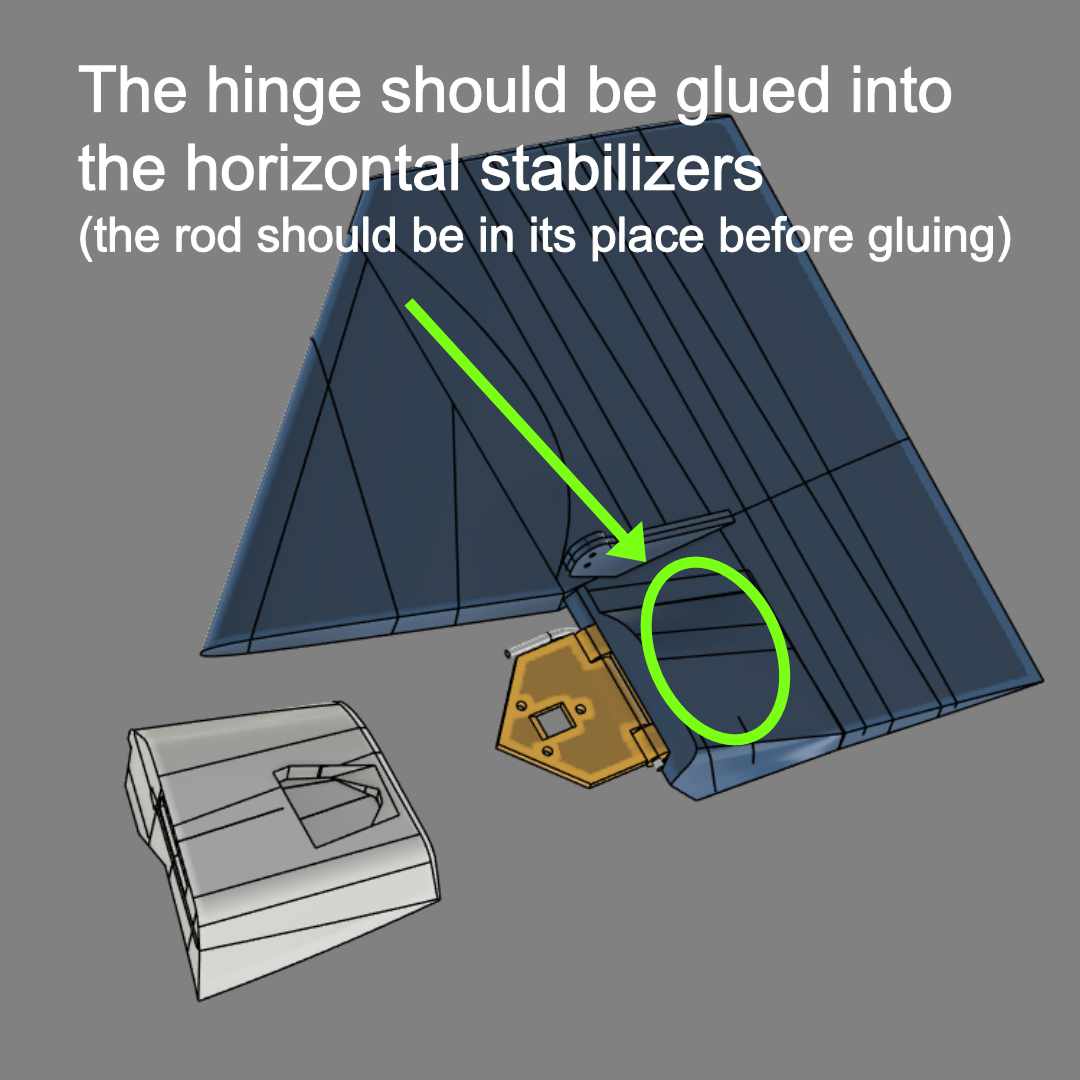
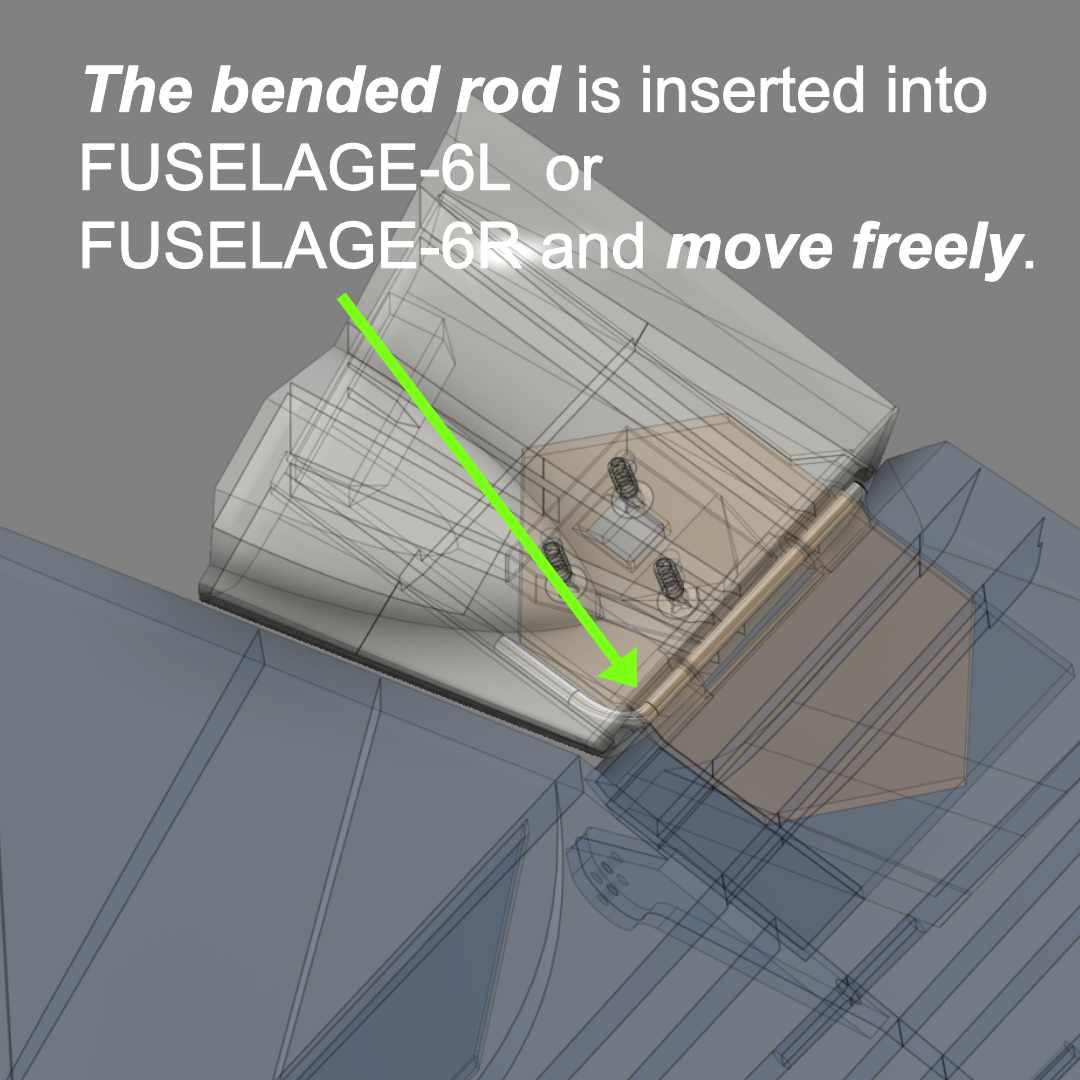
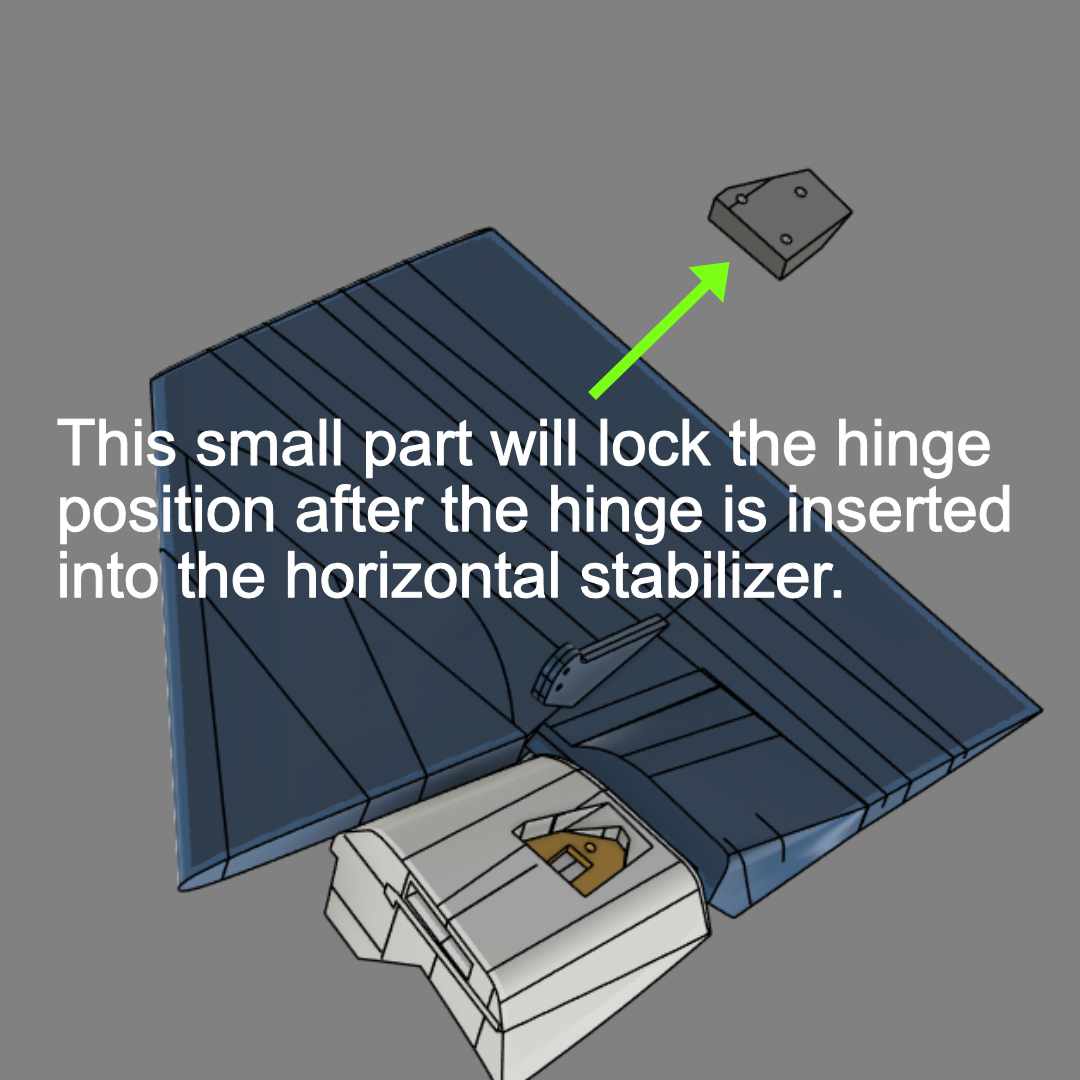
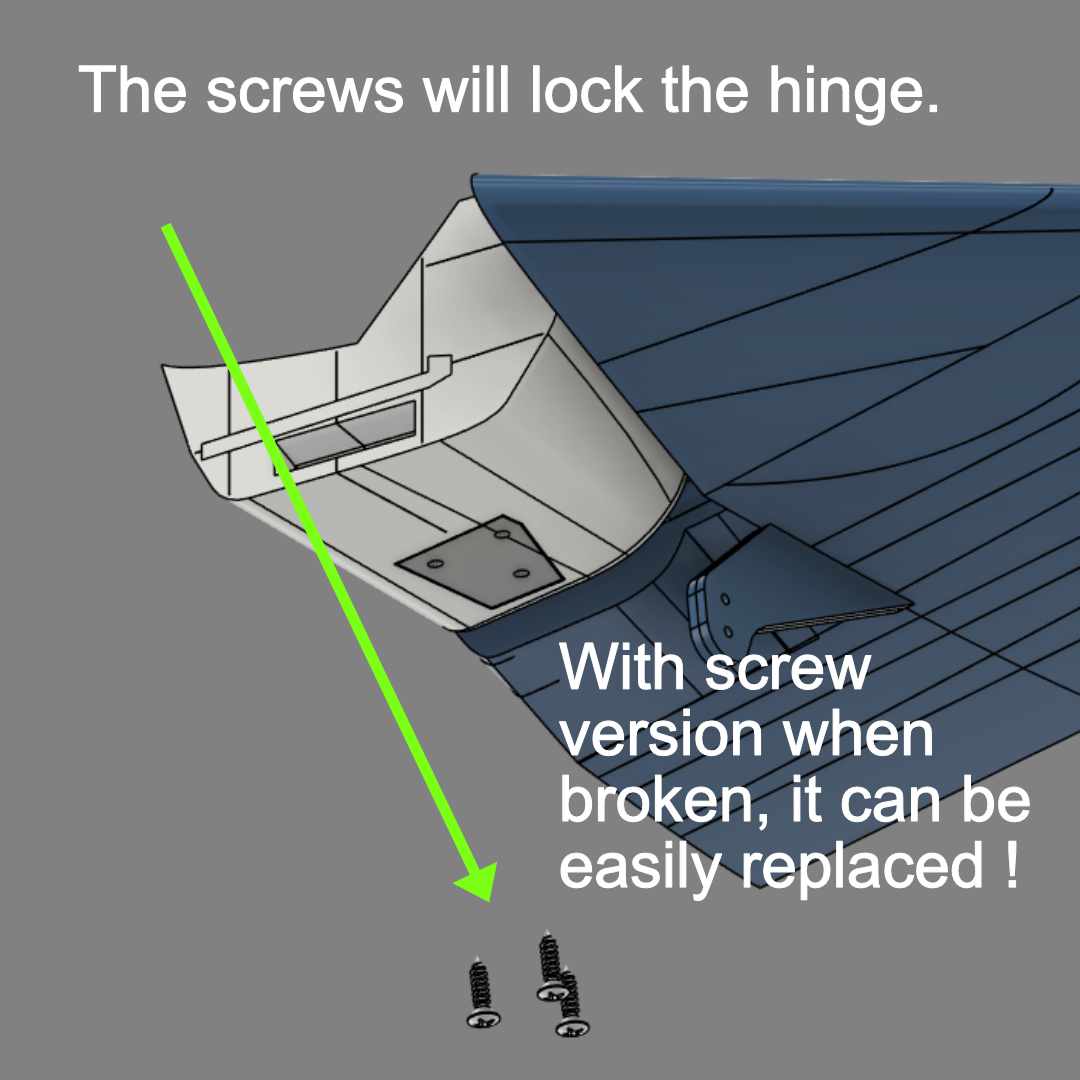
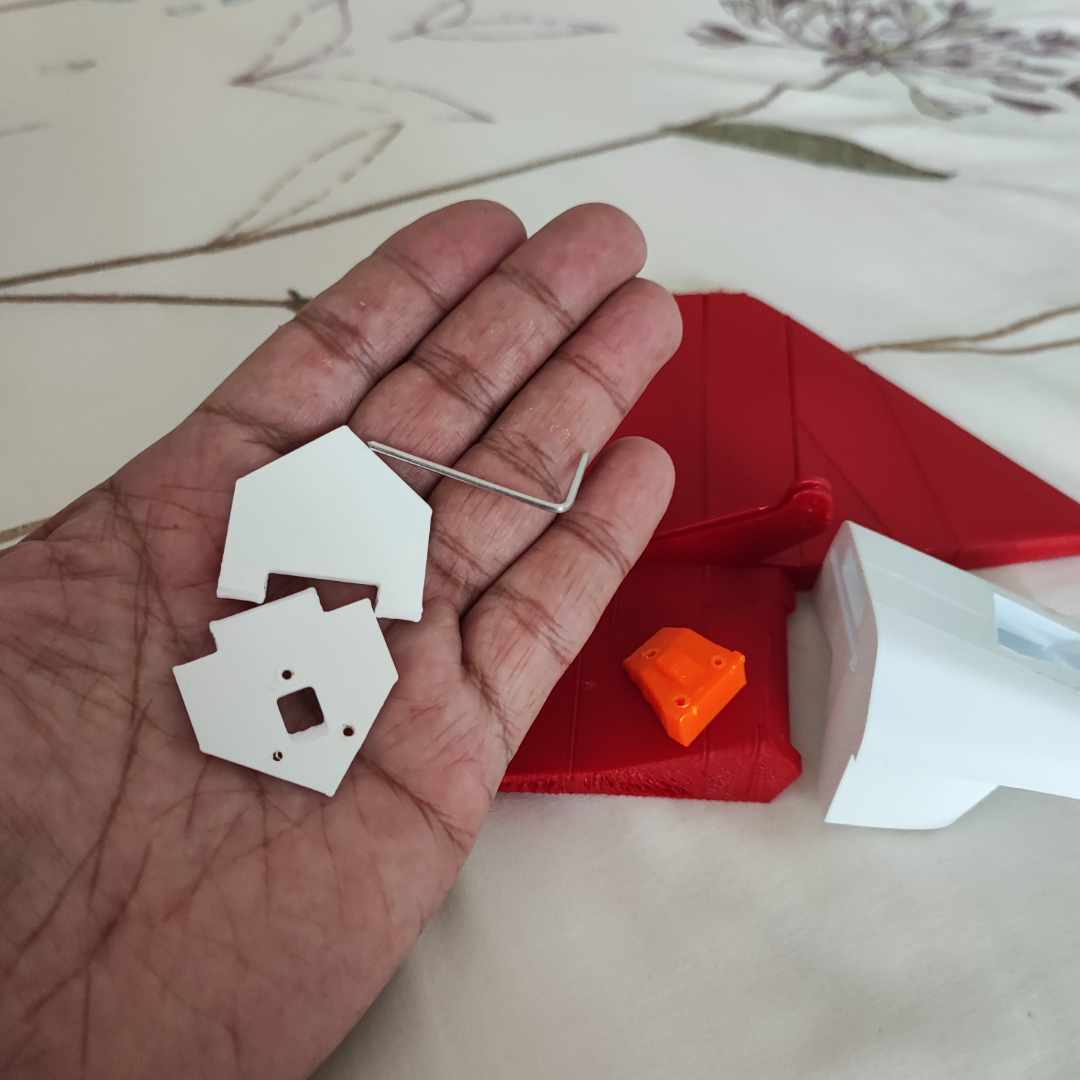


3 hole options are available for glue or screw versions.
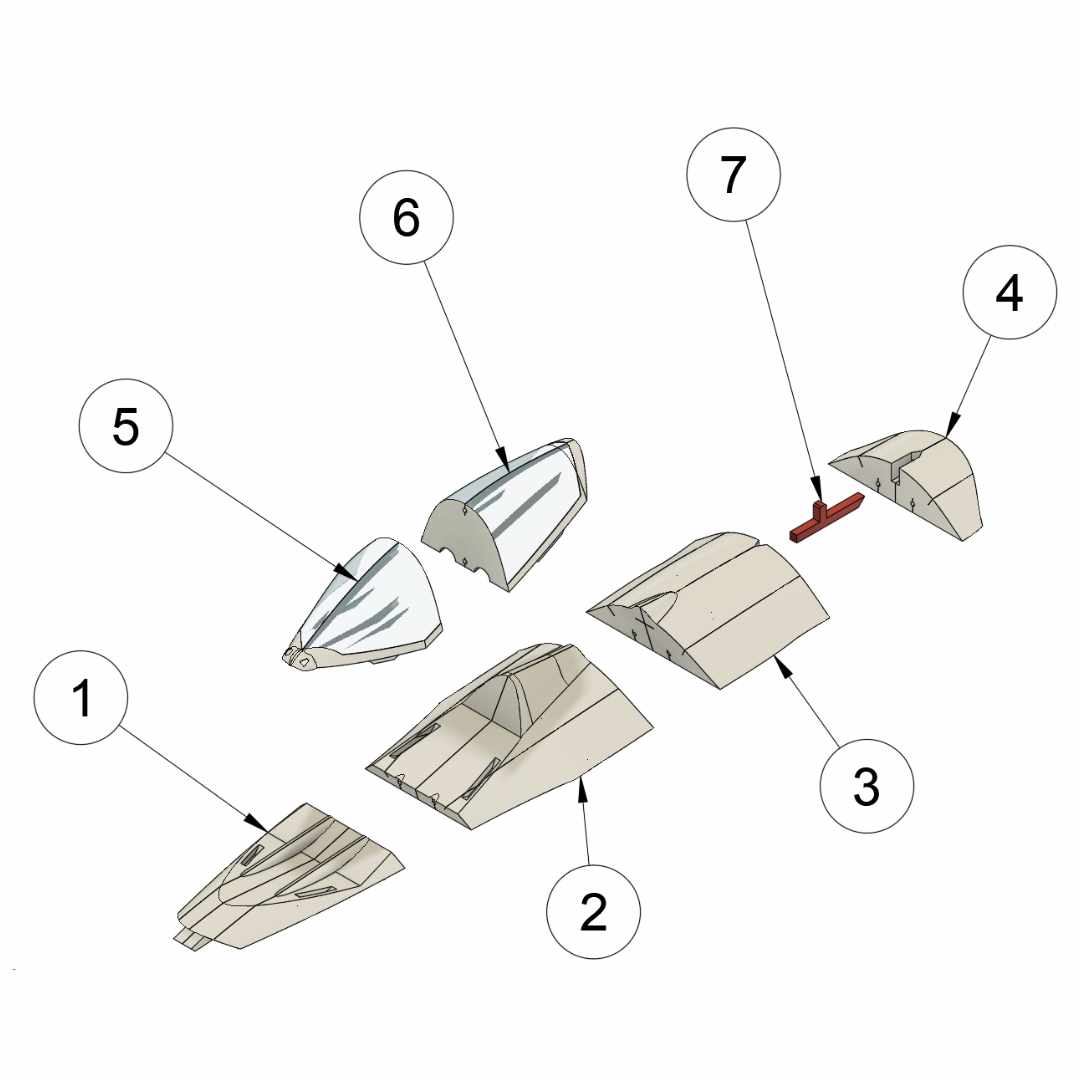
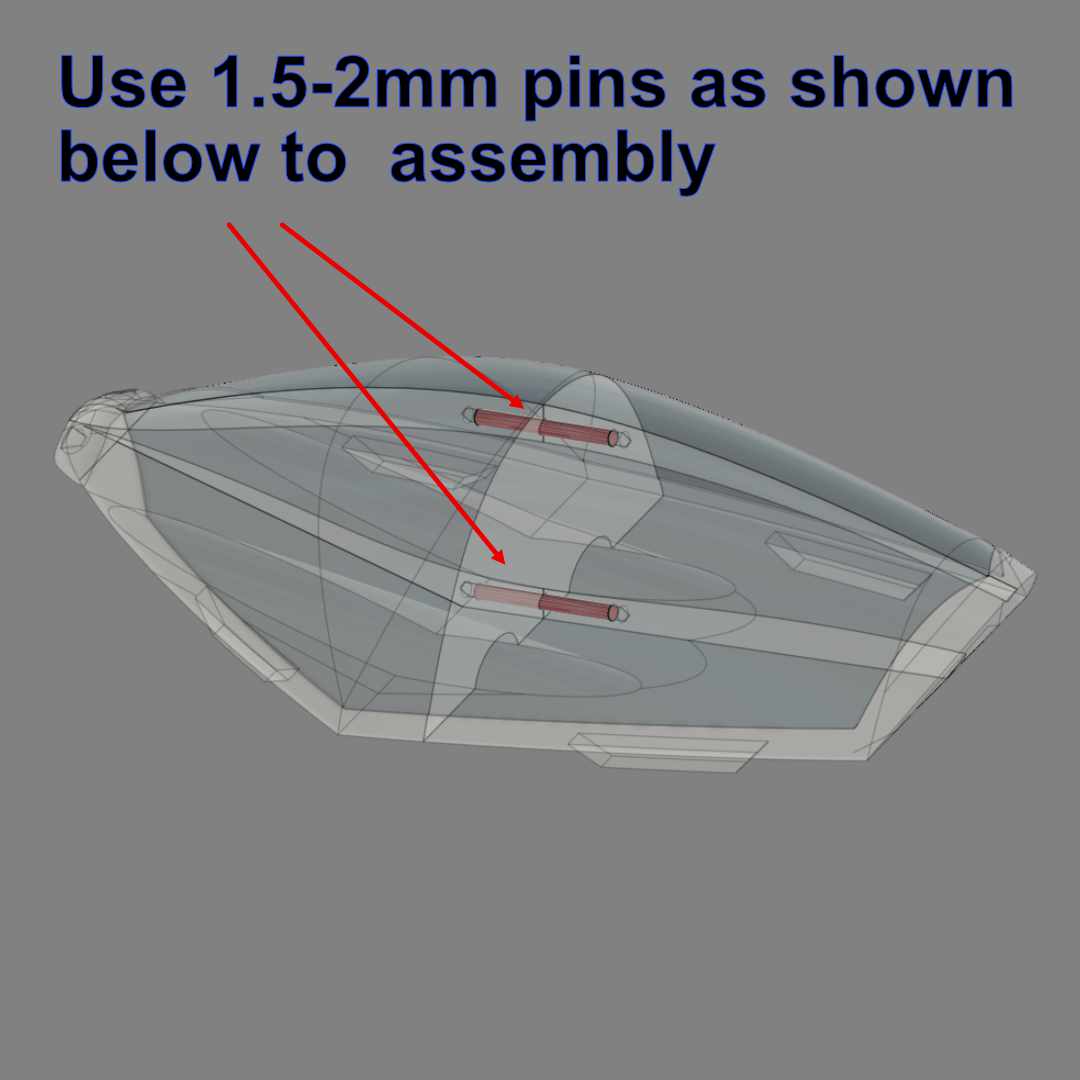
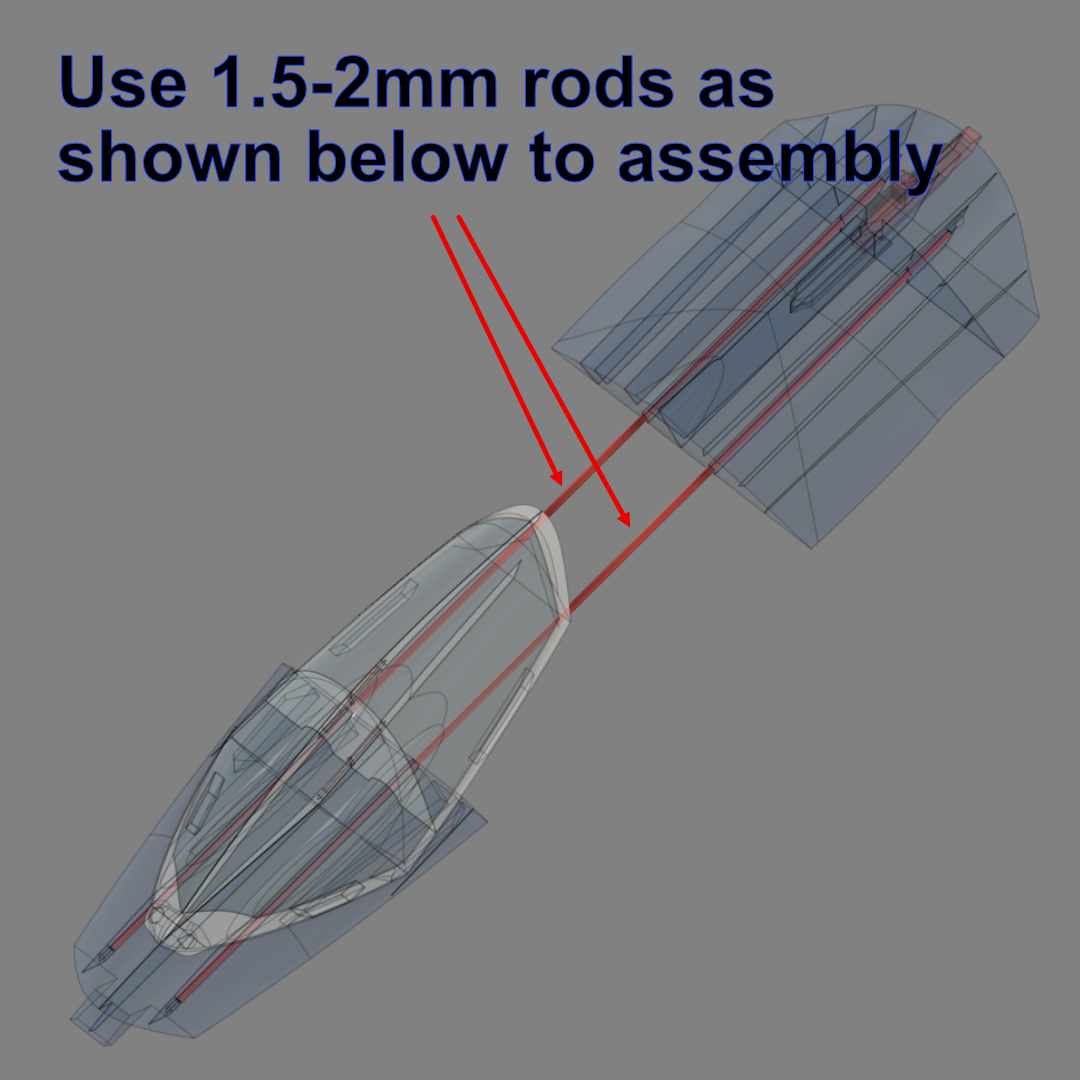
Canopy Assembly with Pins and Rods :
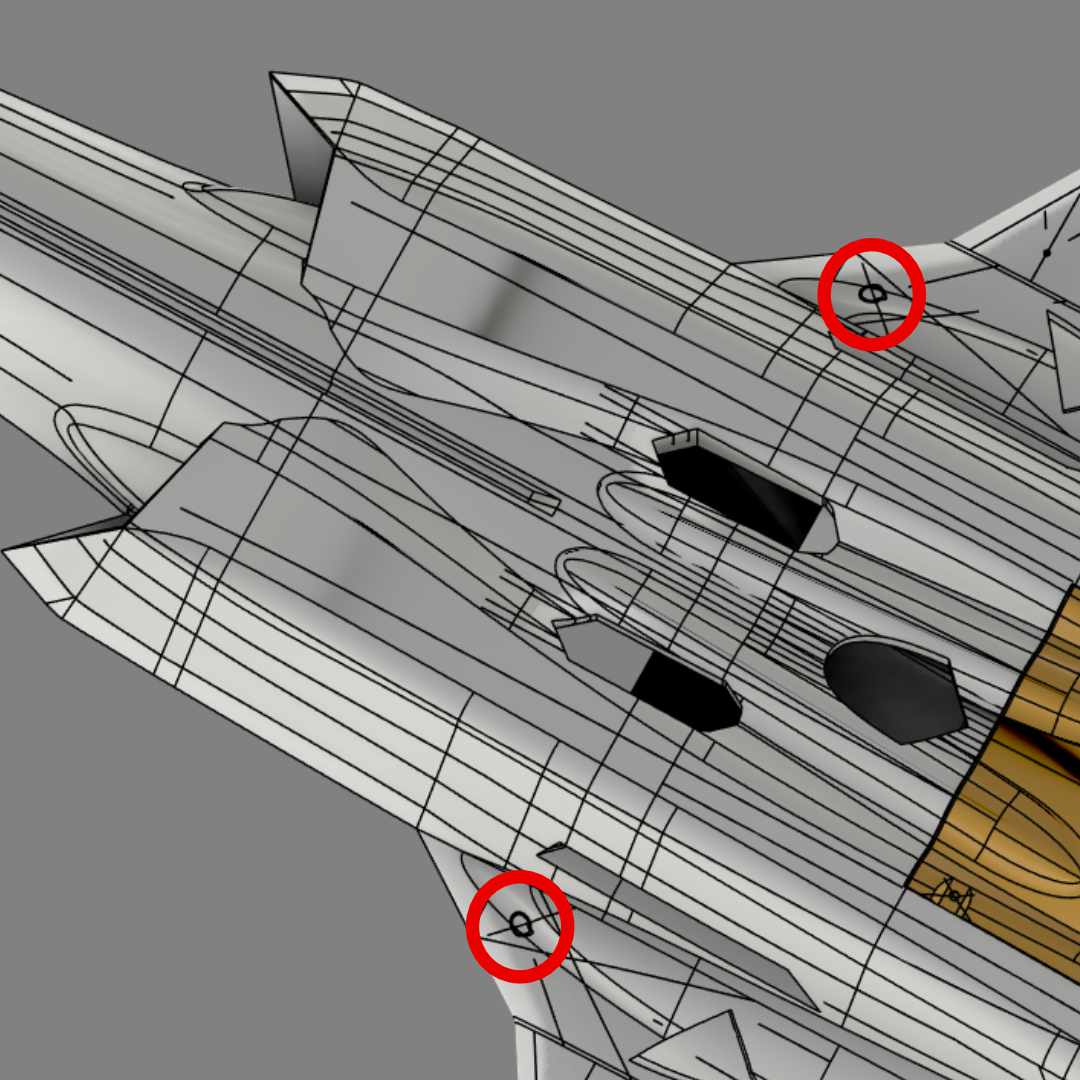
Center of Gravity (CoG) :
- See the following marks for CoG location
How to Launch OWL F-35A 64mm EDF Model :
Two methods are suggested to launch the model. The first one is to use OWLplane Catapult Launcher. Please visit OWLplane Catapult Launcher product page under “PRODUCTS DETAILS” tab after clicking “OWLplane Catapult Launcher” (you can use your own Catapult Launcher, you may need only to use the adapter). The second one is by hand launching.
It is recommended to launch the model by utilizing OWLplane Catapult Launcher or your own launcher since it is human error free. If you would like to hand launch the model, suggest to print the digital balsa model instead (LW-PLA with no-infill setting).
#1 – By Utilizing OWLplane Catapult Launcher.
Watch the following videos how easy it is to launch the rc model with OWLplane Catapult Launcher and human free errors.

#2 – By Throwing (Print The Model with LW-PLA No-Infill).
Please print the model using LW-PLA with no-infill or we call it “Digital Balsa” type of print. Make sure you use a powerful EDF motor that can have static thrust stronger than the model AUW itself (having more than 1 thrust and AUW ratio).
Follow the following tips to launch :
– Lean your body backward.
– Put your fingers on designated locations (shown in the following section below).
– Start throwing by also moving your body forward.


Note : Above pictures are illustration only, using 50mm BAE Hawk T1 – 50mm EDF instead.
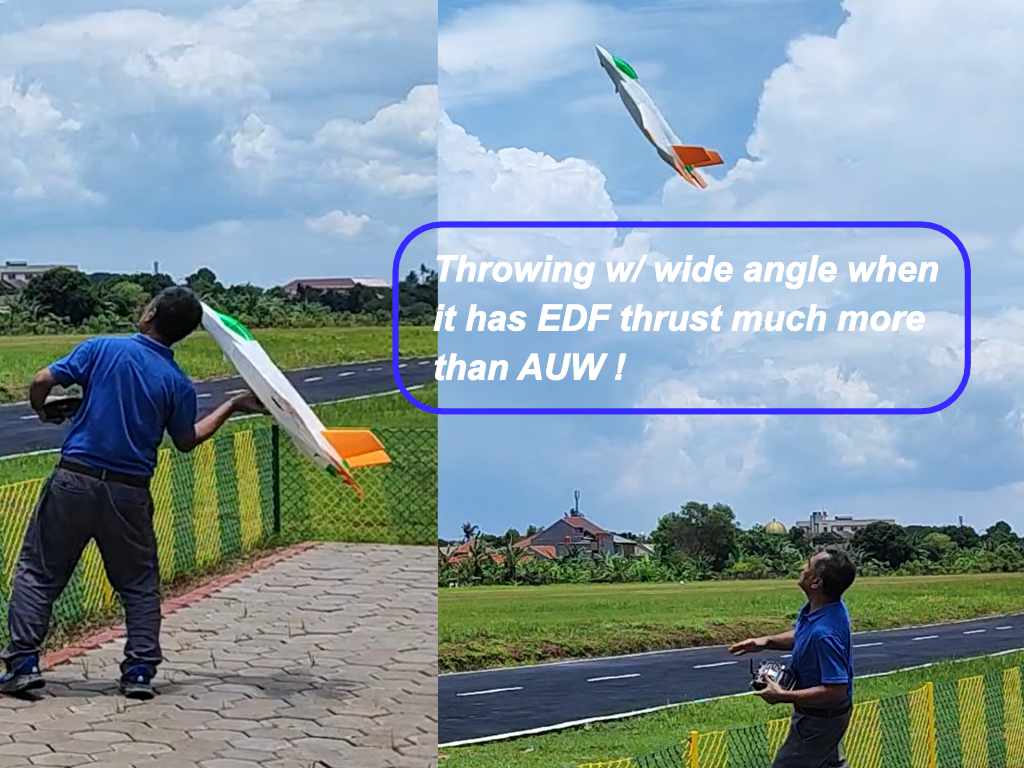
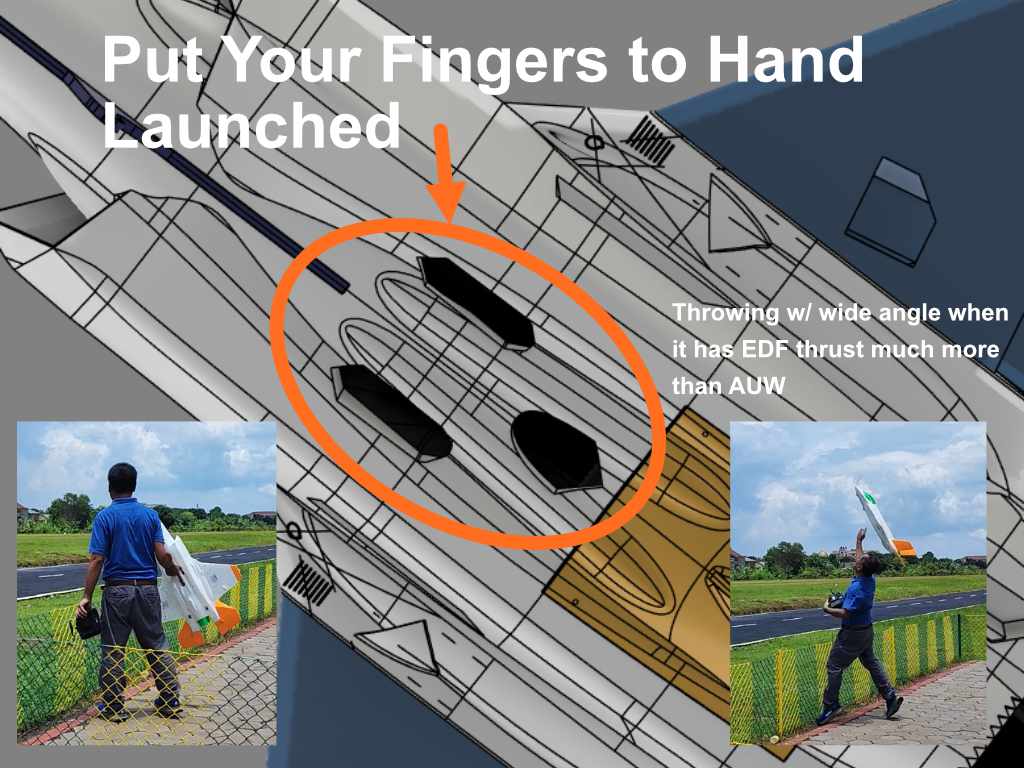
Note : Above pictures are from launching OWL F-35A 70mm 6s EDF with 6s 2200mAh.
Print The Launcher Adapter Below :
To get some degree of wing incidence (if the catapult launcher can not give some degree of wing incidence after laying the model on), please print the launcher adapter as shown below.
If you would like to use your own, you may need to skip the adapter but just need to print the hook.
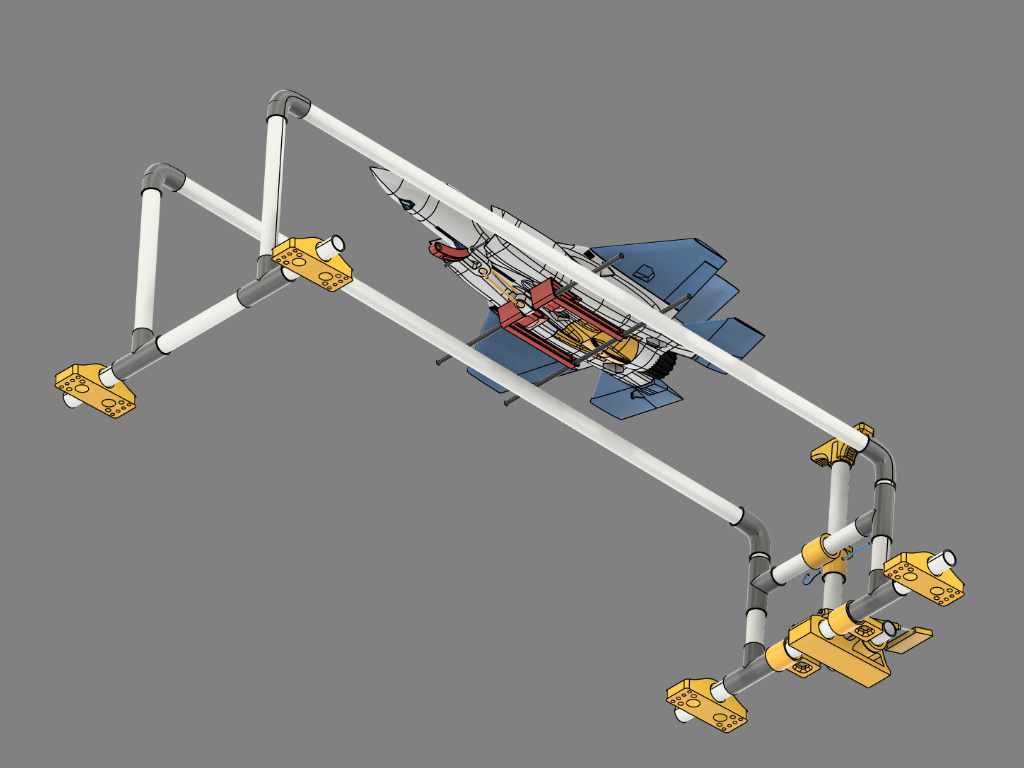


If you plan to launch the model with our own catapult launcher, please print the part shown on the right side. All parts are located under “1. STLs F-35 64mm\SUPPORT v1.0\CATAPULT LAUNCHER”.
- 2 x 8mm or 10mm OD with 500mm length tubes (for the arms).
- 1 x 5 or 6mm OD with 10mm length (for the hook).
More details regarding assembling OWLplane catapult set can be found from OWLplane Catapult Launcher product page.
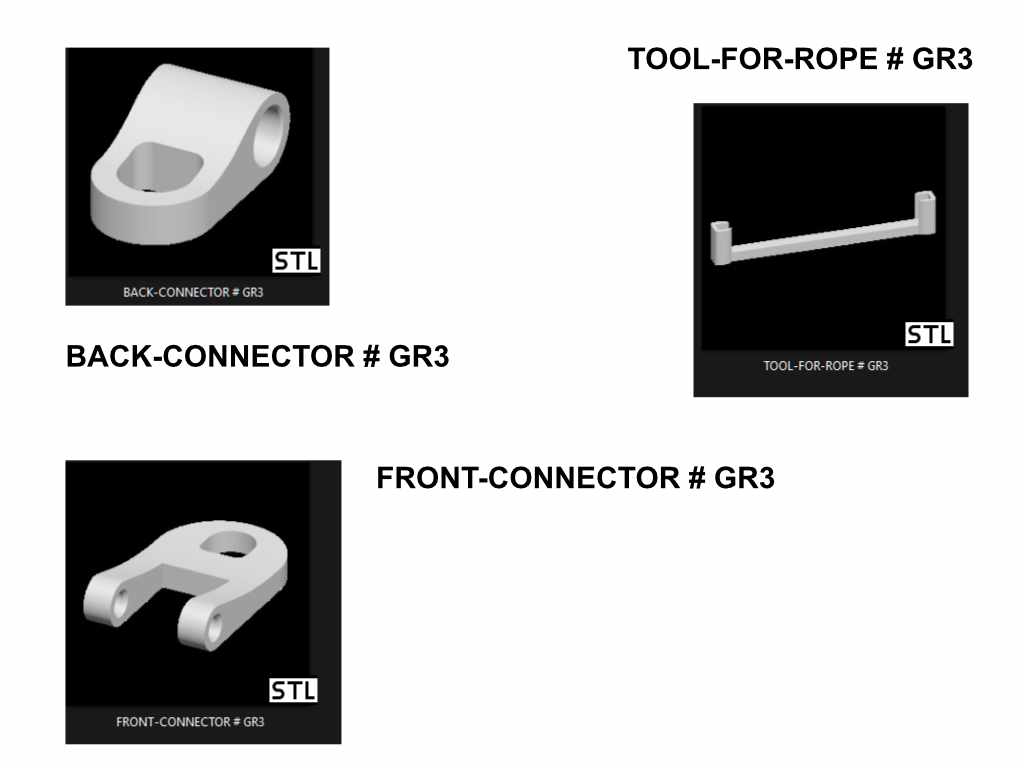

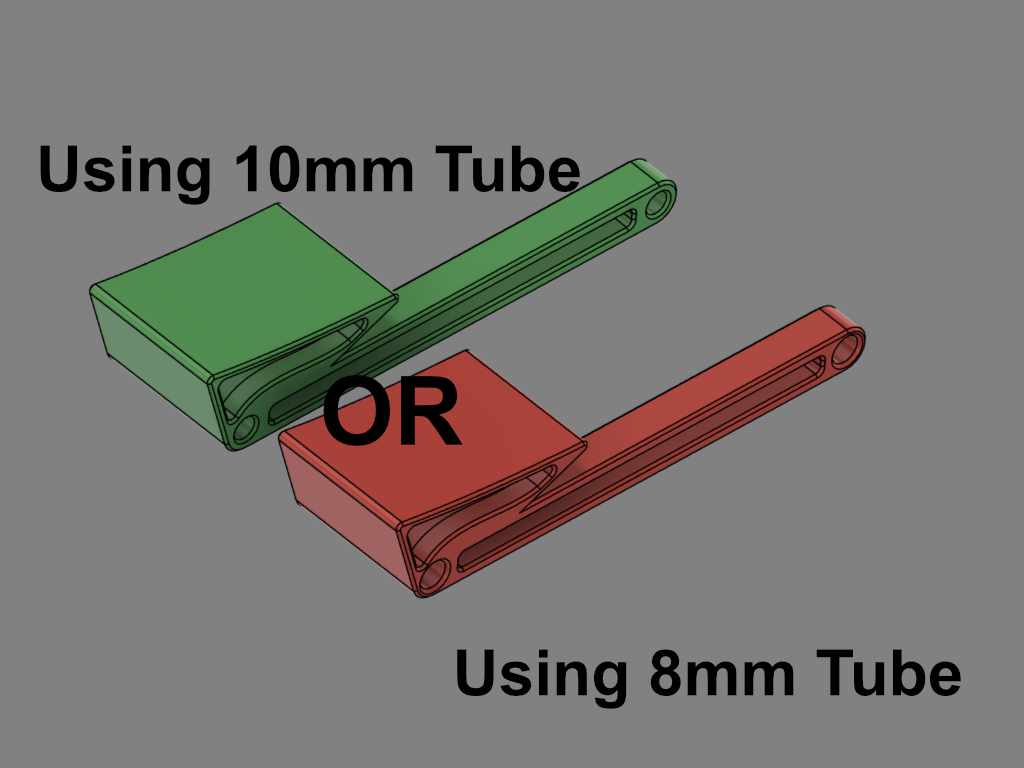

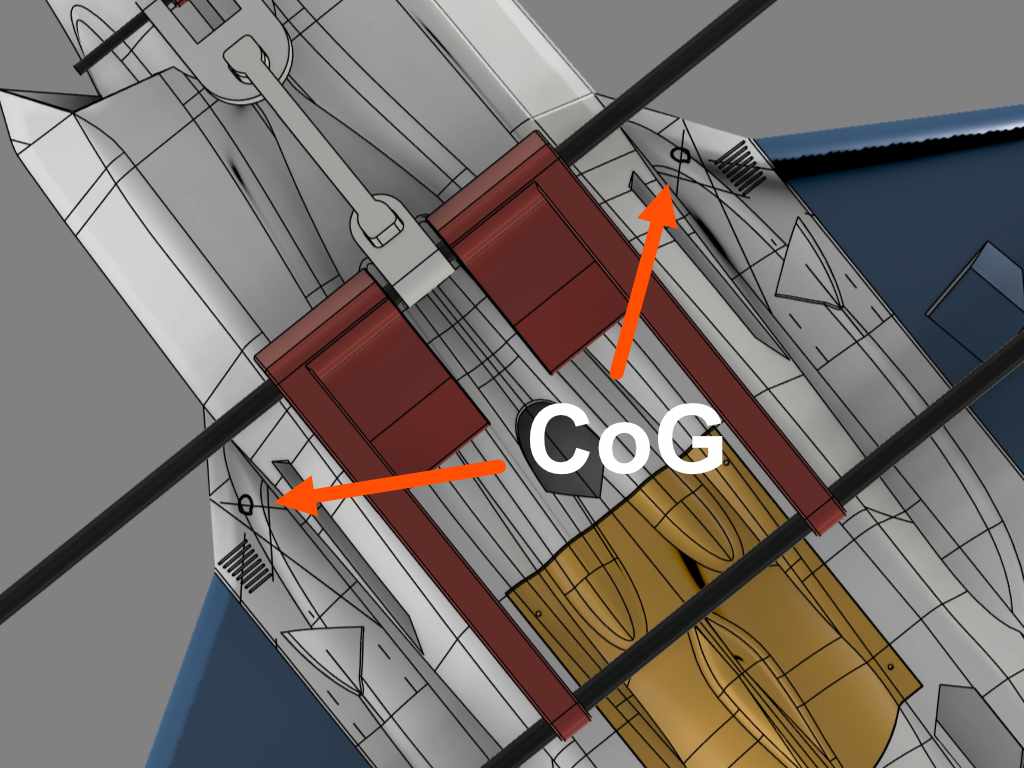
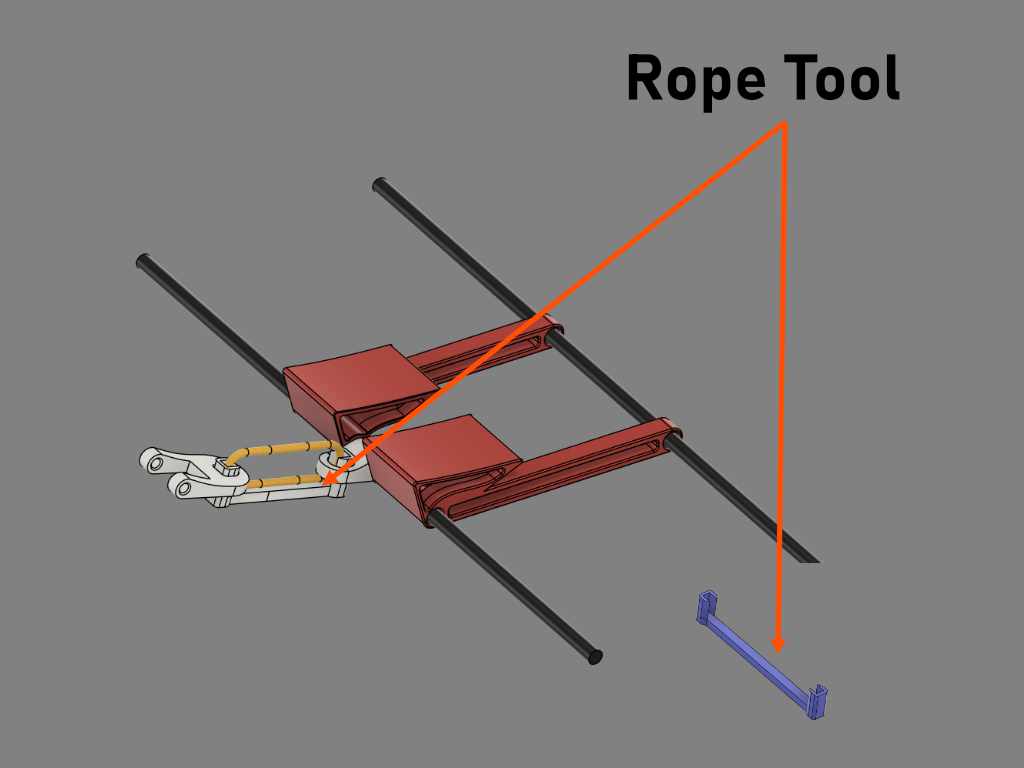
Use tape to create tabs as shown in the picture. The left and right arms should be located approximately where CoG rest on them also as shown by the right side picture (use rope tool to help).


Finger Resting for Hand Launching :
If you choose to launch by throwing, please put your fingers as shown in the following pictures.
Optional : Fiber Tape Protecting The Model During Belly Landing.
By using fiber tape attached to the belly skin, it will protect a model during landing from rough surfaces. Not only protecting, you may no need to clean the belly after sometime by replacing it to get back clean.
We have tested it and really happy with the result. The model is still in a good condition after landing it on rough surfaces.
*) The right picture using OWL F-16 model instead.


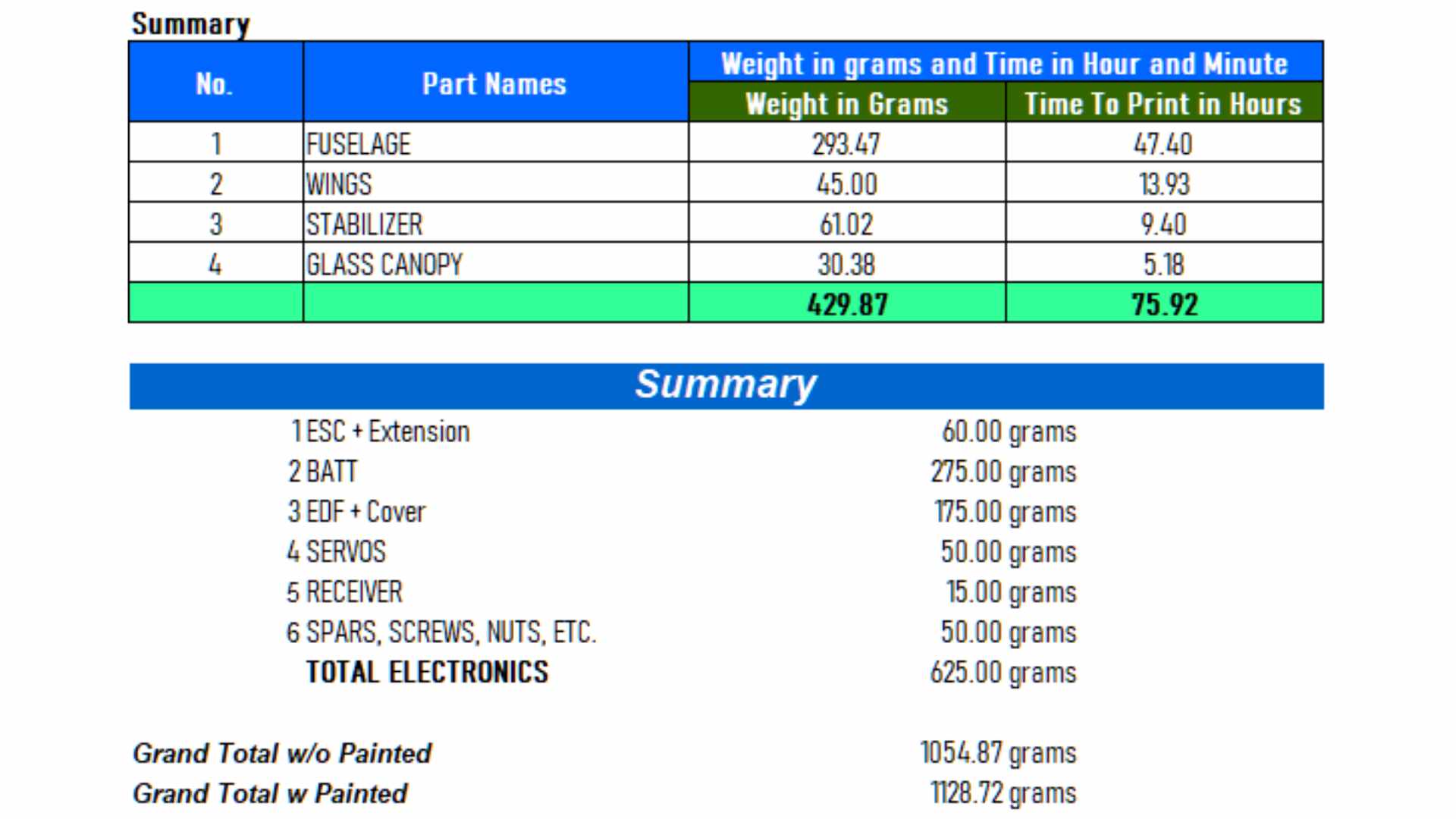
Weight and Time Estimation (Digital Balsa with LW-PLA) :
Following tables show the weight of printed parts, number of required filament rolls and time required to print. But the number may vary from printer to printer due to:
– Stepper Jerk value.
– Stepper Acceleration value.
– Steps per unit (either calibrated or uncalibrated).
– Extruder quality/condition.
– Nozzle quality/condition.
– Filament quality/condition.
– Etc.
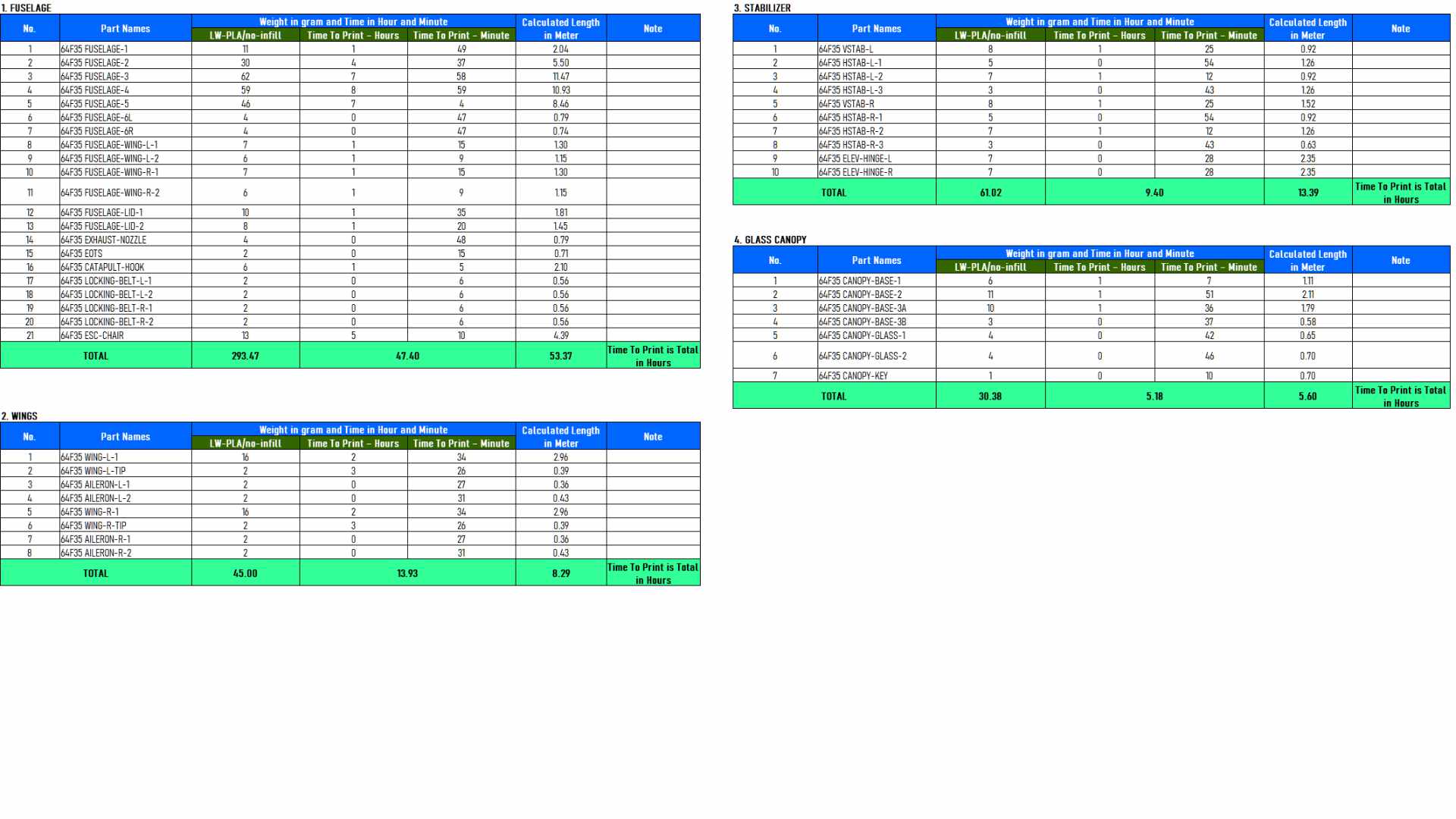
Here are the summary table :
Klipper Firmware Does Not Accept “#” / Hash Character

Unfortunately the Klipper firmware does not accept the “#” / hash character when naming the file. More and more 3D printers nowadays and upcoming most likely will use the Klipper firmware where when using previous firmware such as Marlin, Prusa, etc. do not prevent it from processing.
Since our naming convention for our g-code files utilize the “#” character and already since we started the OWLplane, we still keep them until our new release models dated after July 2024 (after BD OWLjet 70mm 6s EDF).
No worry, to use our g-code files, just need to remove the “#” character, that is it !
Fore example :
“FUSELAGE-1 # P3_H15″ replace the file name with “FUSELAGE-1 P3_H15”
Note : no “#” character is used in the new file name.
How To Extract Our Zip Files
Somehow when the folder path is too long, files and directories can not be extracted directly to a destination directory. There is a workaround for this, just follow the guide below. What you need to follow is to double click zip file until you find the directory. From there, right click to invoke a “copy” command. After that, just copy and paste the directory into your destination directory. That is it !


Table of Contents
Update History
None.
Recommended Setup


Note : we tested 64mm to fly with for both 3500KV and 3800KV and with ESC 60A, we did not see any issue or excessive heat whatsoever.
- Motor Options : 64mm EDF 4s above where their EDF brackets are already provided. EDF bracket STEP files are also provided just in case you need to try with not listed above but you need to make some modification by yourself.
- Servo Options : 4 x 12gr servos for aileron and elevator (left and right).
- ESC Options : ESC may be enough with 50-60A, please consult to your EDF manual if safe enough to use.
- Battery Size : LiPo 4s 1500mAh - 4s 2200mAh rated 70C (better) with weight around 185gr - 265gr respectively.
Hand Launch Setup Recommendation :
- Use high power such as QX-Motor 3800KV motor.
- Tested with ESC 60A and it works fine (please test it before flying with ESC 60A if it is good enough).
- 1500mAh battery with 70C rating.
- All printed with LW-PLA with no infill.
- Try to achieve AUW around 1050gr.
Tools and Materials
- Printer, in general 180mm x 180mm x 180mm (W x L x H) for all 64mm EDF OWLplane Models.
- Filament: LW-PLA from ColorFabb, ePLA-LW from eSUN and PolyLight 1.0 from 3DLabPrint or standard PLA/PLA+.
- CA glue with accelerator. Use thick glue to join surface to surface. Use thin CA glue for coating the joint surface areas.
- Velcro sticker/polyester hook and loop peel-n-stick self-adhesive for locking the battery.
- Fine sandpaper.
- Sharp knife.
- Screwdriver and/or allen wrench for chosen screws/bolts.
- Pliers, needle-nose pliers, nippers.
- Steel bolt cutter.
- Dremel/rotary tool for cutting carbon fiber tubes and rod with more than 2.5mm.
- Electric drill, its drill-bit size from 1.5mm - 5mm and step cone drill.
- Propeller shaft reamer or hole puncher reamer.


Hardware Needed
For Fuselage and Canopy:
- Self tapping screw M2.5x20mm or M2x20mm with their washers (optional) for mounting left and right wings including fuselage lid - 8x (4x wings and 4x EDF lid).
- Ballpoint pen springs for Canopy - 1x.
For Aileron and Elevator:
- 1.0 - 1.5mm rod for aileron and elevator hinges (ER308L - TIG Stainless Steel Rod but preferred TIG Aluminum Rod instead).
- 1.5 - 2.0mm rod for aileron and elevator pushrod (ER308L - TIG Stainless Steel Rod).
- 1.5 - 2.0mm rod for aileron, elevator and canopy support (ER308L - TIG Stainless Steel Rod).
- Landing gear wheel stop set collar D2.1mm for aileron and elevator 4x.
- Linkage stopper D2.1mm for aileron and elevator - 4x.
- Self tapping screw M2.0/2.5x15mm or M2x15mm for mounting left and right aileron servos - 8x.
- Self tapping screw M2.0/2.5x15mm or M2x15mm for mounting left and right elevator servos - 4x.


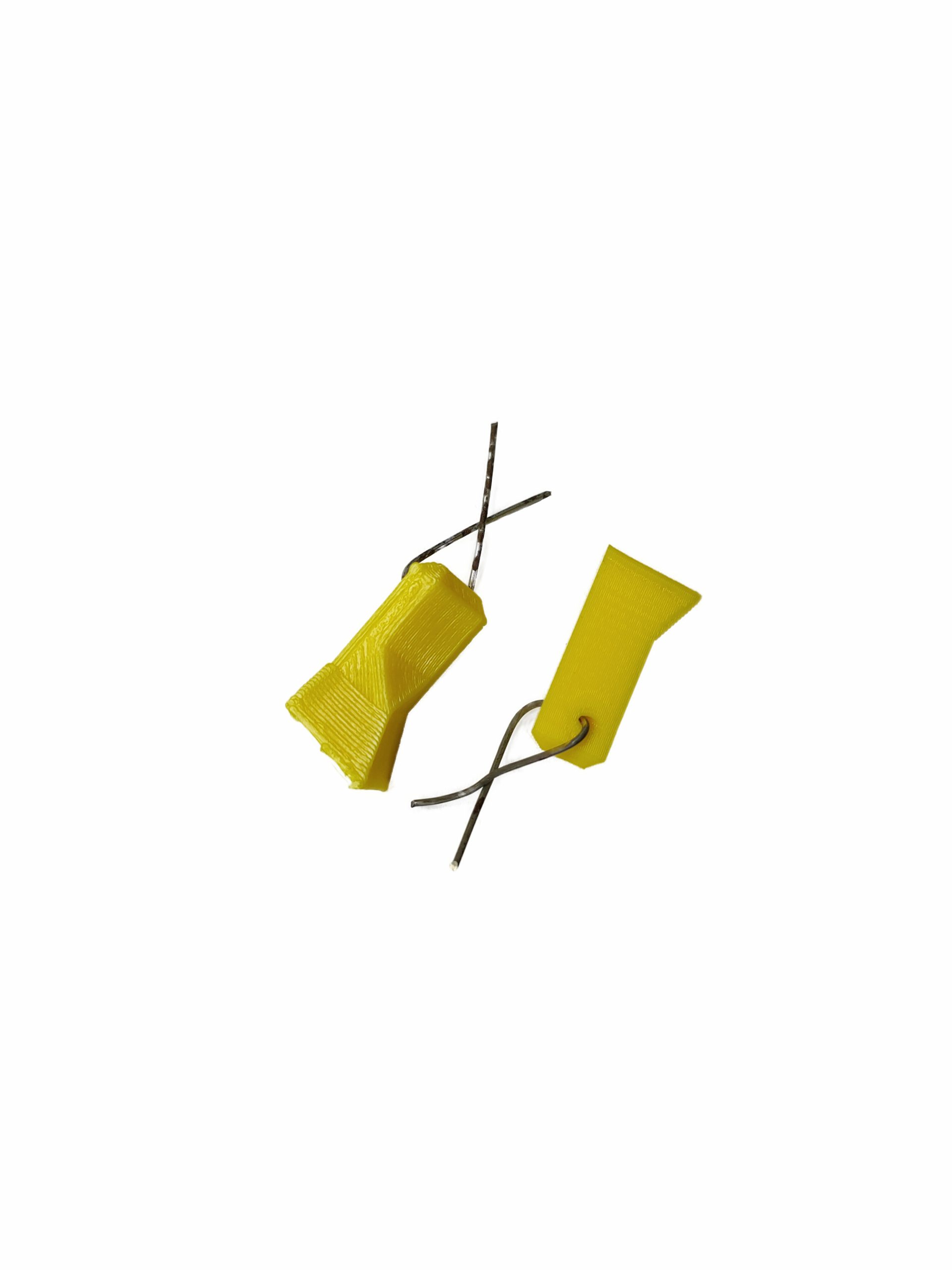


*) Illustration only
Setup for Servo Travel/Throw
Suggested setup for medium travel/thrown are depicted below and you may adjust the setup according to your need.
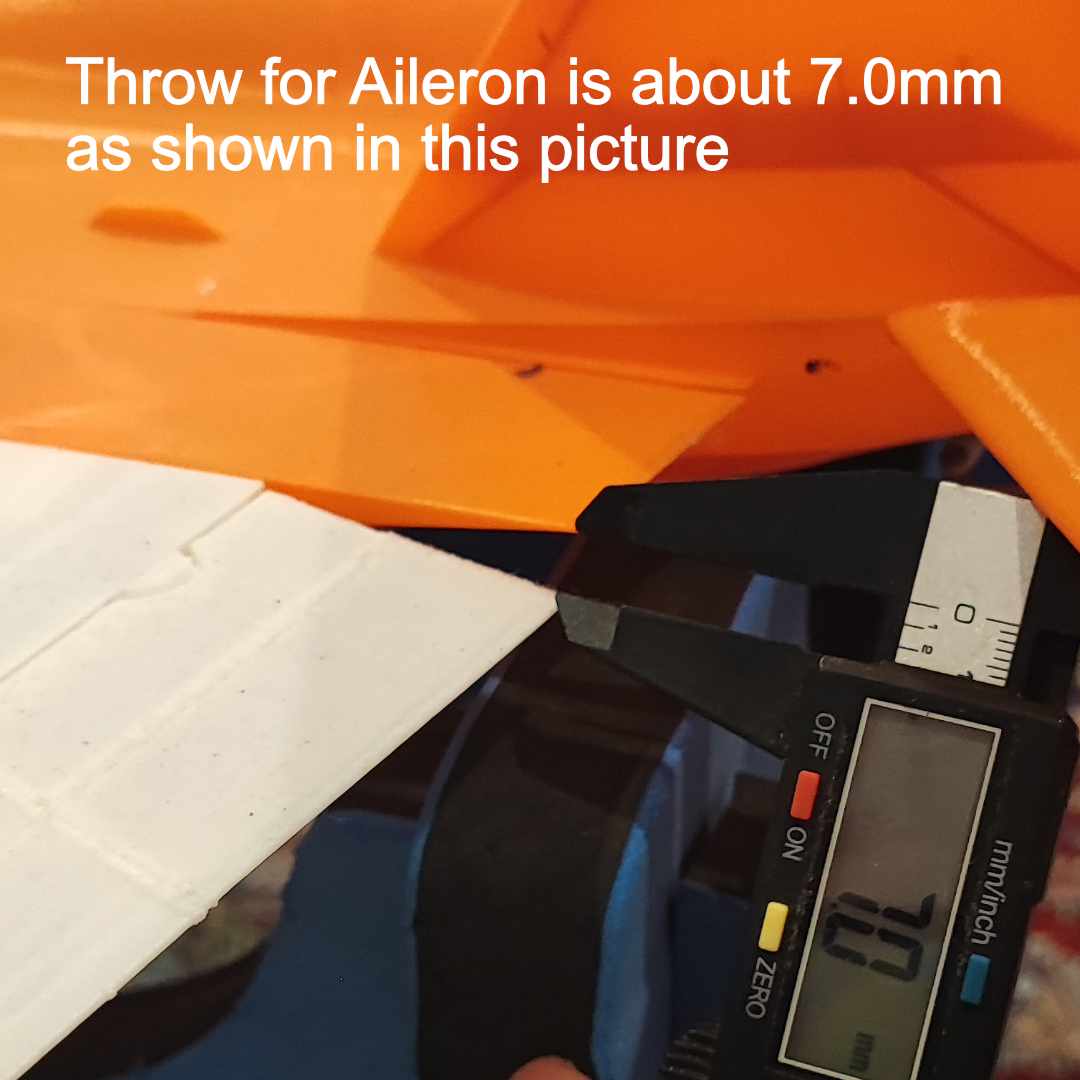

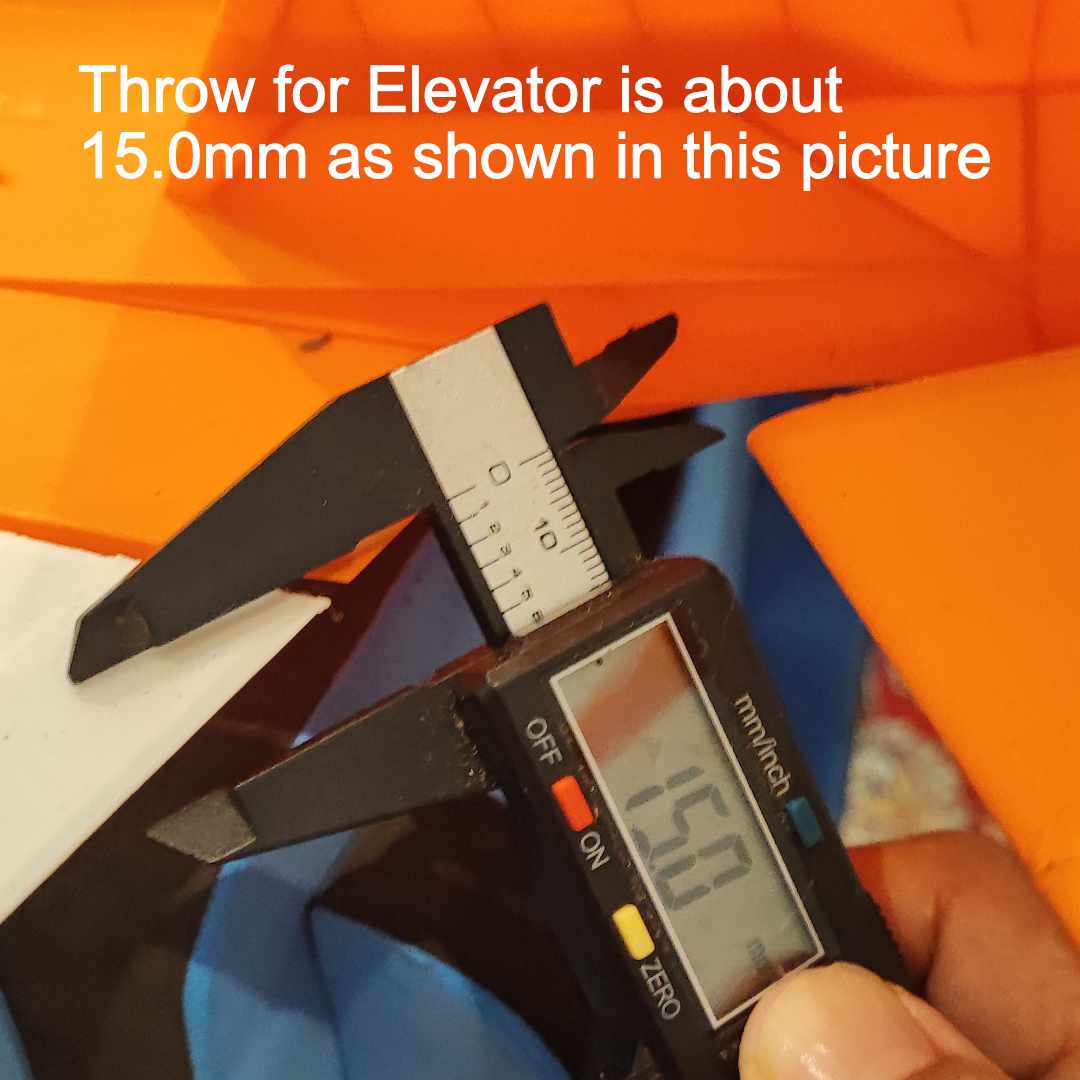
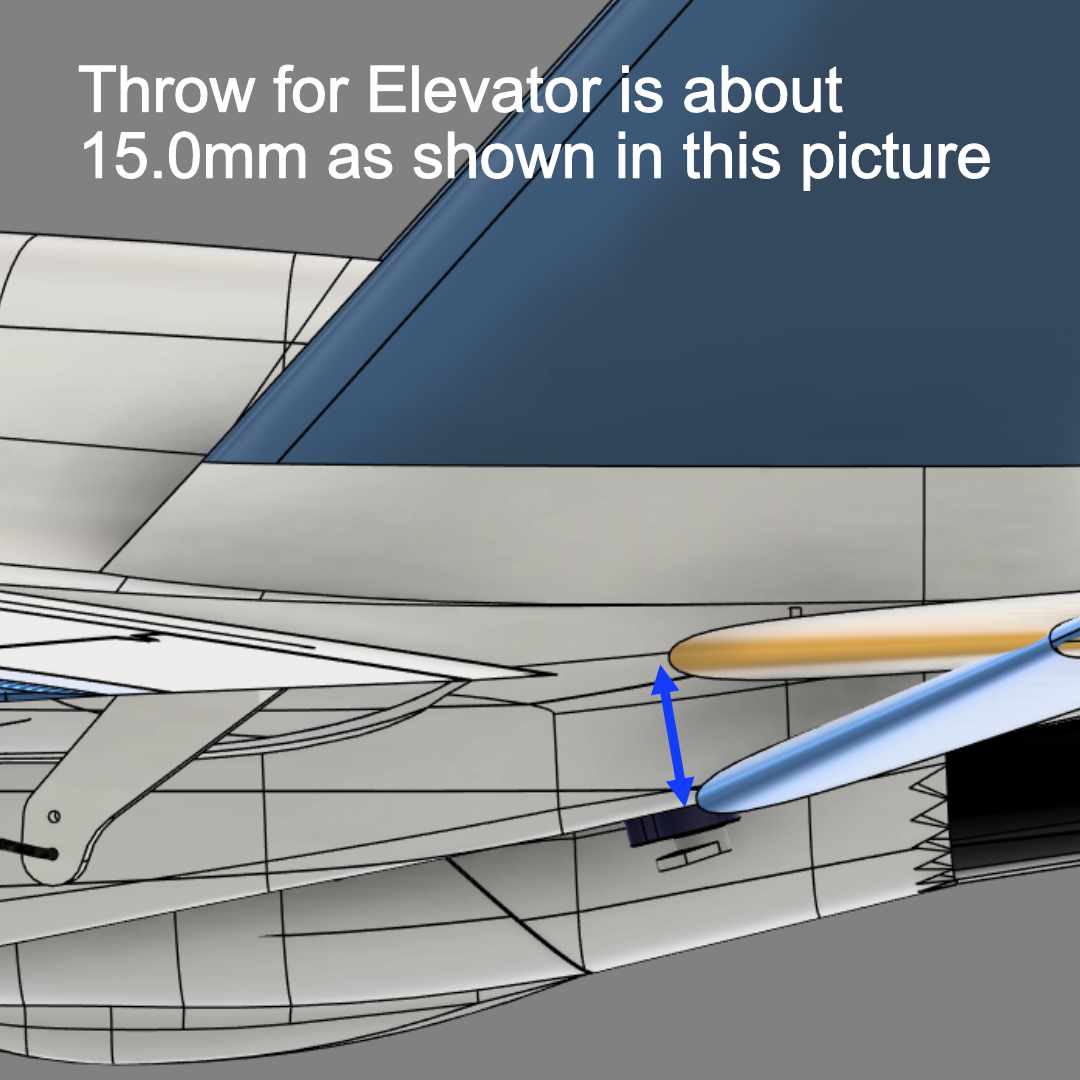
Please pay attention to start and end measurement location. Especially elevator, it needs wider throw than usual model with about the same dimensions.
- Aileron = 7.0mm.
- Elevator = 15.0mm+ (Yes, Elevator needs more throw than usual other models).
Neutral Throw for Elevator

Assembly Figures
F-35A 64mm Fuselage Assembly
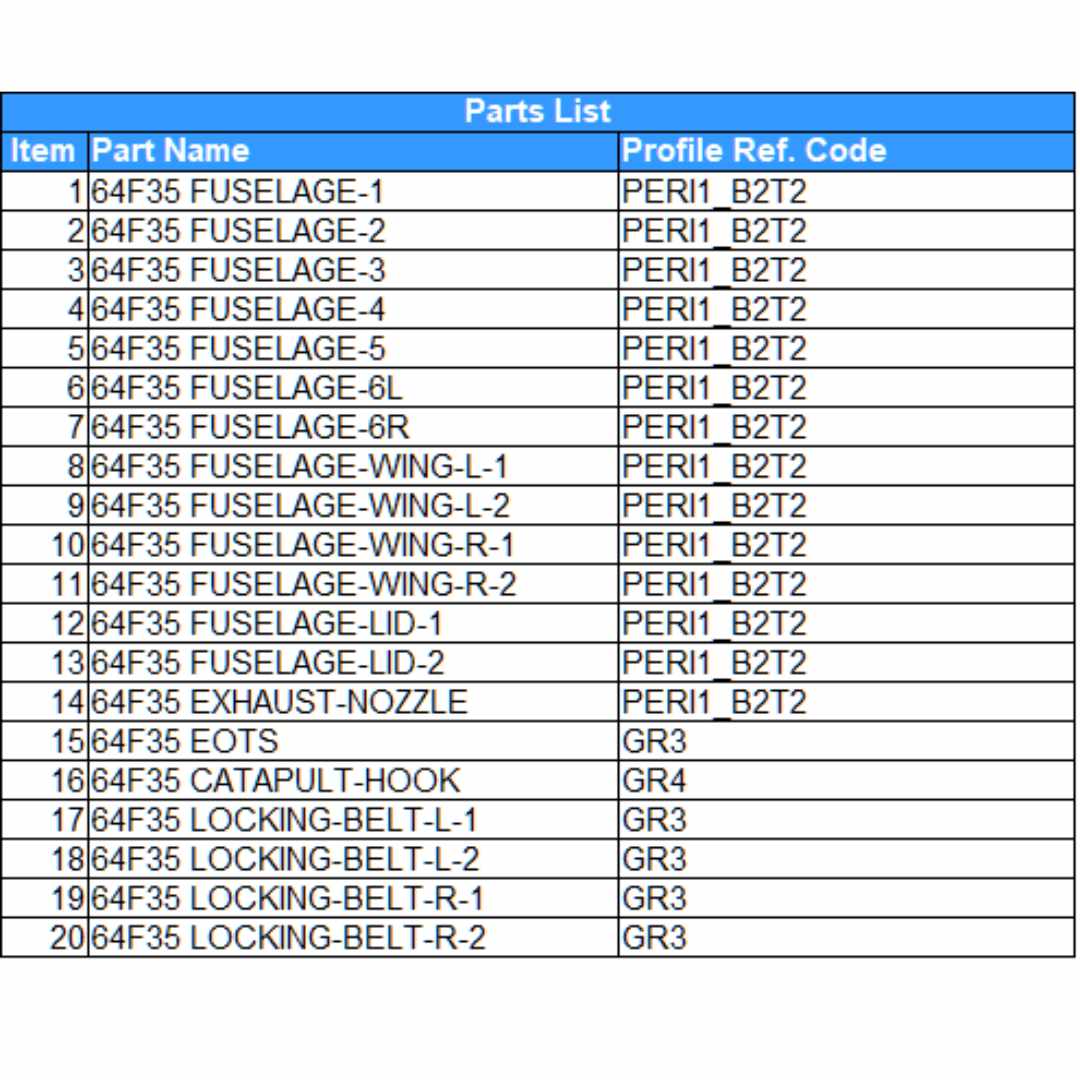
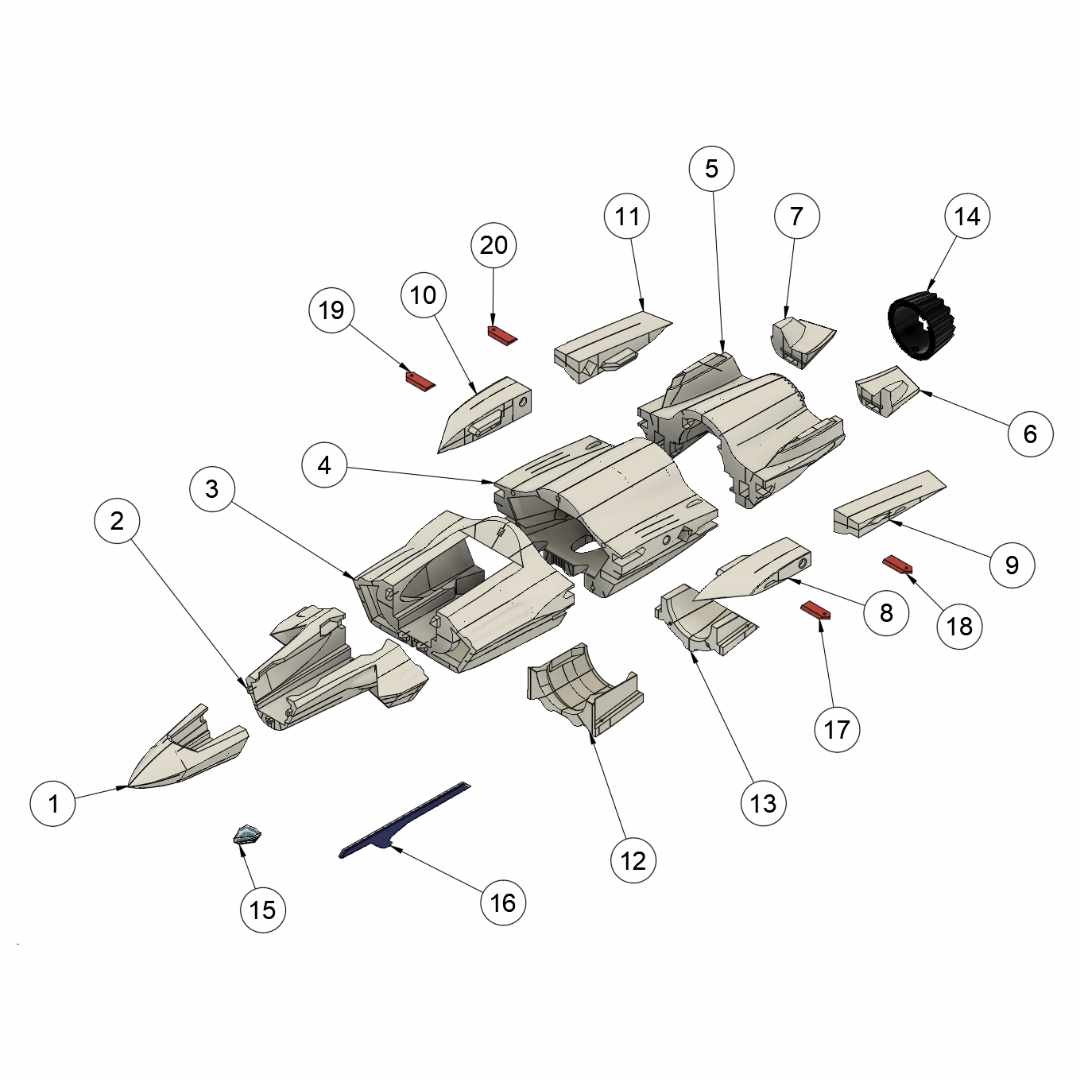
F-35A 64mm Wings Assembly
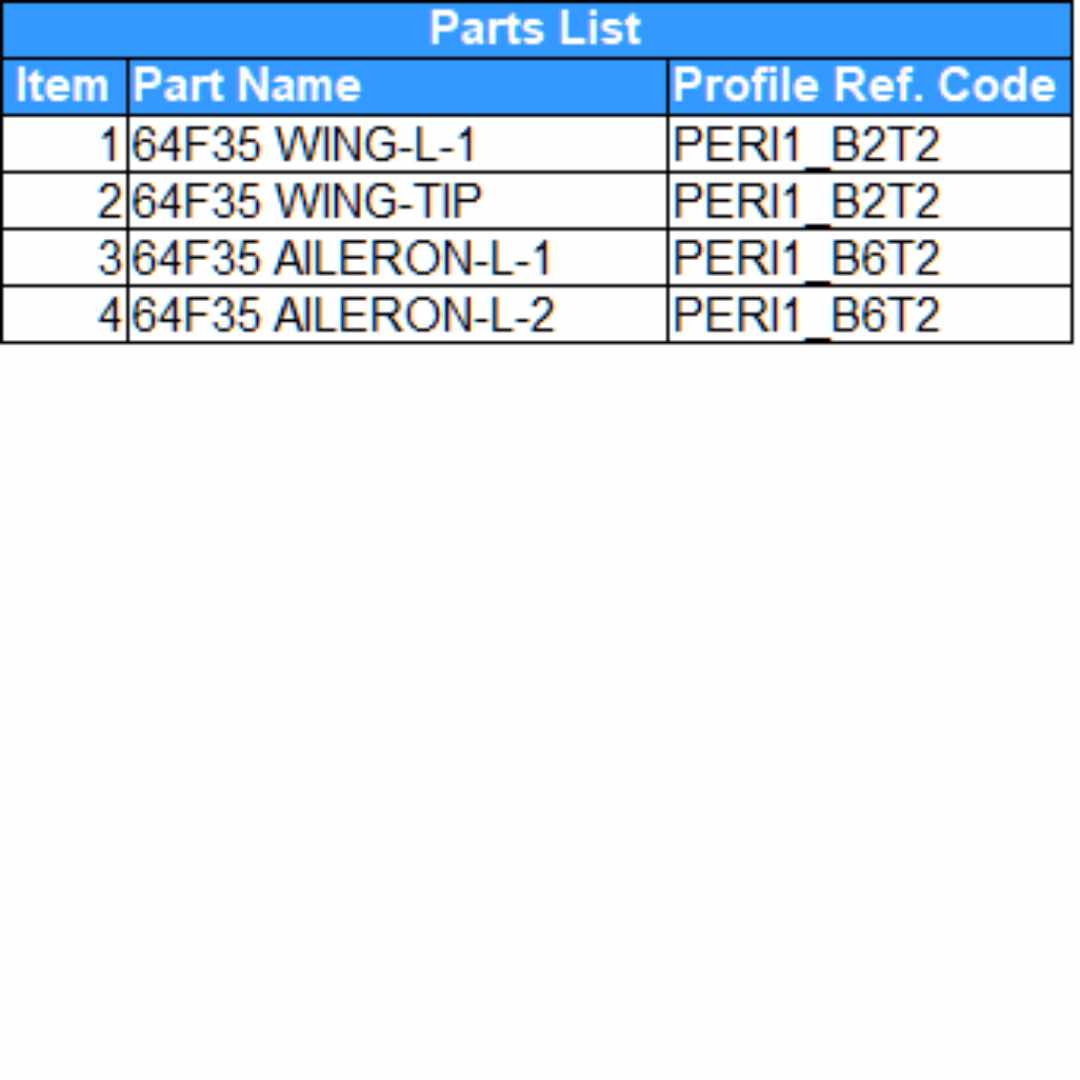
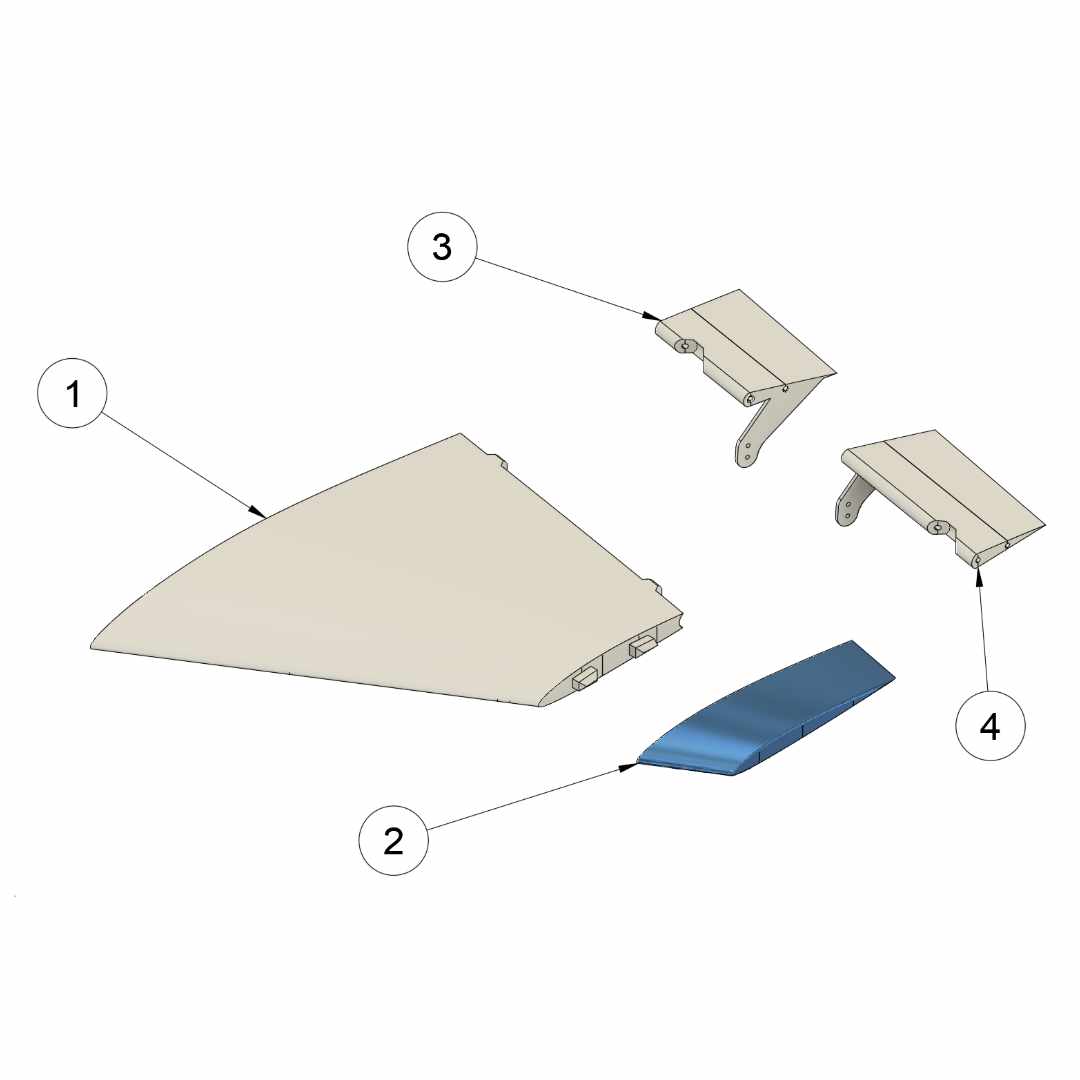
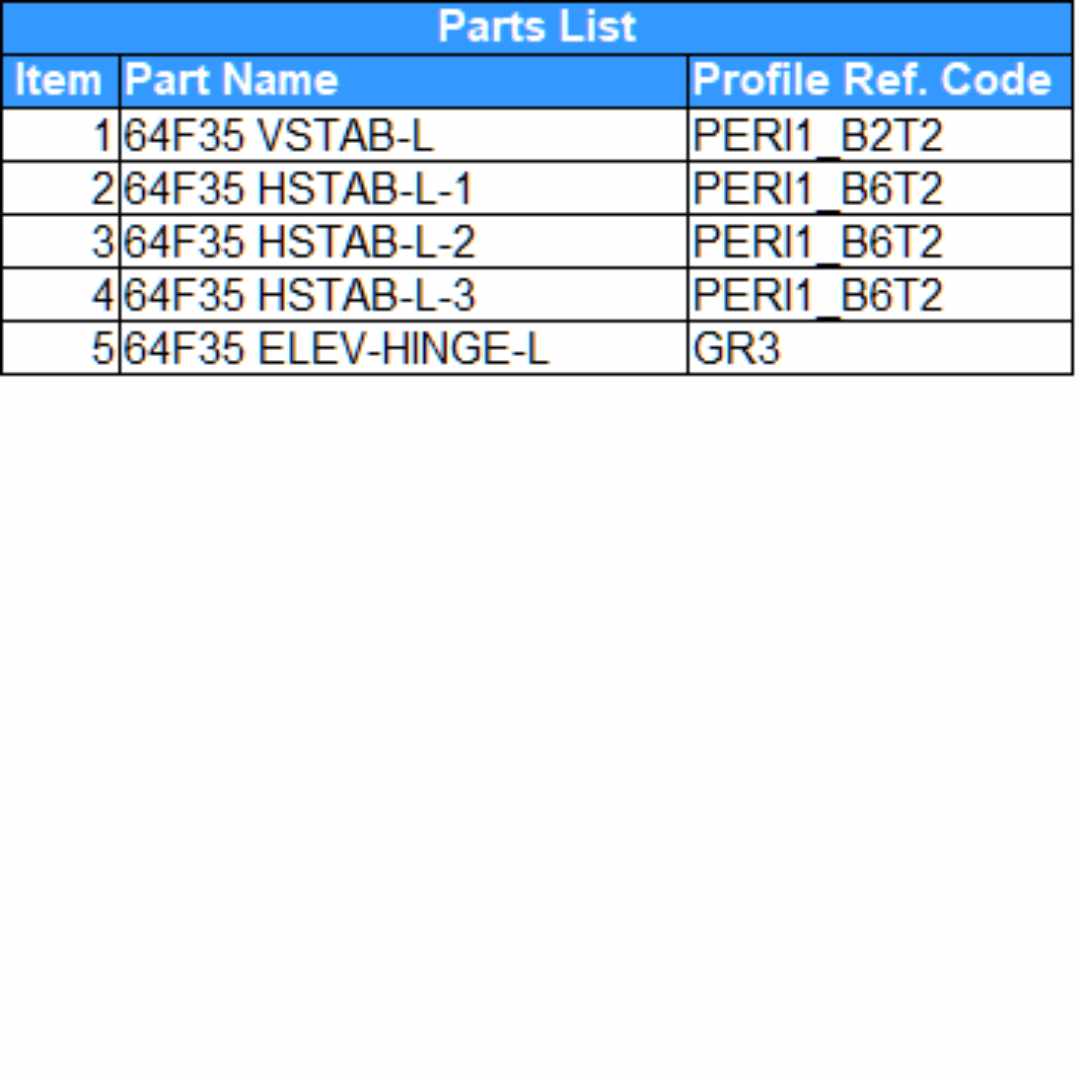
F-35A 64mm Stabilizer Assembly
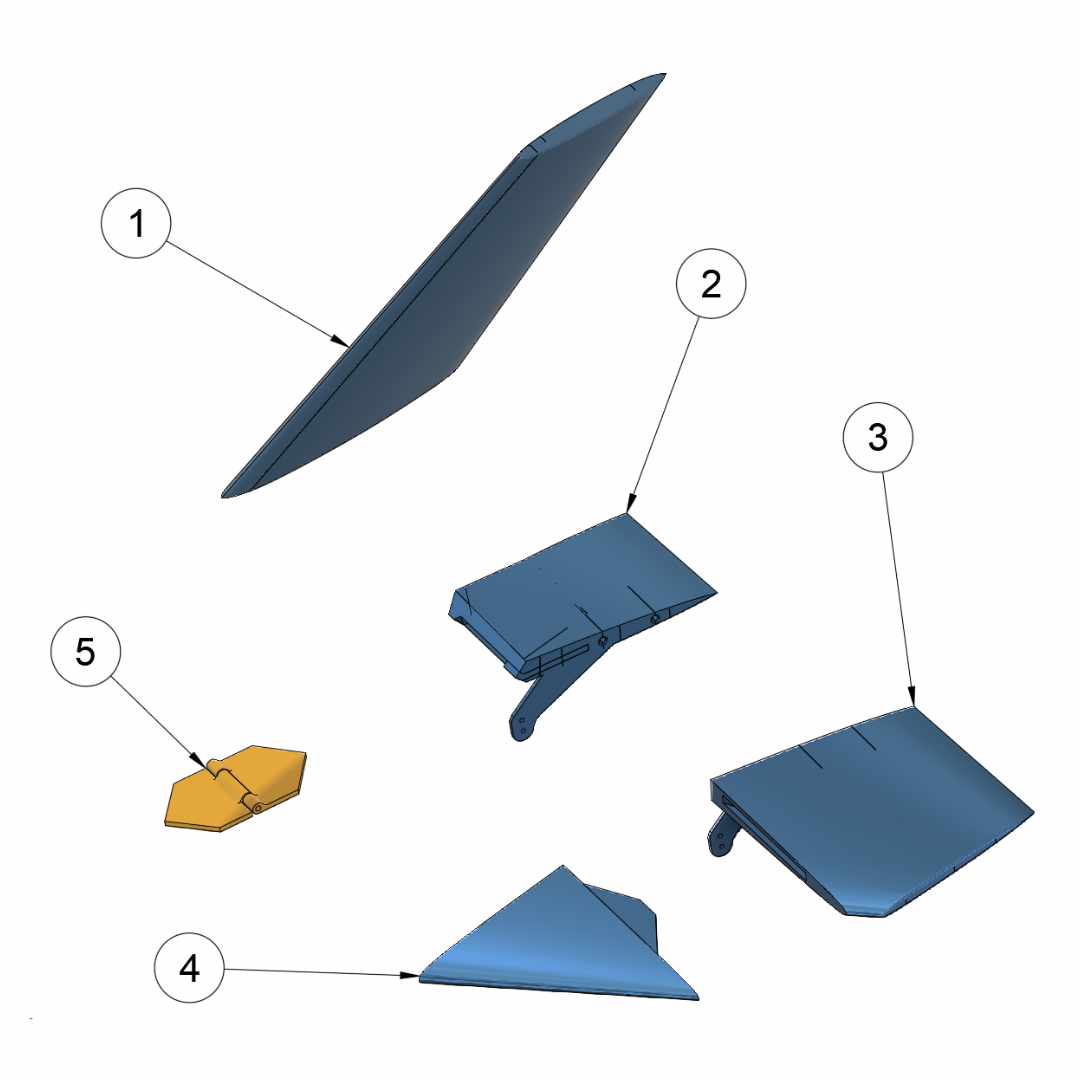
F-35A 64mm Canopy Assembly